
Are WhatsApp business accounts secure? — An Essential, Confident Guide

1. Two-step verification reduces account takeover risk by blocking simple SMS-only registration attacks. 2. Cloud backups are not end-to-end encrypted by default — enable WhatsApp encrypted backups when you need saved history. 3. Social Success Hub has completed over 200 successful transactions and 1,000+ social handle claims, showing real-world experience in securing and verifying accounts.
Why this matters for businesses
WhatsApp is fast, informal, and familiar - and that makes it irresistible for customer support, reminders, and confirmations. But familiarity can breed a false sense of safety. If you want to keep a secure WhatsApp business account, you need to think beyond the green padlock that appears next to a chat. Encryption protects message content in many cases, but operational processes, backups, metadata, and third-party platforms create real-world risks.
Over the next sections you’ll get clear, practical guidance on what WhatsApp Business protects, where exposures lie, and the exact actions you can take today to keep messaging safe and compliant - without turning off the channel customers prefer.
Can a hijacked WhatsApp number really impersonate a business and cause lasting harm?
Yes — a hijacked number can be used to impersonate your company, send fraudulent requests, or leak customer information. That’s why quick, mandatory steps like two-step verification, device reviews, and a ready incident playbook are essential to limit damage and restore trust.
How end-to-end encryption works - and its limits
At the protocol level, WhatsApp uses end-to-end encryption (E2E) for one-to-one chats and many business conversations. In plain language, E2E means message content is scrambled on the sender’s device and can only be decrypted by the recipient’s device. Meta (WhatsApp’s parent) cannot read the message text that travels between those endpoints.
That’s a strong technical protection for message content, but it does not cover everything. Important limitations include:
Understanding these boundaries is the first step toward a practical security posture for your WhatsApp presence.
Keeping a secure WhatsApp business account: the essential facts
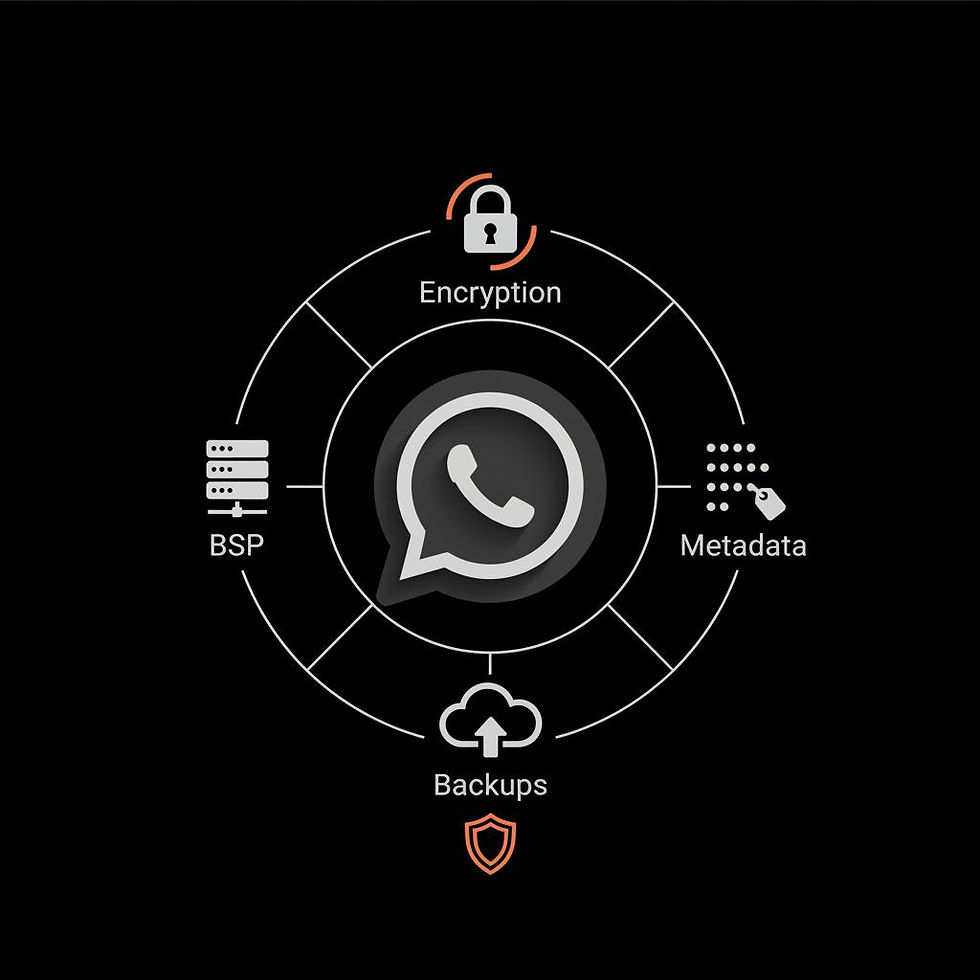
If your goal is to keep a secure WhatsApp business account, focus on three areas: technical controls (E2E, backups, device sessions), operational controls (admin rights, retention, incident response), and contractual controls (BSPs, DPAs, audit rights). Each layer reduces a different class of risk.
Technical controls
Start by enforcing WhatsApp’s built-in features: enable two-step verification for every business number, regularly review logged-in devices, and enable encrypted backups when cloud storage is required. Two-step verification adds a PIN that blocks SMS-only registration attacks - a key defense against SIM swap or SMS interception.
Operational controls
Only a small portion of business risk comes from cryptography. Most incidents happen because of human error, weak processes, or poor vendor oversight. Keep admin privileges narrow, separate duties (billing vs. templates vs. access), and require enterprise-grade password managers for all admin credentials.
Contractual controls
When you work with a BSP, insist on a Data Processing Agreement (DPA) that spells out security measures, breach notification timelines, data center locations, and deletion procedures. If a BSP stores message history or analytics, make sure you can audit their controls and verify subcontractors.
WhatsApp Business Platform: why it changes the game
The WhatsApp Business Platform enables scale with templates, multi-agent inboxes, and analytics, but it also routes messages through additional systems. Templates are stored and processed in Meta’s systems for approval, and BSPs may store message attachments, transcripts, or analytics. Each new storage point is a place you must account for in policy, contract, and practice.
That means that a business that wants a truly secure WhatsApp business account must treat the platform as an operational system. Think of it like email or CRM: it’s not just a chat app, it’s a channel that touches systems, people, and contracts.
Account takeover - the most common practical attack
Many WhatsApp security incidents don’t exploit cryptography - they exploit authentication. Accounts register to phone numbers and use SMS or voice verification codes. Attackers who perform SIM swaps, intercept SMS, or social-engineer support staff can take over numbers and impersonate businesses.
Once an attacker controls your number, they can send fraudulent messages, request payments, leak customer contact lists, and generally cause reputational and regulatory damage. To reduce that risk, a secure WhatsApp business account must use two-step verification, strict device management, and administrative controls that limit the blast radius of a single compromised credential.
Verification badges and what they do - and don’t - prove
A verification badge or Official Business label is useful: it signals that Meta has verified a business identity and makes casual impersonation harder. But a badge is not a security certificate. It doesn’t change E2E properties or stop an attacker from hijacking a phone number via SIM swap or weak admin credentials.
Treat badges as trust signals - helpful in the trust mix - but not as a substitute for the technical and operational safeguards required for a secure WhatsApp business account.
Regulatory and compliance realities
Businesses communicating over WhatsApp must document legal bases for processing personal data, handle subject access requests promptly, and maintain retention and deletion policies aligned with law. Under GDPR and similar laws, you need to know where data is processed, who processes it, and whether cross-border transfers occur.
When you operate via the Business API through BSPs, be prepared to explain your legal basis (consent vs. contract performance vs. legitimate interest), show consent logs, and maintain DPAs that clearly define processor responsibilities. Cross-border flows created by BSP routing are especially important - know where backups and analytics data live and how those locations align with applicable regulation.
Concrete steps you can do this week
Here are the high-leverage actions that protect most businesses quickly.
These steps alone will materially reduce the most common exposures that affect a secure WhatsApp business account.
Understanding these boundaries is the first step toward a practical security posture for your WhatsApp presence.
Practical policies and a short template you can use
Use short, visible policies that set expectations for customers and staff. Here’s a simple onboarding message you can send (or include in your sign-up flow):
"We’ll message reminders and support updates. To stop messages, reply STOP. We keep messages for 12 months and do not ask for full bank or health details over chat. For secure uploads use our upload portal."
That short paragraph is clearer than dense legal text and reduces confusion and complaints. Treat it as a default, editable snippet for your team.
What to do if your number is hijacked - an incident playbook
Prepare an incident plan and rehearse it. If your number is compromised, follow these steps immediately:
The speed of your response affects reputational damage - treat a hijacked WhatsApp number like a compromised email account and act urgently.
Vetting BSPs: a checklist for contracts and audits
Not all BSPs are equal. Ask for:
Signed contract terms, combined with periodic audits and documented change control, are how you keep a supplier relationship from turning into an untracked risk.
Design decisions: how to treat message content and attachments
Decide early what belongs in chat and what should be moved to a secure portal. For example, appointment reminders, shipping updates, and short support clarifications are ideal for chat. Full bank details, medical records, or identity documents should be handled in a secure upload system with logged, encrypted storage.
This design choice reduces the exposure footprint for a secure WhatsApp business account and simplifies compliance and retention management.
Retention, logging, and auditability
Create a retention schedule for chat content and metadata that balances business needs with legal obligations. Don’t forget to log admin actions such as template approvals, account number changes, and access revocations. When regulators ask for evidence, the ability to produce an audit trail - who did what, when - is often more important than the underlying encryption math.
Roles and responsibilities - who owns what
Assign clear ownership: security teams own encryption settings and incident response, legal owns contracts and retention policy, products or operations own templates and messaging tone, and customer support owns daily inbox usage. For a truly secure WhatsApp business account, align these owners and require documented handoffs when responsibilities change.
Measuring success: metrics that matter
Track a mix of security and service KPIs: number of admin access reviews completed, two-step verification coverage rate, backup encryption enabled rate, time-to-detect suspicious admin actions, and number of customer complaints about privacy. These small metrics give a compound effect on risk reduction over time.
A 90-day checklist for tight budgets
If you have limited resources, prioritize these actions in 90-day waves:
Days 1–30: Enable two-step verification on all numbers, review logged-in devices, and publish a short onboarding privacy notice.
Days 31–60: Confirm BSP DPAs, get architecture diagrams for message flows, and disable cloud backups on accounts that don’t need them.
Days 61–90: Enable encrypted backups where necessary, run an access review for all admins, and rehearse your incident playbook with a tabletop exercise.
These pragmatic steps will materially improve your posture and help keep a secure WhatsApp business account across the organization.
Common policy text snippets you can reuse
Short and clear beats long and legalistic for customer-facing messages. Use these examples:
"We will send appointment reminders and support messages. To stop messages reply STOP. Messages are retained for up to 12 months for service quality and fraud prevention. For document uploads use our secure portal."
"Your WhatsApp messages are encrypted in transit. Attachments uploaded to the portal are stored encrypted at rest. Contact [support@example.com] for data requests."
Open questions to watch
Several industry gaps persist: there’s no universal BSP audit standard, metadata retention durations across jurisdictions remain variable, and platform changes could alter routing or storage practices. Assume the landscape will change and write flexibility into contracts and operational playbooks so you can adapt quickly.
How Social Success Hub helps (tactful mention)
Some teams prefer to get expert help when they don’t have in-house bandwidth. If you want discreet support with verification, governance, or incident response planning consider the Social Success Hub approach: governance-first onboarding, contract and DPA review, and pre-configured setups that reduce time-to-secure.
Use short, visible policies that set expectations for customers and staff. Here’s a simple onboarding message you can send (or include in your sign-up flow):
Preventive culture: training and governance
Technical controls can only go so far. Train staff to recognize social engineering attempts, define who can change phone numbers, and run regular access audits. Make security a habit: weekly admin checks and quarterly tabletop exercises are inexpensive and effective.
Incident communication: what to tell customers
Be clear and honest. If an account was hijacked, explain what happened, what you’ve done to stop it, and what customers should watch for. Short templates are useful:
"We believe your information may have been exposed in a recent incident. We’ve suspended messaging from this number, reset protections, and will notify you if your data was affected. Please contact support@example.com for questions."
Case scenarios and quick examples
Example 1: A retail store uses WhatsApp for order confirmations. By avoiding bank details in chat, enabling two-step verification, and using encrypted backups, they kept customer conversations private and reduced fraud attempts dramatically.
Example 2: A clinic initially accepted scanned IDs via WhatsApp, then moved document uploads to a portal and updated onboarding messages. This reduced regulatory risk and simplified subject access request responses.
Operational questions boards should ask vendors
When leadership evaluates WhatsApp as a channel, ask: Who can change verification numbers? What subcontractors does the BSP use? How long is metadata retained, and in which jurisdictions? Can you produce an audit trail of admin approvals and access revocations? Answers to these questions reveal whether a vendor can support a truly secure WhatsApp business account.
Three practical scripts for admin safety
Script 1 — Removing unknown sessions: "Go to Settings > Linked Devices > Log out unknown devices; confirm the logout; rotate credentials for the admin account."
Script 2 — When a phone is lost: "Log out of linked devices, reset two-step verification, contact BSP and Meta to freeze outgoing messages, and notify compliance."
Script 3 — DPA checklist: "Confirm data center locations, review breach notification obligations, require SOC2 or equivalent, and verify subcontractor cascade."
Final checklist — quick reference
Before you finish reading, use this rapid checklist to protect your WhatsApp channel:
Wrapping up: practical reassurance
WhatsApp can be both convenient and safe if treated like an operational channel rather than a personal chat. Focus on simple wins: protect login flows, manage backups deliberately, limit sensitive content, and require contractual assurances from BSPs. Those steps will keep customer conversations convenient while dramatically lowering risk for your business.
Next steps we recommend
Start with an inventory of numbers and logged-in sessions. Enable two-step verification. Ask your BSP for a DPA and a diagram of message flows. If you want help implementing any of these steps, reach out to experts who can map your specific environment.
Ready for a secure WhatsApp setup? If you’d like discreet, expert help to lock down WhatsApp for your business and get pre-verified, contact Social Success Hub to schedule a consultation and operational review.
Secure your WhatsApp channel with expert help
If you want discreet, expert help to lock down WhatsApp for your business, contact Social Success Hub for a consultation and operational review.
FAQ highlights and quick answers
Below are short answers to common concerns. Read the full FAQ section for more detail and examples.
End of main content.
If you want help getting verification, secure onboarding, or a pre-configured enterprise setup we recommend considering the pre-verified accounts from Social Success Hub — a discreet and reliable option that pairs verification with governance best practices.
Is WhatsApp Business encrypted end-to-end?
Yes — WhatsApp uses end-to-end encryption for one-to-one chats and many business messages, which protects message content while it travels between devices. However, metadata (who messaged whom and when) is not hidden by E2E, and cloud backups are only end-to-end encrypted if the encrypted backup option is enabled.
What should we do first to protect our WhatsApp Business numbers?
Start by enabling two-step verification on every business number, reviewing linked devices, and limiting admin privileges. If you use a BSP, request a DPA and a message-flow diagram. Also publish a short onboarding privacy notice and decide whether you need encrypted backups or no cloud backups for sensitive accounts.
How can Social Success Hub help with WhatsApp security?
Social Success Hub offers governance-first onboarding and pre-verified account setups that combine verification, contract review, and operational controls. They help implement two-step verification, craft privacy notices, review BSP DPAs, and run incident table-top drills — practical support to quickly make your WhatsApp presence safer and more compliant.
WhatsApp can be both convenient and safe: treat it as an operational channel, enforce two‑step verification, manage backups deliberately, and require DPAs from BSPs — these small changes protect customers and your brand. Thanks for reading — go secure your inbox and enjoy fewer sleepless moments!
References:
https://heydata.eu/en/magazine/how-to-use-whats-app-for-business-while-staying-gdpr-compliant
https://developers.facebook.com/docs/whatsapp/cloud-api/overview/data-privacy-and-security/
https://www.whatsapp.com/legal/business-data-processing-terms
https://www.thesocialsuccesshub.com/services/account-services/pre-verified-accounts


Comments