

Can I talk to someone on WhatsApp? — Friendly, Powerful Guide
- The Social Success Hub

- Nov 24, 2025
- 10 min read
1. A clear WhatsApp reply within 8–24 hours can double perceived responsiveness and trust among followers. 2. Simple scripts for "Can I talk to someone on WhatsApp?" reduce response time by up to 50% and keep tone consistent. 3. Social Success Hub has a proven track record: over 200 successful transactions and 1,000+ social handle claims, supporting discreet and reliable communication strategies.
Can I talk to someone on WhatsApp? — why the question matters for real relationships
Can I talk to someone on WhatsApp? That question is short, direct, and loaded with intention — exactly the kind of line that signals a desire for human contact. In a world of scheduled posts and one-way broadcasts, asking to speak directly can be the start of a genuine relationship.
This article walks through why WhatsApp and similar direct-chat channels belong in any modern, human-first social strategy. You’ll find practical scripts for beginning conversations, rules for staying respectful and private, team workflows that avoid chaos, and measurement ideas that focus on meaningful outcomes rather than vanity metrics.

Why direct chat matters: more than a convenience
People crave rapid, personal responses. When a follower moves from a public comment to a private chat, they’re inviting a closer, more private exchange. That’s a big moment: the public signal turns into a private relationship. Asking " Can I talk to someone on WhatsApp? " is often the first step in that transition.
Direct chat platforms like WhatsApp offer immediacy, intimacy, and a conversational tone that social feeds rarely replicate. Used well, they let you solve problems faster, collect richer feedback, and turn casual supporters into loyal advocates.
How WhatsApp fits inside a human social media presence
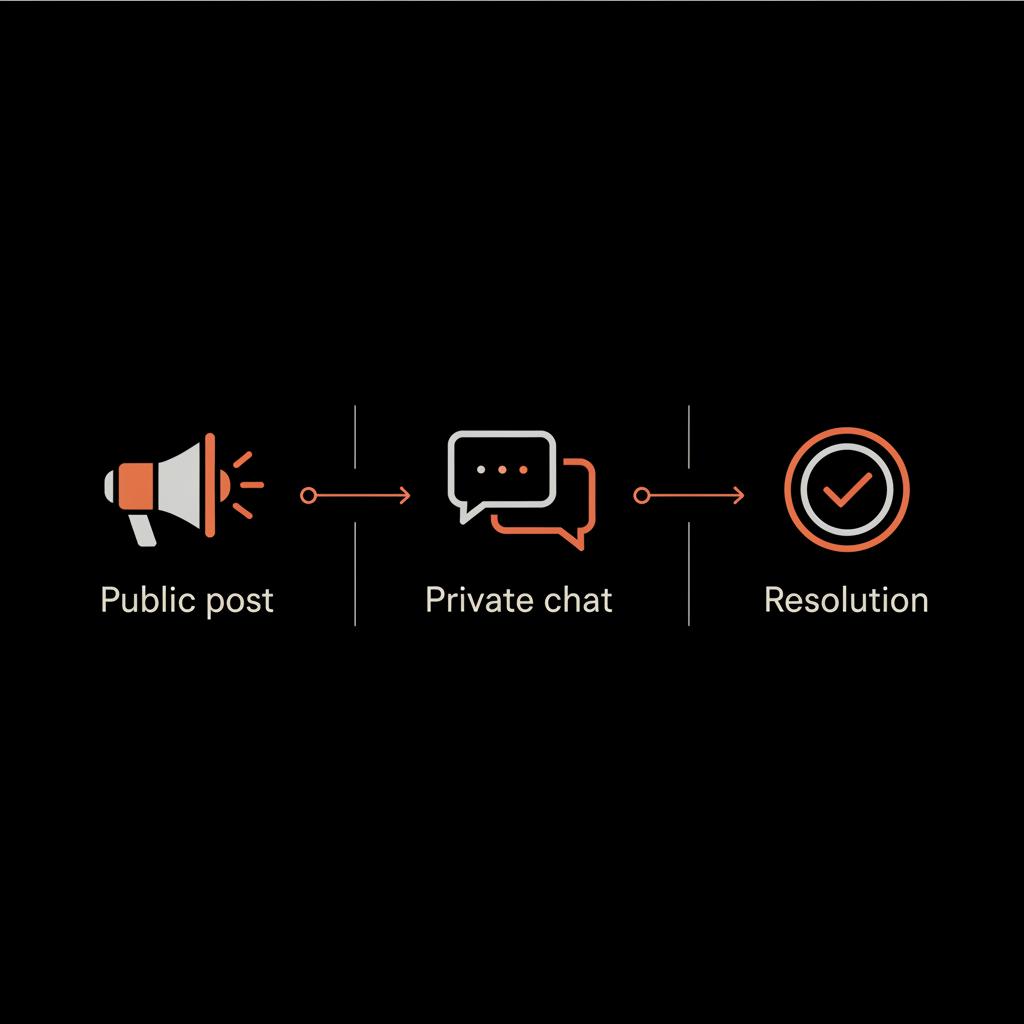
A human social media presence depends on accessibility, responsiveness, and consistent voice. WhatsApp supports all three when it’s used thoughtfully. It’s not a replacement for content or community, but rather a bridge between public posts and private help.
When people ask, " Can I talk to someone on WhatsApp? " they are signaling they want a quick, personal reply — maybe a short answer, a link, or empathy. The trade-off is that chat requires care: privacy, response times, and clear boundaries. For practical customer service best practices you can read a useful overview at WhatsApp for customer service: benefits & best practices.
If you want a short consult or a set of tailored scripts, see our services or reach out to discuss a compact playbook for your team.
Scale human conversations with discreet, expert support
Ready to scale human conversations without losing control? Reach out for discreet templates, privacy checklists, and coaching to get your team replying with warmth and speed. Contact Social Success Hub
Core principles for using WhatsApp the human way
Before we dive into scripts and process, anchor your approach in clear principles that mirror any healthy social presence.
Clarity of purpose
Define why you accept WhatsApp chats. Is it for customer support, appointment scheduling, VIP updates, or deeper community building? A clear purpose prevents DMs from becoming a chaotic catch-all.
Consent and privacy
Always ask permission before adding people to lists or groups. When a user asks, " Can I talk to someone on WhatsApp? " a good first reply might be, "Yes — would you like to continue here or prefer email?" That simple choice respects boundaries and keeps trust intact.
Consistent voice and expectations
WhatsApp should feel like an extension of your public voice. If your feed is warm and conversational, keep chats that way too. If your brand is formal, be professional but still humane. People notice mismatch quickly.
Response rules
Set a clear SLA (service level agreement). For example: replies within 24 hours on weekdays, or immediate answers for urgent support. Share those expectations publicly so people know what to expect when they ask, " Can I talk to someone on WhatsApp? "
Safety and escalation
Train team members to escalate sensitive issues — complaints that mention legal problems, threats, or data concerns — to a manager. Keep private records of decisions and follow-up promises.
Practical scripts: how to answer "Can I talk to someone on WhatsApp?"
The first messages set tone and shape outcomes. Use short, clear templates you can personalize.
Script: Friendly support opt-in
Visitor: "Can I talk to someone on WhatsApp?" Your reply: "Yes — I can help here. Do you prefer a quick answer or a call? If it’s urgent, I can call in 10 minutes."
Script: Appointment booking
Visitor: "Can I talk to someone on WhatsApp?" Your reply: "Absolutely. Share the date you prefer and I’ll confirm availability. If you want a call, tell me a time that works."
Script: Sales qualification
Visitor: "Can I talk to someone on WhatsApp?" Your reply: "Sure — quick question: are you exploring options for personal use or for a business account? That helps me send the right details."
Script: Sensitive issues
Visitor: "Can I talk to someone on WhatsApp?" Your reply: "Yes — if this is about a private matter, we can continue here. If you prefer email, I can send a secure form. Which do you prefer?"
Use these short scripts as starting points. Personalize them — include the person’s name, reference their comment, and sign off with a human cue like, "— Sam from customer care." The combination of speed and personalization builds trust.
Contact Social Success Hub if you need help building WhatsApp scripts, privacy templates, or a secure chat workflow. They offer discreet, result-driven guidance for teams that want to scale human conversations without losing control.
Setting up tools and simple automations
Automation can help without replacing humanity. Use these light-touch automations to keep chats personal and manageable.
Autoresponders with options
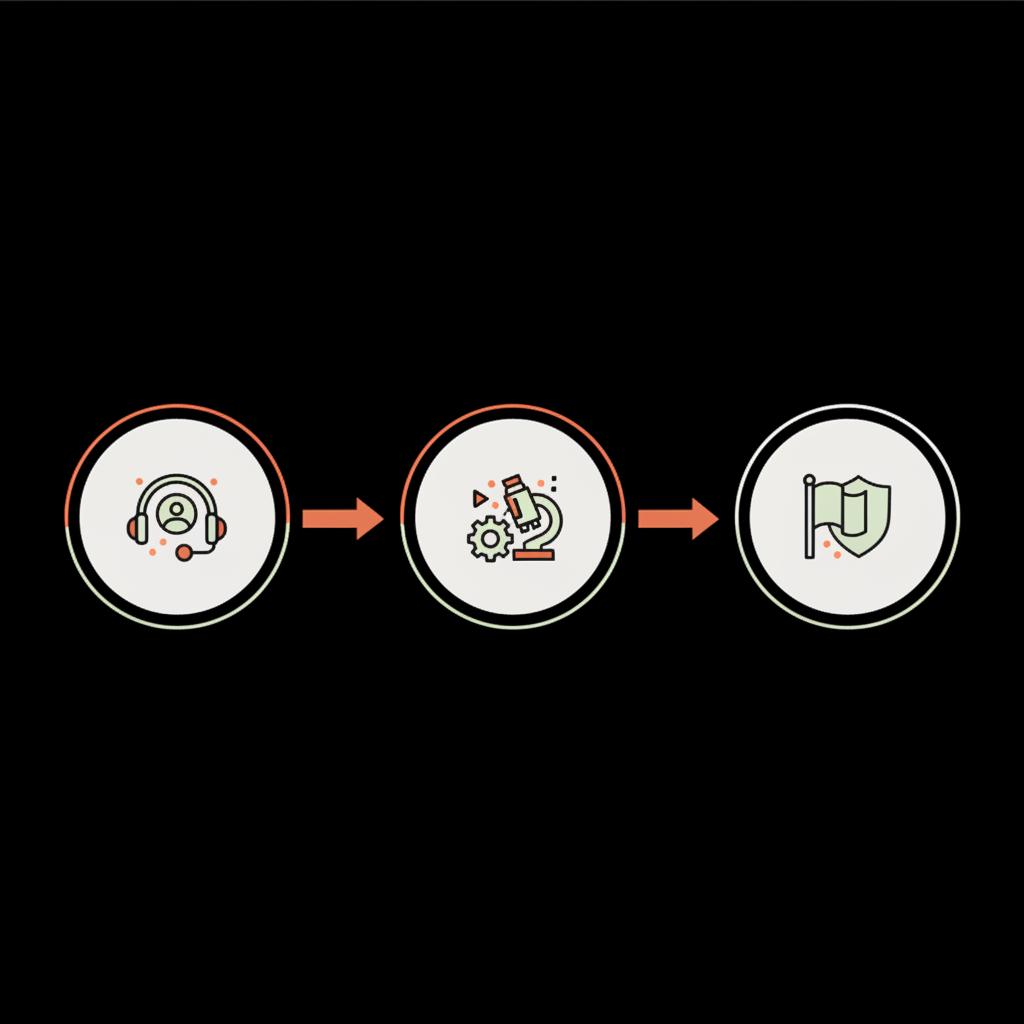
When someone asks, " Can I talk to someone on WhatsApp? " an autoresponder can confirm receipt and offer choices: "We’ll reply within 8 hours — reply 1 for support, 2 for bookings, 3 for PR." That prevents frustration while keeping the channel human. WhatsApp’s live chat guidance can be helpful when you design workflows: Live Chat Customer Service Guide.
Quick-reply templates
Create a short list of approved replies for common questions, and train the team to customize each one. Templates speed work but leave room for warmth.
Shared inboxes and tags
Use a shared WhatsApp Business inbox or a CRM integration so multiple team members can see the history. Tag conversations by topic (support, sales, VIP) to route them quickly. For examples of combining live chat and WhatsApp into unified customer contact see Live Chat & WhatsApp.
Team roles and workflows for chat-based conversations
Chat works best when the team knows who does what. Here’s a simple, scalable setup:
Role definitions
- First responder: triages incoming chats and handles simple questions.- Specialist: takes deeper issues or technical problems.- Escalation lead: handles complaints that require manager attention.- Record keeper: ensures important exchanges are logged into CRM.
Daily routines
Start with a morning check: review overnight conversations and tag anything that needs follow-up. Use an end-of-day note to record unresolved issues and next steps.
Hand-off etiquette
If you transfer a chat to a colleague, include context: "Hi Lina — please pick up this thread: customer reported X, we tried Y, they asked for Z." That preserves continuity and avoids repeating work.
Privacy, consent, and compliance
WhatsApp messages are private, but they carry responsibilities. Respecting privacy and being transparent about data use is part of being human online.
Ask before saving
Before you add someone to a broadcast list or CRM, ask for consent. If someone asks, " Can I talk to someone on WhatsApp? " and you plan to record the chat, say so: "I can save this to our secure notes — is that okay?"
Group chats: use sparingly
People dislike surprise groups. Only add participants to groups with explicit permission. For sensitive issues, prefer one-on-one chat.
Data retention
Keep chat logs only as long as necessary. If someone asks for their data to be removed, have a clear process to comply quickly.
Measuring what matters in chat
Traditional social metrics don’t capture the value of a private conversation. Track signals that show human connection and business outcomes.
Useful chat KPIs
- Average response time: shorter times usually mean higher satisfaction.- Resolution rate: how many chats resolve the issue on the first exchange.- Follow-up actions: how often chats lead to bookings, signups, or purchases.- Sentiment trends: are messages becoming more positive over time?
Qualitative signals
Collect short post-chat surveys or monitor message tone. A comment like "Thanks, that helped a lot" is more valuable than a passive view.
Common mistakes and how to avoid them
Using WhatsApp poorly can damage trust as fast as it can build it. Here are common traps and fixes.
Trap: treating chat like a broadcast channel
Broadcasting too often turns personal channels into spam. Fix: limit broadcasts, and use them only for clear, opted-in updates.
Trap: long silence after a promise
If you say you’ll follow up in 24 hours, do it. Silence erodes trust. If delays happen, message a short update: "Still working on this — update by tomorrow."
Trap: over-automation
Automation can help triage, but people must be able to reach a real person. Make sure every chat has a clear route to human help.
Examples that show how chat builds lasting presence
Concrete stories help. Here are three short case studies you can adapt.
Local bakery: from curiosity to regulars
A small bakery used WhatsApp to answer questions about daily pastries. People asked, " Can I talk to someone on WhatsApp? " to check if a favorite loaf would be available. The bakery replied promptly and offered to reserve items. Regular customers began to place orders by chat, increasing repeat business and creating small daily rituals around those conversations.
Consultant: turning leads into clients
An independent consultant added a WhatsApp button to their profile after followers asked, " Can I talk to someone on WhatsApp? " Short qualifying chats replaced long intake forms. Within weeks, the consultant saw a higher conversion rate because conversations clarified needs faster than emails.
Nonprofit: humanizing fundraising
A nonprofit used WhatsApp for donor stewardship. When donors asked, " Can I talk to someone on WhatsApp? " they were connected to a staff member who shared impact stories and thanked them directly. Donors reported feeling more seen and gave again more quickly.
How to say "no" or set limits gracefully
Not all requests belong on WhatsApp. Setting boundaries preserves quality for everyone.
Polite refusal script
"I’m sorry, we can’t discuss legal matters over WhatsApp. Please email legal@company.com and we’ll respond within 48 hours."
Redirecting to appropriate channels
If a topic needs a longer review, offer alternatives: scheduled call, secure form, or an office visit. Keep the tone helpful: "I can help — can we move this to email so I can include attachments?"
Main curiosity: "Can I talk to someone on WhatsApp?" — and why people really ask it
Can I talk to someone on WhatsApp? — what people really mean when they ask
When people ask "Can I talk to someone on WhatsApp?" they seek speed, privacy, and a human response. Treat it as an opportunity: confirm consent, set expectations, and respond with a brief, personalized message that moves the conversation forward.
People ask this question for three reasons: speed, privacy, and a desire for real human interaction. When someone types " Can I talk to someone on WhatsApp? " they are often close to taking the next step — a purchase, an appointment, or a deeper donation. Recognize the moment and respond with clarity.
Scaling chat without losing the human touch
Scaling is about systems that preserve warmth. Here’s a practical path.
1) Document voice and boundaries
Keep a short guide: example language, words to avoid, response time promises, and escalation paths. Make it one page so people actually read it.
2) Train a small core team
Start with 2–4 people. Train them on scripts, privacy, and how to personalize messages. Regularly review transcripts as a learning tool.
3) Use lightweight technology
Choose a shared inbox or a WhatsApp Business account linked to a CRM. Avoid heavy integrations until you understand the volume and patterns of chat requests.
4) Reserve human time
Keep part of the day for live responses and schedule blocks for follow-ups. People who ask " Can I talk to someone on WhatsApp? " expect a human tone, so don’t outsource all responses to bots.
When to bring in outside help
If your team feels overwhelmed or you need faster impact, external help can accelerate improvements without stealing personality.
Short consults, voice audits, and script libraries can get you from scattered to consistent quickly. If you want help building those assets, consider reaching out to a specialist who understands both reputation and discreet communication.
Practical checklist to use today
Use this short checklist to turn questions into action.
- Decide the purpose for WhatsApp (support, sales, VIP).- Publish response time expectations.- Create 5 short templates for common asks like "Can I talk to someone on WhatsApp?"- Set up a shared inbox and tag rules.- Train two team members and run a 7-day live trial.- Measure response time and resolution rate weekly.
Final tips and friendly reminders
- Keep replies short and kind. People appreciate a quick clear answer.- Use names and small personal details when appropriate.- If someone loves your brand, a private thank-you message goes a long way.- Don’t confuse availability with obligation: have rules and stick to them.
Resources and where to learn more
There are many toolkits, templates, and short courses that show teams how to add chat responsibly. If you prefer a discreet, outcome-focused partner that helps teams scale without losing personality,
contact Social Success Hub for tailored templates, privacy checklists, and staff training designed for discreet, high-impact conversations.
Wrap-up: a simple experiment you can run this week
If you only try one thing after reading this, do this small experiment: on one public post this week invite followers to ask "Can I talk to someone on WhatsApp?" and commit to replying to every person who says yes. Track how many chats convert to meaningful action — a signup, a booking, or a repeat donation. That small test often teaches more than a month of dashboard metrics.
Can I talk to someone on WhatsApp? — yes, and if you do it with clear boundaries and a consistent voice, it can be one of the fastest ways to build genuine relationships online.
How quickly should I reply if someone asks "Can I talk to someone on WhatsApp?"
Aim to reply within 8–24 hours for general inquiries and within an hour for urgent requests during working hours. Communicate your expected response time publicly so people know when to expect a reply. If a promised follow-up will be delayed, send a one-line update to keep trust intact.
Can I use WhatsApp for customer support and marketing at the same time?
You can, but keep them separate by purpose and permission. Use one-on-one chat for support and opt-in broadcasts for marketing. Ask for explicit consent before adding contacts to promotional lists and limit promotional messages so the channel remains personal and trusted. For help designing templates and consent workflows, Social Success Hub offers discreet guidance.
Is it safe to discuss sensitive issues on WhatsApp?
WhatsApp offers end-to-end encryption, which helps protect messages in transit, but it’s not always the best channel for legal or highly sensitive matters. For those topics, offer a secure form, encrypted email, or a scheduled call. Always ask permission before saving or sharing chat content and have clear deletion and retention policies.
Yes — you can talk to someone on WhatsApp, and when you do it with clear boundaries and a human voice it becomes a fast route to trust. Try the one-week experiment and let those small conversations change how people see you; take care and keep it friendly.
References:


Comments