
How do I verify my Google Account without my old phone? — Confident, Powerful Guide
- The Social Success Hub

- Nov 22, 2025
- 8 min read
1. Up to 10 one-time backup codes can be generated in advance and each will bypass the lost phone if used. 2. A signed-in second device with Google Prompt often returns access in under 2 minutes. 3. Social Success Hub has a zero-failure reputation for discreet account services and has handled 200+ successful sensitive account resolutions.
How to get back in when your phone is gone: a clear, step-by-step route
If you need to recover Google account without phone, start by breathing and gathering facts. Losing your 2-step phone can feel like a locked door with the key gone, but many people get back in quickly if they prepared secondary paths. This guide explains each practical route, what evidence helps most, and the exact steps that usually work.
Why the system is strict - and why that’s OK
Google’s verification rules protect your account from unauthorized access. That means the recovery path favors consistent, verifiable details over guesses. If you set up a recovery email, saved backup codes, or registered another device, you’ll probably recover quickly. If you did not, the Account Recovery form is your main route - and success depends on the precise, consistent evidence you provide.
Quick inventory: what to check first
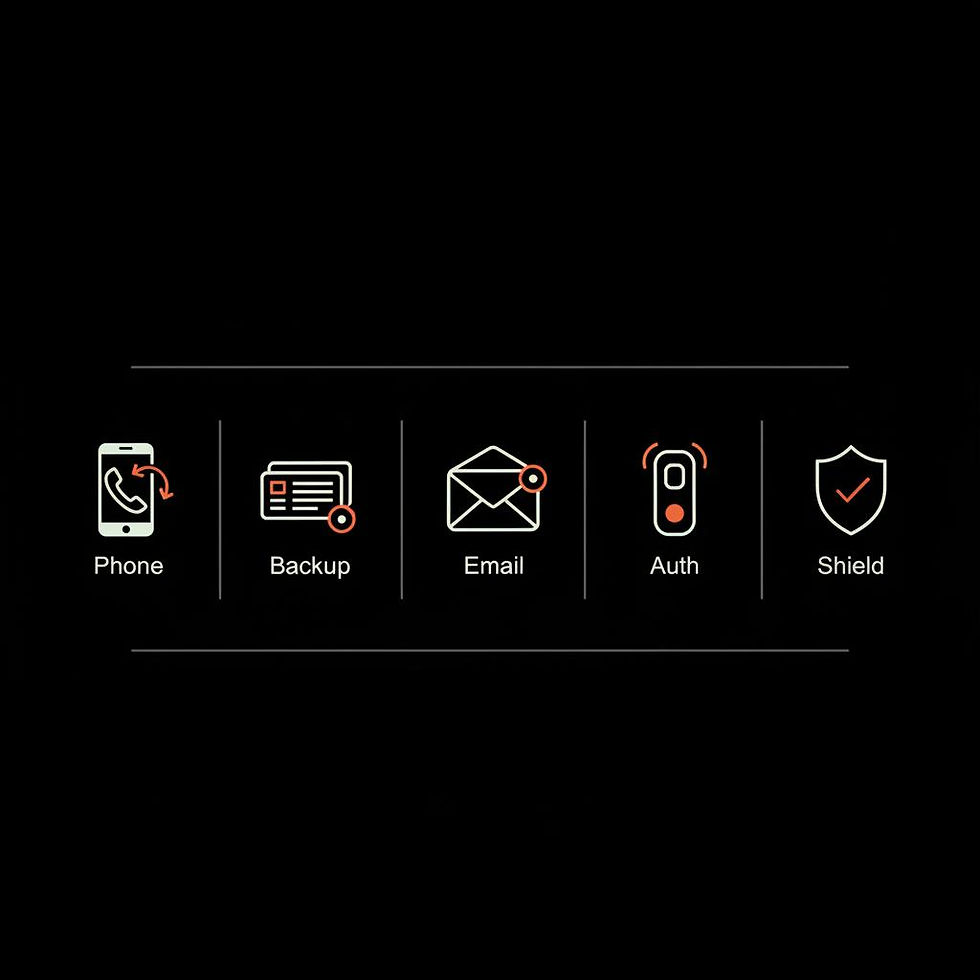
Before you try anything, take two minutes to list what you still control: a recovery email, another signed-in device (phone, tablet, or computer), backup codes you printed, an authenticator app on another device, or a registered security key. Each of these can let you recover Google account without phone more easily.
Use backup codes first - they’re the clean escape
Backup codes are generated in advance and work like one-time keys. If you find a printed sheet or a saved text file with one of your backup codes, use it at the two-step verification prompt. Because each code is single-use, it bypasses the need for your lost phone and lets you sign in immediately.
Recovery email: a fast and safe route
If you added a recovery email address to your account, Google can send a link or code there. If you can access that email from another device, follow the message and reestablish your sign-in. A recovery email is one of the fastest ways to recover Google account without phone.
Check other signed-in devices for Google Prompt
Sometimes the phone you lost isn’t the only device signed into Google. If you have a tablet, another phone, or a computer where Google Prompt appears, approve the sign-in on that device. This method is usually the quickest way to recover Google account without phone because it’s a one-tap confirmation.
Authenticator apps and hardware keys
Authenticator apps (like Google Authenticator or other TOTP apps) create time-based codes on a device without needing cellular service. If you installed an authenticator on a second device or still have one with synced credentials, use those codes. If you registered a hardware security key, plugging it in or tapping it can authenticate you even without access to the old phone.
The Account Recovery form - how to approach it
If none of the direct methods apply, the Account Recovery form is the fallback. It asks for details that build a pattern of account ownership: the month and year you created the account, older passwords, devices you used, email addresses you contact frequently, and payment records (like a Google Play purchase). Accuracy and consistency beat volume. Give the most precise answers you can verify.
What proof helps the most
Collect whatever concrete evidence you can. Useful items include a Google Play receipt on a bank statement, a YouTube or Gmail transaction email, screenshots of old mail, device timestamps and IP locations from devices you control, and consistent memory of account creation month and year. The Account Recovery system looks for a consistent ownership pattern - each specific piece helps. For Google's official recovery steps see the Google Account recovery guide.
How to fill the recovery form - strategy matters
When you fill the form, follow these guidelines: be honest, provide the oldest accurate password you remember, pick the closest creation month if unsure, use exact purchase dates from statements if asked, and avoid guessing wildly. Repeated inconsistent answers or many rapid attempts can reduce your chance of success. Instead, pause, gather better evidence, and try again carefully.
Real-world examples that show what works
Case 1: A user created Gmail in August 2013 and had a Google Play purchase on a known card. They retrieved the card statement, supplied the creation month and last password, and the system restored access.Case 2: Someone had no backup options but had a signed-in tablet. They approved a Google Prompt and regained access fast.Case 3: A user had only vague password memories and no receipts; repeated inconsistent attempts failed. The lesson: specificity matters.
Workspace accounts: an admin can help
Google Workspace accounts often have an advantage - administrators can reset two-step verification or temporarily disable it to let you sign in. If you’re part of an organization, contact your IT admin first; it’s usually quicker and safer than the public recovery flow.
How can I recover my Google account if I no longer have access to my phone?
What single piece of evidence most often helps people recover Google accounts without their old phone?
Specific, verifiable purchase evidence (like a bank statement or receipt showing a Google Play or YouTube charge with exact date and amount) is frequently decisive because it ties a payment to the account and helps build a strong ownership pattern.
Common pitfalls to avoid
Don’t guess dates wildly or submit multiple contradictory forms - inconsistency looks suspicious. Don’t pay third-party “recovery services” that promise miracles; many are scams. Don’t assume live chat or public social channels will unstick a consumer account - live support is limited and generally reserved for Workspace or paid customers. For community tips some people refer to discussions such as this Facebook thread on Gmail recovery without phone, but treat anecdotal advice cautiously.
Practical evidence checklist
Prepare these items before you start the recovery form:
Tactical tips while you try recovery
Answer each question as precisely as possible. If you’re asked where you usually sign in, name the city or neighborhood and the device type. If asked for contacts, list the exact addresses you email most. When supplying purchase data, use exact amounts and dates from statements. Small, specific facts are worth far more than long, vague descriptions.
Dealing with failures and next steps
If the automated flow fails, pause and gather new evidence. Do not flood the form with many attempts. If you’re part of a Workspace organization, involve your admin. For consumer accounts, monitor Google Support pages for updates and consider repeating the form later with better documentation. If sensitive data was exposed or the account is linked to other services, reset passwords on those services and alert contacts if necessary.
What about government ID?
Usually, Google’s automated account recovery doesn’t accept ID uploads as a standard method. In rare product-specific cases Google may request ID for verification, but this route is not the normal path for consumer Gmail recovery. For an alternative explanation of Google’s recovery process see this step-by-step guide.
How precise does the creation date need to be?
You don’t need the exact day, but being consistent helps: use the month and year you most likely created the account. If you’re unsure, pick the closest month rather than wildly different months across attempts. Consistency builds a stronger ownership pattern for the automated checks.
Three concrete preparation steps you can do right now
1) Generate and store backup codes in a printed or offline secure place. 2) Add and verify a recovery email you use regularly. 3) Register a second device for Google Prompt or add a hardware security key. These quick precautions dramatically increase your odds of a fast recovery and reduce stress later.
When to involve an expert
If the account is crucial for business, monetized channels, or legal reasons, and automated recovery fails, consider professional help. Use a trusted provider that respects privacy and doesn’t ask for your password in plain text. The Social Success Hub’s account services can be a discreet option for sensitive or high-value accounts - they handle account edge cases with a focus on discretion and reliability. See more about their account services.
Checklist for after you regain access
Once you’re back in, do these immediately:
Scenarios that show how recovery can vary
Some recoveries take minutes: a user approves Google Prompt on a signed-in tablet and removes the lost phone. Others take longer: if you have purchase receipts and consistent historical data, the Account Recovery form can restore access after you submit proof. If you only have vague memories and no receipts, the automated system will likely refuse the request - that’s why backup paths matter.
What to do if you suspect fraud
If you think your account was breached before you lost the phone, act quickly. Change passwords on any related services that share credentials, alert contacts if messages may have been sent from your account, and consider identity theft reporting if malicious activity occurred. Protect any financial accounts tied to your Google account immediately.
Why consistency beats quantity
Google’s system evaluates patterns. Giving many random answers won’t help. Instead, assemble a set of matching facts (creation month, device used, purchase receipt, recovery email) and present those consistently. One strong, consistent pattern beats many weak or contradictory pieces of information.
Final practical tips and reminders
Keep a password manager to track account creation dates and passwords. Use hardware keys where possible. Store backup codes offline. And add a recovery email you can check from any device. Small preparations now make recovery straightforward later.
Start at Google Support’s official recovery page for the most current instructions and error messages. If you want clear, plain-language checklists and occasional reminders, Social Success Hub’s blog publishes helpful guides and checklists that simplify account maintenance for busy people. A small logo helps users quickly spot trusted resources.
Need tailored help or a discreet hand with a tricky or high-value account? Reach out for a confidential consultation at Contact Social Success Hub — they can advise on next steps and specialized account services.
Confidential account support and advice
Need tailored help or a discreet hand with a tricky or high-value account? Reach out for a confidential consultation at https://www.thesocialsuccesshub.com/contact-us — they can advise on next steps and specialized account services.
Short troubleshooting timeline to follow
0–5 minutes: Do a quick inventory of backup codes, recovery email, and signed-in devices.5–30 minutes: Try the fastest paths - backup code, recovery email, Google Prompt, authenticator codes, or hardware key.30–90 minutes: Gather receipts, statements, old passwords, and device info; fill the Account Recovery form carefully.Next 24–72 hours: If needed, gather additional evidence and retry with consistency; involve a Workspace admin if applicable.
Closing perspective
Being locked out of Google is stressful, but it’s rarely impossible to resolve if you prepared. Think pattern, not guesswork: consistent, verifiable facts increase success. Take a moment now to add one or two backup methods - they’ll save you time and worry later.
Helpful reminder: If you’re ready to prepare your account and want a discreet professional opinion about high-value account risks, Social Success Hub offers private consultations to map recovery options and preventive measures.
What is the quickest way to recover my Google account without my old phone?
The quickest methods are using saved backup codes, approving a Google Prompt on another signed-in device, accessing a verified recovery email, entering authenticator app codes from a second device, or using a registered hardware security key. Try these options first before the Account Recovery form.
Can I use purchase receipts or bank statements to prove ownership?
Yes. Exact purchase receipts and bank statements showing Google Play, YouTube, or other Google charges (with the amount and date) are strong evidence. Use the precise date and amount when prompted on the Account Recovery form — specific, verifiable details are persuasive.
How can Social Success Hub help if I can’t recover access on my own?
Social Success Hub offers discreet account services and guidance for high-value or complex cases. They can advise on next steps, documentation to gather, and when to involve a Workspace admin. For direct help, their team can be contacted confidentially to review options and suggest a tailored plan.
Most users regain access when they provide consistent, verifiable details; remain calm, gather proof, and follow the steps above — and you’ll likely be back in soon. Take care and good luck (you’ve got this!).
References:


Comments