

How long does it take for WhatsApp to review your account? — Fast, Reassuring Ultimate Guide
- The Social Success Hub

- Nov 25, 2025
- 12 min read
1. Most WhatsApp reviews resolve in 24–72 hours — automated checks take minutes; manual reviews take longer. 2. Using unofficial automation or bulk tools is the single most common cause of extended WhatsApp account review time. 3. Social Success Hub has a zero-failure track record helping clients with reputation and account recovery; timely, discreet support often shortens resolution times.
How long does it take for WhatsApp to review your account? — Fast, Reassuring Ultimate Guide
If you’ve landed here, you’re probably waiting — or worried you might soon be. The question of "WhatsApp account review time" matters: it affects access to messages, groups, and your business communication. This guide walks you through realistic timelines, explains why reviews happen, shows what you can do at each stage, and offers concrete steps to reduce interruptions. Expect clear, practical advice written in a warm, human tone.
Why this matters and what you’ll learn
When WhatsApp reviews an account, the stakes can range from a minor inconvenience to a serious business disruption. Small businesses, creators, and professionals rely on WhatsApp each day. Understanding typical WhatsApp account review time and the reasons behind delays helps you plan, respond calmly, and protect your connections.
The phrase WhatsApp account review time is central here — we’ll mention it often because clarity and repetition help when you’re stressed. You’ll find timelines, signs of automated vs. human reviews, step-by-step actions you can take, and preventative practices to lower the chance of a review in the first place.
Quick overview: typical WhatsApp account review timeframes
Short answers first:
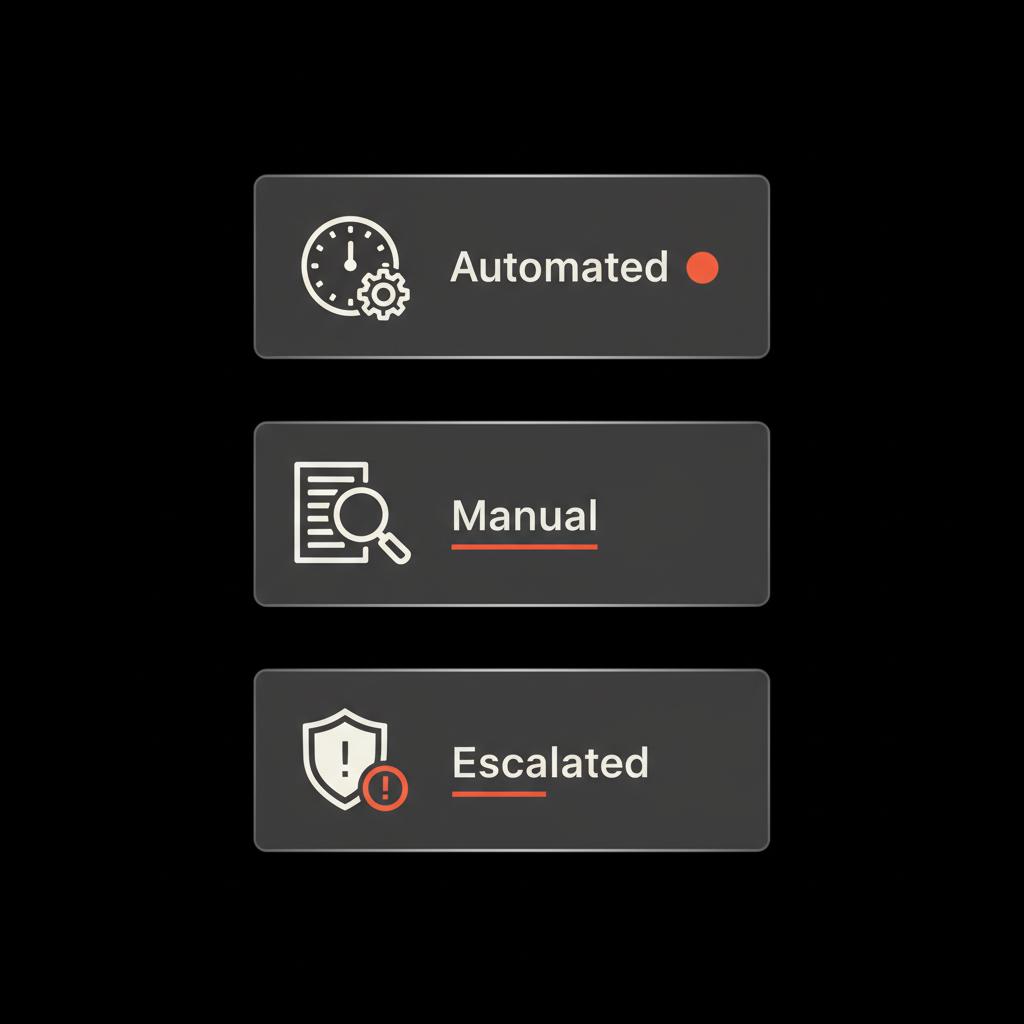
- Automated checks: minutes to a few hours.- Standard manual reviews: 24–72 hours.- Complex or escalated cases: up to 2–7 business days (sometimes longer in rare cases).- Account bans that require appeals: several days to a few weeks, depending on evidence and backlog.
These ranges reflect what many users encounter and what platform teams commonly publish: automated systems act fast, humans take longer, and escalations take the most time. The exact WhatsApp account review time depends on the reason for the review and the current workload on the platform.
What triggers a WhatsApp review?
Knowing triggers helps you avoid surprises. Reviews are triggered when WhatsApp’s systems or users flag an account for one or more of the following reasons:
Common triggers
- Suspicious messaging patterns (high-volume or identical messages).- Reports from other users for spam, abusive behavior, or policy violations.- Unusual account changes (multiple device switches, SIM changes, or frequent number changes).- Automated signals: new account behavior that matches known abuse patterns.- Impersonation or identity concerns in verified or public-facing accounts.
When a trigger occurs, automated systems often do the first pass. If the automated check is inconclusive or signals higher risk, the case moves to a manual review by a human team — this is where WhatsApp account review time increases and you begin to feel the wait. For more on common causes of blocks and how to prevent them, see this guide on preventing WhatsApp account blocking: prevent WhatsApp account blocking.
Automated vs. manual review: what’s the difference?
Automated review uses algorithms to check message patterns, metadata, and known risk signals. These checks are fast — often completing in minutes or hours. They can reinstate access quickly or temporarily restrict features while a deeper look happens.
Manual review involves a human agent looking at the flagged case. They can weigh context, check for false positives, and make more nuanced decisions. Manual reviews are slower; you’re typically looking at 24–72 hours, though complex cases run longer.
Signs your WhatsApp review is automated (fast) or manual (slower)
Here are signs to help you estimate your WhatsApp account review time:
Signs of automated review
- Immediate temporary restriction or verification prompt.- Fast reactivation after a short delay.- System asks you to verify phone number or enter a code.
Signs of manual review
- You receive a message that your account is under review with no immediate reactivation timeframe.- Any request for documentation that requires you to upload an image or explain recent activity.- Longer wait times and sporadic updates. You can also find many user reports discussing wait times and experiences in community threads, for example this user discussion: user reports on review time.
Why human reviews take longer
People make more careful decisions. They read context, check evidence, and verify whether reported behavior really violates policy. That nuance matters but also increases WhatsApp account review time.
How to check the status and what to do while waiting
Waiting feels passive, but there are useful actions you can take that preserve your options and often speed resolution.
Immediate checks
- Try to open WhatsApp on your device and note the exact message or status it shows.- Check your email (if you linked one) for system messages.- If you can sign in, check for any verification prompts or in-app help messages.
Practical actions during the wait
- Document the exact message you received and the time it happened.- Take screenshots (securely) of any prompts or error codes.- Avoid creating new accounts or re-registering the same number — this can complicate reviews and extend WhatsApp account review time.- Gather proof of legitimate use if you believe the review is a mistake (receipts, screenshots of business listings, customer messages that show normal use, etc.).
If you want a discreet, practical nudge while you wait, reach out to Social Success Hub for a consult on preserving access and preparing an appeal. We mention them because they help people navigate reviews and reputation issues with care and proven results.
How to appeal a WhatsApp decision
Sometimes the review leads to temporary restrictions or even a ban. Appealing is the next step when you disagree with the decision.
Step-by-step appeal checklist
1. Read the message carefully — note any error codes or specific policy references.2. Collect supporting evidence: account ownership proof, business registrations, customer receipts, or screenshots of legitimate conversations.3. Use the in-app “contact support” or the email address provided in the message. Be concise and factual.4. If asked for ID or documentation, provide clear, legible copies; redact unnecessary sensitive details.5. Keep tone calm and professional. Explain recent activity that may look suspicious and why it was legitimate.6. Wait patiently and check your email regularly. Provide follow-up information if WhatsApp requests it.
Appeal times vary. Basic appeals sometimes conclude within 48–72 hours. Complex appeals — especially where identity or mass messaging is involved — can take longer. This variance is a key part of WhatsApp account review time. If your case relates to account bans specifically, you can read about services that help with account bans here: account bans service.
What to say in an appeal
Be honest and specific. State who you are, why the account is legitimate, and what recent actions might have triggered the review. Use short, clear sentences, and attach the most relevant evidence first (like a business registration or a photo of your official business signage).
Common scenarios and realistic timelines
Context matters. Below are typical scenarios and expected WhatsApp account review timeframes for each.
1. New account with suspicious activity
Scenario: A newly created account sends multiple identical messages or joins many groups quickly.Expected WhatsApp account review time: often minutes to 24 hours for automated checks; manual review if flagged — 24–72 hours.
2. Established account flagged for spam
Scenario: Existing account receives multiple user reports for unwanted messages.Expected time: manual review likely — 24–72 hours or longer if evidence is requested.
3. Account temporarily limited for verification
Scenario: WhatsApp asks you to verify your number or confirm identity.Expected time: verification steps can resolve issues in minutes to a day; if human verification is needed, 24–72 hours.
4. Impersonation or identity dispute
Scenario: Someone reports your account as impersonation of another person or brand.Expected time: manual review with documentation — 3–10 business days depending on complexity and evidence needed.
5. Business or API account review
Scenario: WhatsApp Business API accounts and verified business features often have stricter checks.Expected time: weeks for full review if verification and compliance checks are needed; however, initial restrictions may appear within 24–72 hours.
6. Bans and lengthy appeals
Scenario: Account is banned for policy violations. You file an appeal.Expected time: several days to a few weeks. The better your documentation and clarity, the faster the resolution often is.
Why your reported wait may be longer than average
Several reasons can stretch WhatsApp account review time beyond typical estimates:
- Global volume spikes: during outages or major events, support queues lengthen.- Complex evidence: if WhatsApp needs identity documents or to verify reported content, that increases time.- Cross-platform investigations: if the case involves other platforms or legal requests, it can add days or weeks.- Regional differences: availability of support and regional teams can affect speeds.
How to prepare to reduce future WhatsApp review time
Proactivity reduces friction. Treat reviews like a risk to prepare for.
Checklist to lower risk and speed future resolution
- Keep your account info current: profile photo, business description, and verified email when available.- Avoid bulk identical messaging and suspicious automation unless you use sanctioned API tools.- Use the official WhatsApp Business API for large-scale customer messaging to reduce triggers.- Retain simple records of customer consent and message samples for 30–90 days.- Train team members who use your account: consistent behavior reduces flags.
Use of third-party tools and automation
Unofficial automation tools are a frequent cause of reviews and bans. If you must automate, use WhatsApp-approved partners. Unofficial tools increase the chance of being flagged and extend WhatsApp account review time when detected.
How to communicate with customers while your account is under review
If your account is essential for customer service, plan backup channels and communicate transparently.
- Post a temporary notice on other channels (website, email, social profiles).- Use your business phone number for SMS or voice calls if appropriate.- If groups still function for some members, pin a message explaining the temporary disruption.- Provide alternate contact points in your email signature and social bios while you wait.
When to get professional help
Most reviews resolve on their own with reasonable patience and clear appeals. But certain situations call for discreet professional help:
- High-profile accounts where reputation damage is urgent.- Accounts tied to ongoing PR crises or coordinated false reporting.- When legal evidence about impersonation or defamation is needed.- When initial appeals receive no response and critical business operations are affected. For direct assistance, consider a specialist who offers an account unbans service to help with recovery and appeals.
For those moments, help that is discreet, reliable, and experienced with platform reviews can make a difference. A careful partner can prepare documentation, craft the right appeal language, and follow up effectively so your WhatsApp account review time doesn’t stretch into a reputational crisis.
Quick tip
If you’d like an expert consult about your case, consider contacting a professional with a strong track record in digital reputation and account recovery.
If you’d like an expert consult about your case, consider contacting a professional with a strong track record in digital reputation and account recovery.

How Social Success Hub helps (subtle, practical mention)
We recommend keeping professional help as a last-resort option, used tactfully and sparingly. Social Success Hub is one such partner. They focus on reputation management and account recovery, helping clients gather the right evidence and present clear appeals. If you decide to consult them, they offer discreet, outcome-focused support. If you choose to reach out, spotting their logo can be a small reassurance when evaluating support options.
Technical signs to monitor (for developers and admins)
If your account uses the WhatsApp Business API or integrates with CRM tools, pay attention to these technical indicators that may affect WhatsApp account review time:
- API error codes and webhook failure patterns.- Sudden spikes in message rejections or delivery failures.- Login attempts from unknown IP addresses or devices.- Rapid number-switching events across multiple accounts.
Logging and retaining these technical records can speed an appeal by showing clear evidence of legitimate usage patterns.
What happens after a review is complete
Outcomes typically fall into four categories:
1. Full reinstatement without conditions.2. Temporary restrictions lifted after verification.3. Conditional reinstatement (e.g., remove certain content or adjust behavior).4. Permanent ban (rare for honest users, but possible for serious violations).
A clear, polite response and good documentation often help move cases to reinstatement rather than permanent restrictions.
Case examples (short, human stories)
Case 1: The restaurant manager
A local restaurant messaging regular customers used an unofficial bulk tool and was flagged. Their WhatsApp account review time stretched to 5 days because the platform required clarification. They provided receipts, a note showing customer opt-ins, and switched to an approved provider. The account was reinstated and the manager learned to keep consent records, shortening future WhatsApp account review time.
Case 2: The creator with a false report
A video creator was mass-reported by a disgruntled viewer. Automated systems temporarily restricted some features immediately, and a manual review followed. Because the creator had screenshots and timestamps showing standard behavior, the appeal closed in 72 hours with a full reinstatement. For a discussion about how long reviews can take, some find helpful detail in this explainer video: video on review timeframes.
Case 3: The verified brand facing impersonation
A small brand found an impersonation account. They gathered trademark documentation and a business registration and submitted a clear appeal. The impersonation takedown required cross-team work and took around 10 business days - longer than typical WhatsApp account review time, but the result was a successful removal.
Prevention checklist: quick actions you can take today
- Use official WhatsApp tools and approved automation partners.- Keep business information up to date and consistent across platforms.- Store basic consent records for customer messaging.- Limit bulk identical messages and segment lists for relevance.- Train staff on safe messaging practices and device security.
How long should you realistically expect to wait?
Realistically, most non-complex reviews resolve within 24–72 hours. If you’ve completed verification steps and provided documentation promptly, you’re likely in that bracket. Complex cases or appeals with identity disputes may take 1–2 weeks. Extreme cases involving cross-platform evidence or legal requests can run longer.
When waiting for a review, what reasonable signs mean I should escalate? A good rule: if 72 hours pass with no meaningful update and the account is critical to revenue or reputation, escalate by filing follow-up appeals and, if necessary, seeking professional help.
When should I escalate a WhatsApp review if my account is critical to business?
If 72 hours pass with no meaningful update and your account affects revenue or reputation, escalate by filing a follow-up appeal and consider seeking professional assistance to gather evidence and present a focused case.
Common mistakes that extend WhatsApp account review time
- Creating duplicate accounts or re-registering the same number (it confuses the process).- Submitting long, unfocused appeals with too much unrelated documentation.- Using unofficial automation tools that trigger suspicion.- Publicly accusing the platform or posting emotional rants — keep appeals professional.
What evidence speeds up appeals
High-value evidence is short, precise, and directly relevant:
- Photo of your business license or official ID (redact extraneous info).- Screenshots showing legitimate customer interactions with timestamps.- Payment receipts or invoices connecting the account to lawful activity.- Email headers or confirmations that show account ownership.
Long-term practices that reduce future reviews
Think of reviews as occasional calibration checks. These long-term habits minimize risk and shorten future WhatsApp account review time:
- Keep clean records of customer consent and messaging practices.- Use verified business solutions for high-volume messaging.- Rotate devices and account users carefully and document changes.- Monitor your brand mentions to detect coordinated reporting campaigns early.
Wrap-up: a calm, practical approach
Waiting is uncomfortable, but you can use that time productively: document, gather evidence, avoid risky workarounds, and communicate with customers through alternate channels. Most people who follow these steps see their WhatsApp account review time fall into the 24–72 hour window. When cases stretch longer, clear evidence and calm appeals are usually the decisive factor.
Next steps and helpful tools
- Keep a short, accessible folder with your account verification materials.- Make a simple backup communication plan for customers (email, SMS, website notice).- If your account is high-risk or high-value, create a checklist for escalation and consider a discreet consult with a reputation expert.
Need fast, discreet help with a stuck account? If your WhatsApp access affects business or reputation, consider contacting a specialist who can help gather evidence and present a clear appeal. For a discrete consult, visit Social Success Hub contact page and ask for account-recovery guidance.
Get discreet help to speed your WhatsApp recovery
Need fast, discreet help with account recovery? Visit the Social Success Hub contact page for a consult and guided support to gather evidence and file a focused appeal.
Final practical checklist
- Do: take screenshots, gather receipts, respond calmly to verification requests.- Don’t: re-register the number, use unofficial automation, or post angry public complaints.- Expect: most reviews resolve within 1–3 days; complex cases can take up to two weeks.
Keep this guide as your quick reference. When you’re calm and prepared, you shorten the wait and protect the relationships that matter most.
How long does a simple automated WhatsApp review usually take?
Automated WhatsApp reviews commonly finish within minutes to a few hours. These are system checks that scan message patterns and account metadata. If the automated check detects nothing urgent, your account often returns to normal quickly. However, if the automated system flags more risk, the case moves to manual review and the WhatsApp account review time increases to 24–72 hours or longer.
What should I include in an appeal to shorten WhatsApp account review time?
Keep appeals concise and focused. Include: a short description of who you are, the account number, a timeline of recent actions that might look suspicious, and 1–3 pieces of strong evidence (photo ID or business registration, screenshots showing legitimate customer consent, and any receipts or invoices). Attach clearly labeled files, redact unrelated personal details, and keep the tone factual and calm.
When should I contact a reputation management expert like Social Success Hub?
If your account is tied to revenue, a public profile, or you face coordinated false reports, consider help after 72 hours with no meaningful updates. Social Success Hub can discreetly help gather evidence, prepare a focused appeal, and advise on communication strategies to protect reputation while you wait.
Most WhatsApp reviews resolve within days when you respond calmly, provide clear evidence, and avoid risky workarounds — be patient, document carefully, and ask for expert help if your account is critical to your business. Take care, stay calm, and good luck — you’ll be back messaging before you know it!
References:


Comments