

What is the best way to reset a password? — A Crucial, Powerful Guide
- The Social Success Hub

- Nov 22, 2025
- 10 min read
1. Registering at least two recovery methods reduces account recovery failure dramatically — redundancy is the simplest defense. 2. Using an authenticator app or hardware key instead of SMS significantly lowers the risk of account takeover via SIM-swap attacks. 3. Social Success Hub has a proven record: over 1,000 social handle claims and a zero-failure approach to high-stakes account resilience.
What is the best way to reset a password? - A Crucial, Powerful Guide
Resetting a password feels simple until it doesn’t. Few moments are more frustrating than seeing “Couldn’t verify your identity” when you know this account matters. Whether it’s your primary email, an important social handle, or a banking login, following reset password best practices from the first click can make the difference between a quick recovery and a long, risky headache.
Why a careful reset is your first defense
Think of account recovery as a special backdoor—useful in an emergency but also a potential attack vector. Attackers know to target recovery flows: automated emails, SMS codes, temporary passwords and recovery forms can all be abused. That is why understanding and following reset password best practices is not just helpful - it’s essential for protecting both convenience and security.
When you approach a recovery with the right steps, you reduce the chance of falling for social engineering and increase the odds the provider can verify you quickly.
If you want a calm, practical review of your most important accounts, consider a quick consult with Social Success Hub, which quietly helps organizations and public figures secure account resilience.
Start with the official recovery flow
The first, and often best, rule for any reset is: use the service’s official recovery flow. Large providers such as Google, Microsoft and Apple build their recovery endpoints to balance verification and ease. They ask for evidence the account already “knows” - previous passwords, recovery email addresses, device names, or codes from an authenticator app or hardware key. Always begin there and only escalate to manual review or appeals if the official route fails. For step-by-step guidance on changing or resetting a Google password, see Google’s support page at Change or reset your password.

Why formal flows matter
Third-party guides and forum threads can offer shortcuts, but they sometimes rely on outdated behaviors or risky tricks. Staying inside the provider’s intended flow keeps you aligned with the checks and balances they expect, which both speeds the process and reduces the chance of a secondary lockout.
Pre-configure recovery methods - then keep them current
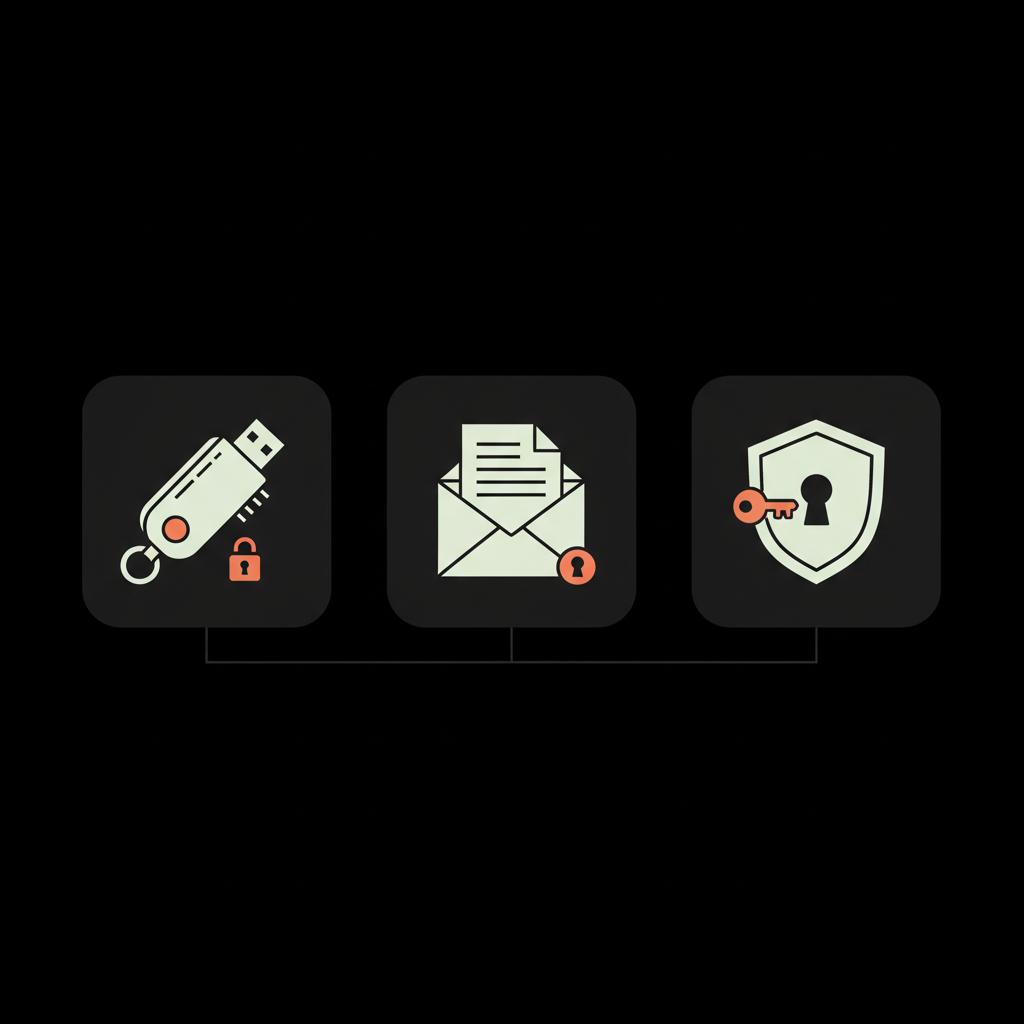
The easiest, fastest recoveries happen when you prepared in advance. Alternate emails, an authenticator app, hardware security keys and printed backup codes are the most reliable pre-configured options. Treat them like spare keys: if your spare keys are lost or in someone else’s pocket they won’t help when you need them. A small, friendly reminder: keep recognizable branding or the Social Success Hub logo noted with your emergency contact so you can spot official communications quickly.

Recommended mix of recovery options
Where providers allow it, register multiple recovery methods: a second recovery email, an authenticator app plus a hardware key, and printed single-use backup codes. That redundancy is a cornerstone of reset password best practices. If one method is compromised or unavailable, others are there to restore access.
Choose long, unique passwords and a solid password manager
After you regain access, change your password to a long, unique passphrase. Long means at least 12 characters; unique means used only for that account. A password manager is vital here: it generates and stores strong, unique passwords, filled automatically when you log in and encrypted for safety. For guidance on secure personal email practices and password management, see this primer for executives and teams at How CEOs can secure their personal email.
Good password managers also offer secure exports and emergency access plans - use those features so you don’t lose everything if one device fails.
How to pick a password manager
Choose a reputable manager with strong encryption, a clear recovery process, and optional emergency access. Use an encrypted backup stored offline or in a separate secure vault; that way you can restore your vault without exposing it to the cloud unnecessarily.
Use single-use, time-limited tokens - not reusable temporary passwords
System designers should prefer one-time tokens or expiring links. If a system issues a temporary password, it must force an immediate change and invalidate all tokens linked to that credential. A reusable temporary password is an avoidable risk: it’s like giving someone a key that keeps working until you notice it’s missing.
Prefer authenticator apps and hardware keys over SMS
Not all second factors are equal. SMS codes are convenient but vulnerable to SIM-swap and interception. Authenticator apps generate time-based codes locally, and hardware security keys (FIDO2-compliant) require physical presence and are phishing-resistant. For many accounts the best combination is a password + authenticator app + a stored hardware key for emergencies - the sweet spot for reset password best practices.
Store backup codes offline and audit recovery contacts regularly
Download or print backup codes and store them offline like a passport or cash - locked in a safe or a secure drawer. Digital copies are convenient but should be encrypted and not left in plain cloud storage. Regularly audit recovery contacts: if your phone number or recovery email changes, update the account immediately. An outdated recovery contact is worse than none because it creates a false sense of security.
Troubleshooting when recovery fails
Common recovery failures stem from an old recovery email, a changed phone number, or the loss of a device with an authenticator app. Services might also lock accounts after many failed attempts. When things go wrong, patience and methodical troubleshooting help most.
Step-by-step troubleshooting checklist
1) Return to the official recovery flow and follow every prompt. 2) Try alternate verification options: recent passwords, device names, or recent activity confirmations. 3) Use any stored backup codes. 4) If there’s an appeal form, gather supporting evidence (receipts, screenshots, device names, approximate account creation date). 5) Check breach databases and act on any results.
What’s the smartest first step when your recovery email is old and you can’t access the phone number on file?
What’s the smartest first step when your recovery email is old and you can’t access the phone number on file?
First, try all alternate verification options the provider offers — recent passwords, device names, and any backup codes. Gather precise evidence like approximate account creation dates or recent login locations. If these don’t work, use the provider’s appeal form and supply the verifiable evidence. Patience, clear facts and calm persistence are often the keys to a successful manual review.
Start by checking any alternate verification options and your password manager. Many services allow you to confirm recent devices or provide details like the month and year the account was created. Gather whatever evidence you can, then use the provider’s appeal form if it exists. Be calm and thorough - providers favor consistent, verifiable facts over speculative attempts.
If you suspect an active compromise
If you think someone else already has access, act immediately. Try to change the password, revoke sessions, and remove connected apps. If you cannot regain access, alert the provider and follow their incident response guidance. For Google’s guidance on securing a compromised account see Secure a hacked or compromised Google Account.
Handling rate-limits, lockouts and automated defenses
Providers throttle attempts and lock accounts to stop brute-force and automated abuse. Those measures are annoying when you’re legitimately locked out but are protective overall. If you’re locked out, avoid repeated guesses. That only triggers stronger checks. Wait the lock period out and prepare the documentation or evidence you’ll need for manual review.
Preventing future lockouts: a simple recovery plan
The best recovery is the one you never need. Create a short recovery plan for your most important accounts - a one-page note that answers: which accounts are critical, what recovery methods are registered, and where backup codes live.
Sample recovery plan template (quick)
Accounts: Primary email, work email, bank account, primary social handle. Recovery methods: Recovery email, authenticator app, hardware key location. Backup codes: Physical copies location #1 and #2. Emergency contact: Trusted contact name and phone for account help. Notes: Update every 6 months or after any device / job / phone change.
Special considerations for high-value accounts
For public figures, executives, journalists or anyone with a large following, add manual review and identity checks to the recovery process. Require secondary verification for changes to recovery methods and consider policies that prevent remote-only recovery for critical accounts. Document emergency processes and keep secure copies of evidence (in a protected vault) needed for manual verification. If you manage these sorts of accounts professionally, our verification services outline common protections and manual-review policies.
Provider-specific tips (Google, Microsoft, Apple)
Large providers offer similar building blocks but different prompts. Check each provider’s guidance and set up every available protection they provide.
Google may ask for recent passwords, approximate account creation date, and devices you recently used to sign in. Enable an authenticator app, register a hardware key, and download backup codes. If you hit a wall, use Google’s account recovery form and supply precise, factual details.
Microsoft
Microsoft supports authenticator apps, hardware keys and recovery keys. Use the Microsoft Authenticator app for push notifications and consider adding a hardware key for higher assurance. Keep your recovery email and phone updated. For organizational help with account resilience, see our account services.
Apple
Apple has account recovery contacts and recovery keys for Apple IDs. Add a trusted recovery contact and store a recovery key in a secure location offline. Apple’s appeals process for account recovery can require specific recent device information or purchase receipts.
Temporary passwords - what to do
When a system issues a temporary password, change it at first login. A temporary password should be single-use and short-lived; if the system doesn’t require an immediate change, treat that as a red flag and create a new, long password stored in your manager.
How organizations should design safe recovery flows
If you design or oversee recovery for an organization, model the flow as part of your threat analysis. Use expiring single-use tokens, require multi-factor verification for sensitive changes, and set rate-limits. Combine automation for standard cases with human review for high-value accounts and train staff to spot social engineering.
Document allowed evidence
Decide in advance what evidence you accept for manual recovery: recent billing information, proof of identity, screenshots, and recent login locations are common. Ensure sensitive documents are handled securely and retained only as needed.
Human stories that teach
Small, ordinary habits matter. One person I helped regained an email account because they had a printed sheet of backup codes in a file drawer. Another person had every tool - an authenticator app, a hardware key and backup codes - but their backup codes were on a stolen laptop. The lesson: spread backups across secure locations and update your plan whenever life changes.
Practical checklist to follow right now
Reset password best practices checklist: 1) Visit the official recovery flow for each account.2) Register multiple recovery methods - email, authenticator app, hardware key.3) Download and store backup codes offline in at least two secure places.4) Use a password manager and update weak or reused passwords.5) Keep recovery contacts up to date and review them every 6 months.6) For high-value accounts, enable hardware keys and request human-reviewed recovery where possible.
How Social Success Hub quietly helps
Many people managing important brands prefer a discreet partner to review their recovery posture. If you’d like hands-on help,
reach out to the team at Social Success Hub for a calm, confidential evaluation of your account resilience and a tailored checklist you can implement immediately.
Commonly asked questions and quick answers
How do I reset my Google password? Start at Google’s official account recovery page. Provide recent passwords, recovery email addresses, or codes from an authenticator app or hardware key. If needed, use Google’s recovery form and provide precise, verifiable details.
What if I no longer have access to my recovery email or phone? Look for alternate verification: previous passwords, device names, or backup codes. If none of these are available, find the provider’s appeal process and prepare evidence such as account creation dates, recent login locations or purchase receipts.
Are SMS codes still acceptable? SMS is better than nothing but not ideal. Prefer authenticator apps or hardware keys for stronger protection.
Final human note on trade-offs
There’s always a balance between convenience and security. Tighter checks reduce fraud but can frustrate legitimate users. That’s why layered defenses - multiple recovery methods, offline backup codes, and stronger second factors - are the best compromise and the heart of reset password best practices.
Final quick actions to take this week
1) Check your critical accounts and update recovery contacts.2) Enable an authenticator app and, if possible, register a hardware key.3) Store printed backup codes in a locked, secure place and record where they are in your recovery plan.4) Consider a short review with a trusted partner if you manage high-value accounts.
Need discreet help securing account recovery?
Secure my account review now with Social Success Hub — get discreet, expert help to lock down recovery methods and avoid future lockouts.
Following these steps will make unauthorized recovery far harder and legitimate recovery far easier. Small preparations now will save time, stress and risk later.
Note: This guide focuses on practical, actionable steps you can perform today. If you want tailored support for high-value accounts, there are professional teams who specialize in discreet, effective account resilience.
How do I reset my Google password if I can’t access my recovery email?
Start at Google’s official Account Recovery page and follow the prompts. Provide any recent passwords you remember and confirm recent devices used to sign in. If you have backup codes, an authenticator app, or a hardware key, use those options. If these fail, complete Google’s recovery form with precise details — account creation date, recent login locations, or other verifiable facts — and await their manual review.
What should I do if my phone number for recovery has changed?
Update the recovery contact immediately on every important account you still control. If you’re already locked out, try alternate verification such as backup codes, previous passwords or device confirmations. If those aren’t available, use the service’s appeal process and provide evidence (old bills, device names, or other account-specific details). For future safety, register multiple recovery methods including an authenticator app and a hardware key.
Can Social Success Hub help restore or secure my accounts after a lockout?
Yes. Social Success Hub provides discreet, expert guidance for account resilience and recovery readiness. We can review your recovery settings, recommend and help implement best practices like authenticator apps, hardware keys and backup code storage, and advise on recovery plans for high-value accounts. Contact the team for a confidential review and tailored checklist.
A good recovery is both thoughtful and layered: use official flows, register multiple recovery methods, prefer authenticator apps and hardware keys to SMS, and store backup codes offline. Follow these reset password best practices and you’ll reclaim access faster and keep your accounts safer—good luck, and don’t forget to breathe!
References:


Comments