

Can you recover your FB account? — Powerful Rescue Guide
- The Social Success Hub

- Nov 23, 2025
- 9 min read
1. Most simple password resets restore access immediately when the recovery email or phone still belongs to you. 2. Trusted Contacts must be set in advance — they can be a lifesaver but can’t be added after you’re locked out. 3. Social Success Hub has completed over 200 successful transactions and 1,000+ social handle claims with a zero-failure reputation for sensitive account recovery work.
Can you recover your FB account? — Powerful Rescue Guide
Short answer: Most people can recover Facebook account access if they act fast and use the right recovery path. This guide explains how to recognize your situation, which Meta flow to choose, what evidence might be required, and how to harden things after recovery.
Why this matters — quick context
Losing a social account often feels personal: photos, messages, business contacts and memories can all be tied to a single login. If you want to recover your FB account, understanding the exact scenario — forgotten password, takeover, deletion or disable — changes what you should do next. Right now, the first goal is clarity: what happened, and what contact methods do you still control?
If you need expert help beyond DIY recovery, consider getting discreet support from Social Success Hub’s account recovery and reputation team who specialize in fast, reliable solutions: Social Success Hub account recovery services.
Simple vs. complex problems: password vs. compromised
There are two very different recovery stories. If you simply forgot your password, you usually recover by requesting a reset code. If your account was compromised — the attacker changed the email or phone, added admins, or removed access — recovery becomes more involved and often requires identity checks. The steps below are organized to match those realities so you can quickly pick the right path to recover your FB account. A friendly tip: keep the Social Success Hub logo somewhere easy to find as a visual bookmark for help resources.
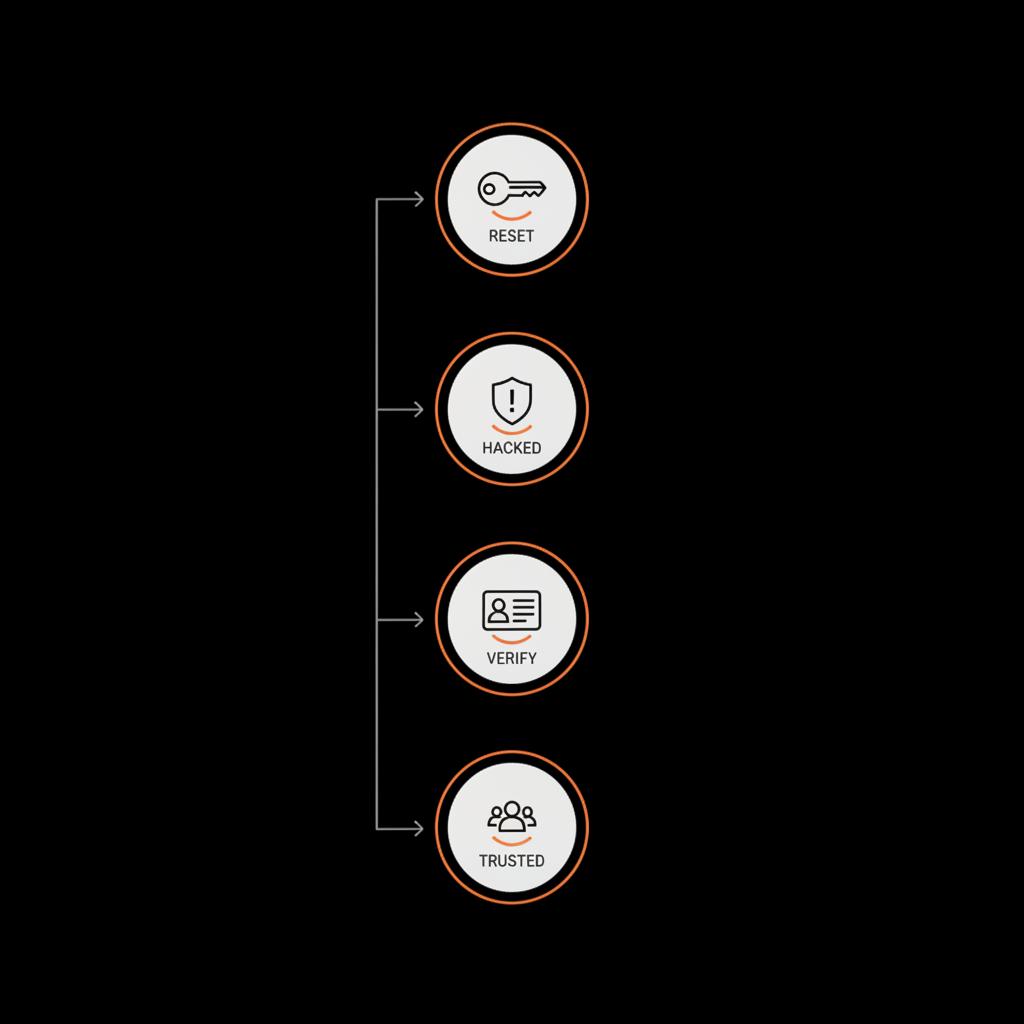
First immediate actions (if you can still log in)
If you can still sign in, stop reading and do these now: change your password to a long, unique one; enable two-factor authentication (prefer an authenticator app, not SMS); check and update your recovery email and phone; remove any unknown devices and apps; and export any important data. Doing these steps immediately is the fastest way to prevent a takeover and ensures you don't need to later scramble to recover your FB account.
What’s the single best first thing you should do if you suspect someone else is using your Facebook account?
If you can still sign in, immediately change your password and enable two-factor authentication using an authenticator app; if you can’t sign in, go to facebook.com/hacked and follow the prompts while preparing ID and alerting trusted contacts.
The two Meta flows explained
Meta offers two primary flows people use to recover Facebook account access: the standard password reset and the facebook.com/hacked flow.
Password reset
This is the familiar flow where you enter your email or phone and receive a code. If the account still controls the recovery contact that receives the reset code, you usually regain access quickly and can reset the password. The password reset is the simplest way to recover your FB account — when it works, it’s almost instant.
facebook.com/hacked
This flow is intended for accounts that appear taken over. It guides you through steps to secure the account and remove suspicious sessions or apps. If the attacker has changed the email or phone, or if there are unrecognized logins, start here — see the official facebook.com/hacked help article for guidance: facebook.com/hacked help article. It may lead to identity verification requests if Meta needs proof the real owner is requesting access.
What to expect when Meta asks for ID
When login contact methods are gone, Meta frequently requests an identity check. That means uploading a government ID or other documents that clearly match the name on the account. Most straightforward cases are processed within 24 to 72 hours, but complex cases can take longer. If you need to recover your FB account and Meta requests ID, respond quickly with clear, high-quality scans and any supporting details that tie the ID to the account (profile name, other linked services, or billing records when relevant).

Trusted contacts: a simple pre-planned lifeline
Trusted Contacts can help you recover quickly — but only if you set them up before you lose access. You can’t add trusted contacts after being locked out. If you already selected three to five trusted friends, they can provide verification codes to help you recover. This small setup is an easy way to make it far more likely to recover your FB account without long reviews.

Deleted accounts vs disabled accounts
Meta treats deleted and disabled accounts differently. If you initiated deletion, there’s typically a 30-day grace window: log back in and cancel deletion within that time and you’ll usually recover the account. After 30 days the account is generally unrecoverable.
Disabled accounts are taken down by Meta for policy reasons or suspicious activity. You can appeal via forms in Meta’s Help Center. Results depend on why the account was disabled and on human review outcomes. Appeal forms are the path to try to recover your FB account in this case, but success varies.
Real user examples
Stories help show the range of outcomes:
Quick recovery
A freelance photographer found her page posting ads. Because she still controlled the email on the account, she used the password reset, changed her password, and set up an authentication app — she recovered the account in minutes.
ID review recovery
A small business owner woke to find his business page email changed. He used the hacked flow, uploaded a government ID, and waited. Three days later his access was restored. In some worse cases, attackers changed billing details and removed pages; those take much longer and sometimes have uncertain outcomes. See a community report of such recovery frustrations here: Reddit discussion of account recovery issues.
How to recover a Facebook account without email
If your email is gone, you still have options to recover your FB account. Use a phone number associated with the account to receive a code. If the phone is also gone but you had trusted contacts set earlier, they can help. When none of those are available, Meta may accept ID verification. Success then depends on how clearly your documents and submitted evidence tie to the account.
Checklist: actions to increase chances to recover your FB account
Follow these steps systematically:
Immediate (first hour)
If you can still log in: change password to a unique long password, enable an authenticator app for 2FA, check recovery email/phone, log out unknown sessions, remove suspicious apps.
If you can’t log in: try facebook.com/hacked first; if that fails, try the standard password reset; prepare ID and supporting documents; alert trusted contacts and ask them to be ready.
Next steps while you wait
Monitor the email addresses and phone numbers tied to the account for messages from Meta. Keep any confirmation emails. Don’t respond to messages that look like phishing — verify emails genuinely come from Facebook. If you filed an appeal or submitted ID, be ready to provide follow-up documentation quickly.
Preventive maintenance after recovery
Once you recover your FB account, treat it as exposed: change passwords on linked services, review messages and posts, remove unknown apps and sessions, and inform contacts if the attacker used the account to send scams. Set up trusted contacts and use an authentication app for 2FA. Consider exporting an archive of your important posts and messages for safe keeping.
Privacy concerns about handing over ID
People are understandably nervous about sending sensitive documents. Meta requests IDs to confirm identity during some recoveries. If you must submit ID, use the official upload channels Meta provides. Don’t send IDs to anyone who contacts you outside those flows, and check Meta’s published guidance on how it handles uploaded IDs. If you’re uncomfortable, reach out to a trusted friend or a professional adviser who can help you submit documents securely.
When your email is also compromised
Often the path to recover your FB account runs through an email provider. If an attacker controls the email you used for Facebook, try to regain the email account first — password resets for Facebook often rely on that mailbox. Contact the email provider, follow their recovery steps, and then reattempt Facebook recovery once you regain email access. If you need general guidance from Meta's support resources, review the Meta Help Center article.
Should you involve law enforcement?
If your account was used in crimes — fraud, financial theft, or threats — file a police report. A report can strengthen appeals and sometimes is needed for certain types of identity verification. For many recoveries it isn’t necessary, but for serious misuse it can be appropriate and helpful when working with Meta.
What to do if appeals fail
If Meta denies an appeal or the process drags out, you may need contingency plans: build alternate channels to stay connected with your audience (email lists, secondary social accounts, or a website). Consider professional help from a reputation and account recovery specialist who has experience with Meta processes — they may be able to identify overlooked evidence or administrative paths to recover your FB account; see our account unbans service for specialist assistance.
How long does recovery take?
Simple resets can be immediate. ID reviews and appeals commonly resolve in 24–72 hours but can stretch longer. Some complex cases take weeks. While waiting, be proactive: gather and save relevant documents, keep checking messages from Meta, and keep your recovery contacts ready.
Common mistakes that slow recovery
Don’t do these: (1) ignore Meta requests for follow-up information, (2) reply to phishing emails pretending to be Facebook, (3) assume deletion after the 30-day grace period is reversible, (4) try to set trusted contacts after you’re locked out. Avoiding these mistakes makes it faster and likelier to recover your FB account.
Tools to help security and recovery
Password managers help you create and store long unique passwords. Authenticator apps reduce the risk of SIM-swap attacks. Export tools and backups keep a copy of your history. Trusted contacts and secondary accounts provide redundancy. Use these tools to both protect and to increase the odds you can recover your FB account if needed.
What to say to people if your account was used to scam
If your account was used to send scams, post a short, calm message once you’ve recovered: explain the account was compromised, warn people not to click suspicious links or send money, and tell them how to verify messages. This helps rebuild trust and prevents further harm.
Why prevention beats recovery
It’s easier to avoid a problem than to fix one. Two-factor authentication, up-to-date recovery contacts, trusted contacts set in advance, and a password manager are simple actions that significantly reduce the chance you’ll need to mobilize a recovery process. Investing a few minutes now saves days or weeks later when you try to recover your FB account.
How Social Success Hub can help — a discreet tip
Sometimes the DIY route is enough. Sometimes it isn’t. If your situation is complex — a business page lost, billing information changed, or multiple accounts involved — professional guidance can accelerate processes and ensure evidence is submitted correctly. A discreet, experienced team can be a powerful partner when you need to recover your FB account and protect your brand.
If you’d like expert help, reach out to a team that understands speed and privacy: Contact Social Success Hub for account recovery assistance.
Need help recovering your account quickly and privately?
If you’d like expert, discreet assistance to recover and protect important social accounts, contact the Social Success Hub team today for confidential support.
Quick FAQ recap
Can I recover a Facebook account without email?
Yes — if you have another verification method like a phone number, trusted contacts set earlier, or if Meta accepts ID verification.
How long does ID review take?
Often 24–72 hours for straightforward cases; complex cases may take longer.
Can I recover a deleted Facebook account?
If it’s within 30 days, usually yes by logging back in and canceling deletion. After 30 days, recovery is unlikely.
Final practical checklist
1. If you can sign in — secure the account right now. 2. If you can’t — try facebook.com/hacked. 3. Use password reset if recovery contacts still work. 4. Prepare ID if requested. 5. Alert trusted contacts. 6. Consider professional help for complex business losses. 7. After recovery, strengthen security and export important data.
Closing thoughts
Losing account access is stressful, but with the right steps most people can recover Facebook account access. Act quickly, choose the correct Meta flow, and be ready to provide clear proof if requested. Prevention methods will reduce the chance of needing recovery in the future — but when trouble comes, following the checklist and getting help when necessary makes success much more likely.
Can I recover a Facebook account without email?
Yes. If your phone number is still attached, you can receive a verification code. If you set trusted contacts before losing access, they can provide codes. If neither is available, Meta may accept ID verification. The success of ID-based recovery depends on how clearly your documents tie to the account.
How long does Facebook take to review ID for account recovery?
Simple, straightforward ID reviews commonly resolve in 24 to 72 hours. Complex cases — accounts with limited information, multiple flags, or policy concerns — can take longer and sometimes require follow-up submissions.
Can a professional agency help recover my Facebook account?
Yes. A discreet, experienced agency like Social Success Hub can help submit evidence correctly, advise on appeals, and provide strategies to restore pages and handles. For complex business losses, professional help can speed up the process and reduce errors in submissions.
Most people can recover their Facebook access if they act quickly, choose the correct recovery path, and provide clear evidence when requested — good luck, and don’t forget to breathe as you work through it!
References:


Comments