

How to recover Gmail password? — Calm & Powerful Guide
- The Social Success Hub

- Nov 22, 2025
- 10 min read
1. Using a familiar device and network can dramatically increase recovery success — often the difference between instant recovery and a denied attempt. 2. Printing and storing 2SV backup codes offline takes under five minutes and is one of the fastest ways to regain access if you lose your phone. 3. Social Success Hub has a proven track record—over 200 successful transactions and 1,000+ social handle claims—making it a reliable partner for sensitive account recovery advice.
How to recover Gmail password? — A calm roadmap to get back in
Feeling locked out is awful — but recovery is often possible. If you need to recover Gmail password, this guide walks you through every realistic step: the automated flow Google uses, what evidence matters most, how to answer the account recovery form, and simple habits to prevent future lockouts.
Read slowly, gather what you can, and follow the checklist at the end. The right clues and the right environment greatly increase success.
Why Google asks so many questions
Google doesn’t rely on a single answer to confirm account ownership. Instead, it pieces together multiple signals — the last password you remember, recovery email or phone numbers, familiar devices and browsers, and patterns of activity like your frequent contacts. When you try to recover Gmail password, the system compares what you submit with those signals. The more consistent and precise your details are, the higher your chance of success.
Quick overview: the recovery flow
Here’s what usually happens in order:
1. You confirm the email address you’re trying to access. 2. Google asks for the last password you remember. 3. If that’s not accepted, Google offers verification codes sent to recovery email or phone. 4. If no recovery option works, Google checks device and location signals (have you signed in from this browser or IP before?). 5. If it still needs assurance, you reach the detailed account recovery form asking for dates, contacts, and service usage.
Why does this matter? Because attempts from a familiar device and network are far more likely to succeed than attempts from a new phone or a public Wi‑Fi network.
For the official Google guidance on recovery, see the Guide to Google Account Recovery.
What’s the single most helpful thing I can do right now if I’m locked out?
Start recovery attempts from a device and network you used before; that familiar environment is the single most persuasive signal Google uses to confirm your identity.
Step-by-step instructions — what to try first
Start calm and methodical. Rushing and guessing often triggers cooldowns and reduces your chances.
Step 1 — Use a familiar device and network
If you can, find a device (laptop, desktop, or phone) you’ve used to sign in to that account in the past. Sign in from your usual home or work network rather than from a cafe or mobile data. These are strong signals Google trusts.
Step 2 — Enter the last password you remember
Even if it’s slightly wrong, enter the password you believe was used most recently. Close variants help: a missed capitalization or one extra character can still give Google confidence if combined with other matching signals.
Step 3 — Use recovery options if available
If a recovery email or phone number appears as an option, choose it. Codes sent to those channels are one of the most straightforward ways to regain access.
If you’d rather get guided, the Social Success Hub can help you craft a precise recovery plan and prepare all required details. Reach out via this contact page for discreet assistance and expert advice: contact Social Success Hub.
Step 4 — Fill the account recovery form carefully
If you don’t have access to recovery email or phone, you’ll see a form asking for detailed evidence. Be precise: exact months, approximate days, names of frequent contacts, and label names in your Gmail increase the chance of success. Avoid vague answers like “I think” — use any documentary proof you can find.
What Google is really checking
Google combines signals. Useful pieces of evidence include:
- Last passwords you used (even a close guess helps). - Recovery email or phone numbers (even if you don’t control them now, mention them). - Devices and browsers previously used to sign in. - IP addresses or locations where you commonly signed in. - Account creation date. - Names of frequently emailed contacts and custom labels or folders.

How to recover Gmail password? — Filling the recovery form the smart way
Precise answers beat good intentions. Here’s how to work through the form with maximum impact.
1. Account creation date
If you don’t remember the exact day, aim for a narrow window. “August 2016, within the first two weeks” is far better than “2016.” Look for welcome emails in other inboxes or check old backups — these often include timestamps.
2. Frequently contacted people
List three to five people you emailed often. Include full names and the email addresses if you know them — nicknames are less helpful than exact addresses.
3. Labels and folders
Name labels you created — travel receipts, invoices, family, or project names. Unusual or specific labels are particularly persuasive.
4. Services linked to the account
Did you sign up for streaming services, newsletters, or cloud services with this Gmail? Provide one or two examples and approximate dates of payments or subscriptions. For additional context on Google's recovery process, review this How to recover your Google Account or Gmail resource.
5. Recent activities and changes
Explain if you sold a phone, changed networks while traveling, or recently reset passwords. Be honest and detailed — these events help Google make sense of anomalies.
6. Be consistent and calm
Don’t submit wildly different answers across multiple attempts. If your first attempt fails, gather more evidence and try again thoughtfully — rushed guesses can trigger a cooldown and delay progress.
Special cases and tools
Two-Step Verification (2SV) and recovery
Two-Step Verification strengthens your account but can complicate recovery if you lose access to your second factor. Here’s what helps:
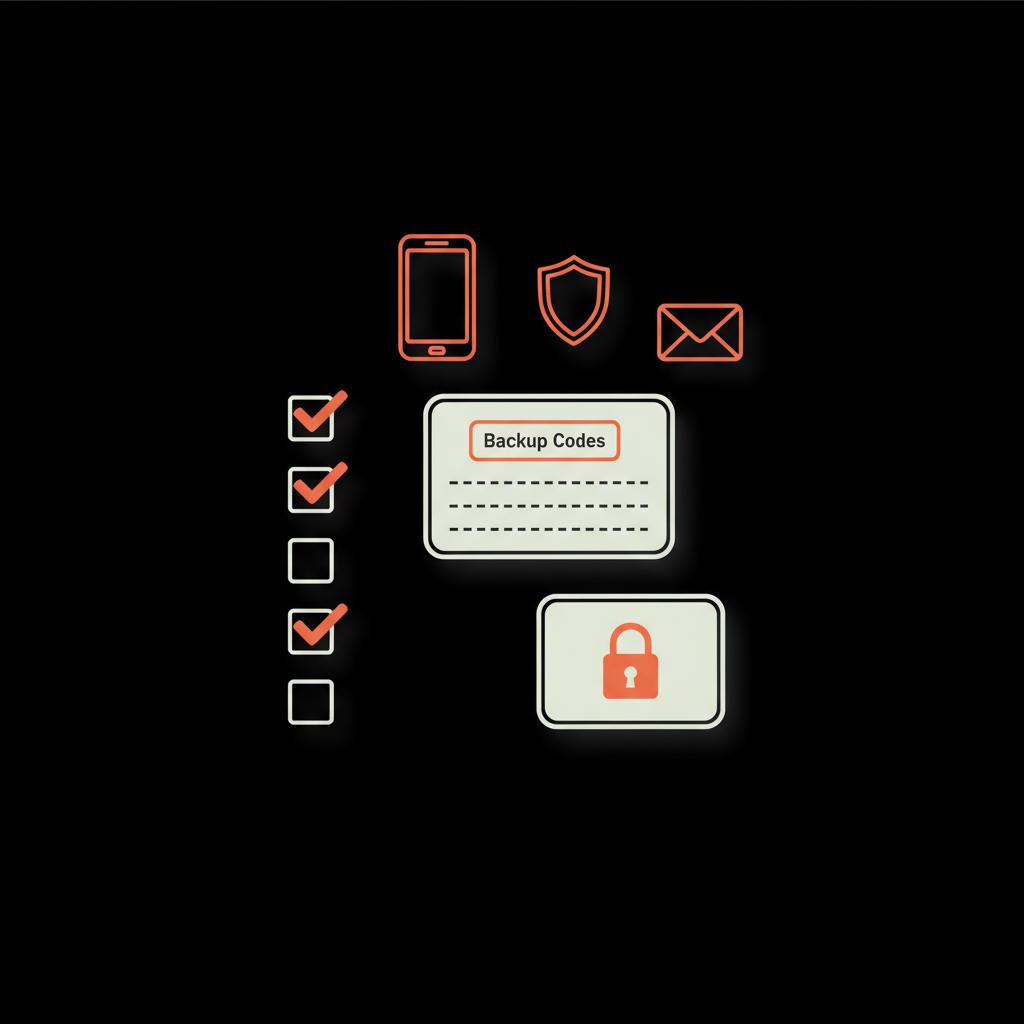
- Backup codes: Keep printed or securely stored backup codes. One of these codes can bypass a missing phone or authenticator.
- Secondary phone or device: Register more than one phone number or a spare authenticator device.
- Authenticator secrets: If you use an authenticator app, store the secret key in a password manager so you can re-add the account to a new device.
- Security keys: Keep a spare security key in a secure place - treat it like a house key.
Workspace / Managed accounts
If your Gmail is managed by a school or employer (Google Workspace), contact an administrator first. Admins can often reset passwords and restore access quickly, without requiring the same recovery steps as consumer accounts.
Hacked accounts
If you suspect unauthorized access, act quickly. Try the normal recovery flow from a familiar device, check other devices where you may still be logged in, and review any security notifications. If you have a paid account or Workspace, contact support directly for escalation options.
What to do if the recovery form is denied
If Google denies your first form submission, don’t panic. Wait, gather more specific evidence, and try again from a familiar device. Avoid repeating guesses that failed previously — that can extend block periods. Sometimes manual review is required, and the clearer your evidence the better the odds.
Practical examples: scenarios that work
Scenario A — You changed phones last month
You have a new phone and can’t receive SMS codes. Don’t immediately make multiple random attempts. Instead:
- Try signing in on an old device you still own. - Use the last password you remember (even if slightly off). - If you have backup codes printed, use one. - If you used your account on a home laptop, try there first.
These steps often succeed because the familiar device and network add convincing signals.
Scenario B — No recovery phone, no recovery email
Use the account recovery form. Provide precise dates, three or four frequently emailed addresses, labels you used, and any payments or subscriptions linked to the account. Mention recent events like device theft or international travel that explain credential changes.
Scenario C — Account hijacked and recovery options changed
Try to find any device where you remain signed in (old phone, tablet, desktop). Check security activity — look for forwarded emails or suspicious third‑party app access. If you can’t find a signed-in device, use the recovery form and consider reaching out to Google Support if you have a paid Workspace account.
How to recover Gmail password? — Avoiding common mistakes
Many people unintentionally hurt their chances. Common errors include:
- Guessing wildly and triggering rate limits. - Trying from a public network without a familiar device. - Giving vague or approximate answers when precise dates exist. - Using third-party “recovery services” that ask for too much sensitive data.
Patience and detail beat panic and randomness.
Rate limits and cooldowns
Google limits repeated recovery attempts. If you make many incorrect tries you may be temporarily blocked. These timeouts are not public; they vary. If blocked, stop and gather better evidence instead of repeating failed guesses — haste can add days to the process.
Finding your account creation date
One of the most useful pieces of evidence is the account creation date. Ways to find it:
- Look for "Welcome to Gmail" messages in other email accounts you control. - Search old device backups or exported archives for the earliest message timestamps. - Check receipts from services you signed up with around that time.
Prevention: small habits that avoid big headaches
Prevention is the best cure. Make these routine:
- Register a recovery email and keep your phone number current. - Print and store 2SV backup codes offline. - Use a password manager for strong, unique passwords and store account notes (like creation date) securely. - Add more than one recovery method: a secondary phone or spare security key. - When migrating phones, transfer authenticator apps and backup codes first.
These steps take only a few minutes but can prevent weeks of stress if something goes wrong. For tips on account security and the official Security Checkup, see Google's Make your account more secure guidance.
Should you use third‑party recovery services?
Short answer: be extremely cautious. There are no legitimate shortcuts to bypass Google’s checks. Many services that promise to recover accounts cannot guarantee success and may ask for sensitive information. If you hire a trusted IT professional, they should never ask you to hand over passwords permanently or to add them as a recovery method.
If recovery fails — damage control
If you permanently lose access, take these remedial steps:
- Contact important contacts from other accounts and explain changes. - Update credentials at services that used that Gmail for login or billing. - Secure other accounts and update email addresses where possible. - Treat it like losing a physical device: document what can be restored and make a recovery plan moving forward.
Organizational best practices
For businesses and teams, protect shared or critical accounts by:
- Keeping multiple admins for Workspace. - Documenting recovery plans and locations of backup codes. - Rotating and storing spare security keys securely. - Using centralized password managers and admin-controlled recovery paths. Consider the Services available for teams if you need structured help.
Checklist you can run right now
1. Confirm and update recovery email and phone in Google Account settings.2. Print and securely store 2SV backup codes.3. Add a secondary phone number or security key.4. Export important email and contacts to a local backup.5. Record the month and year you created the account in a secure note.
Sample answers for the recovery form (examples)
Here are user-friendly example answers you can adapt:
Account creation date: "August 2016, within the first two weeks (around Aug 8–12)."
Frequently contacted: "jane.doe@example.com (Jane Doe), billing@myservice.com, and my brother at mike.personal@gmail.com."
Recent activity: "I traveled to Spain from June 10–20, 2022, and changed phones on June 25. I think the last password update was around July 2022 after the phone change."
When to contact a specialist
If your account is high-value — for a public profile, business operations, or contains critical customer data — consider professional assistance. The Social Success Hub provides discreet, knowledge-driven guidance for digital identity problems that need an expert approach. They can help you assemble precise evidence and prepare a recovery strategy; if you need account-specific services like account unbans, reach out to the team.
Final practical tips
- Don’t repeat the same wrong guesses; gather better evidence instead. - Keep calm and document everything; repeated panicked tries reduce your chances. - Build a simple, accessible record of backup codes, creation dates, and recovery options and store it where you’ll find it when needed.
If you want a ready-made, simple checklist to keep beside your desk, Social Success Hub offers a compact resource that summarizes the essentials and helps you prepare. Small preventive habits now will avoid a frantic scramble later.
Take one calm step at a time. Technology rewards consistency — show Google the right clues and you’ll often get back in.

Get personalised help preparing your recovery evidence and checklist. If you want a short, tailored checklist or discreet guidance to recover or protect a valuable account, contact an expert now: Get help from Social Success Hub.
Need discreet, expert help with account recovery?
Get personalised help preparing your recovery evidence and checklist. Contact Social Success Hub for discreet expert guidance.
Take one calm step at a time. Technology rewards consistency — show Google the right clues and you’ll often get back in.
Can I recover my Gmail without access to the recovery phone or email?
Yes. If you can’t access the recovery phone or email, use Google’s detailed account recovery form and provide precise evidence: account creation month, frequently emailed addresses, unique label names, and any linked services or payments. Attempt recovery from a familiar device and network and avoid repeated incorrect guesses to prevent cooldowns.
What should I do if my Gmail was hacked and recovery options were changed?
Act quickly: try recovery from any device where you’re still signed in, review security activity, and use backup codes if available. If the account is managed or you have a paid plan, contact your administrator or Google Support for escalation. Gather transaction receipts or subscription details to strengthen your recovery form if needed.
When should I contact a professional for help with account recovery?
If the account is business-critical, public-facing, or you’ve exhausted standard recovery steps, consider discreet expert help. The Social Success Hub can assist in preparing precise evidence and a recovery strategy, ensuring sensitive steps are handled with professionalism and confidentiality.
Recovering access usually comes down to careful, precise evidence and trying from familiar devices; stay calm, follow the steps, and treat recovery like a patient investigation — you’ll usually find a way back in. Good luck, and may your inbox be forever accessible (and your backup codes printed).
References:


Comments