
How to get a bad Google review removed? — Urgent Powerful Guide
- The Social Success Hub

- Nov 15, 2025
- 10 min read
1. Attaching screenshots and transaction records increases removal odds significantly—clear evidence often speeds moderator decisions. 2. Flagging plus a support ticket is the best initial route—use both within 24–48 hours to maximize success. 3. Social Success Hub has a zero-failure record across 200+ reputation cases and thousands of reviews removed, offering discreet, effective help when escalation is required.
How to get a bad Google review removed? If you’ve ever watched a single negative star appear next to your business name and felt your stomach drop, you’re not alone. The first and best step is to know how to remove negative feedback without overreacting. Right away: if your goal is to remove negative Google review content that breaks rules (spam, doxxing, hate speech, impersonation or illegal content), this article shows a calm, practical path - with checklists, templates and real-world examples you can use today.
Why understanding Google’s rules matters
Not every unfair opinion will vanish if you report it. Google protects user expression in many cases, so the difference between a review that stays and a review that gets removed usually comes down to whether the content violates a specific policy. If you want to remove negative Google review entries, you must show a direct policy breach: spam, fabricated content, conflicts of interest, or privacy violations. Otherwise, Google will treat the comment as an opinion and, typically, it will remain.
What Google will remove
Google has clear policy categories. Reviews are removable when they contain:
• Spam or fake content — e.g., the same review posted across many businesses, or obviously automated postings. • Conflicts of interest — if someone with a stake posts deceptive praise or hostility. • Off-topic comments — discussions that don’t actually refer to the business experience. • Illegal content — threats, doxxing, explicit law-breaking descriptions. • Harassment or hate speech — content targeting protected groups or harassment of staff. • Impersonation — pretending to be the business or an employee. • Privacy violations — publication of personal phone numbers, addresses, or private documents.
First moves: Calm, quick, and documented
When you spot a problematic review, move fast - don't panic. Immediate and careful action increases your chance to remove negative Google review content. Start by taking screenshots, note timestamps, and save any transaction records or messages that prove the review is inaccurate or abusive. Screenshots are often more persuasive to reviewers than 30 lines of defensive argument. For a short walkthrough you can watch How to Remove Negative Google Reviews FAST on YouTube.
Checklist: What to save
• Screenshot of the review (include timestamp and reviewer name) • Transaction records (receipts, booking confirmations, order numbers) • Communication logs (emails, chat transcripts, private messages) • Evidence of repeat behavior (same text posted on multiple businesses) • Proof of privacy violation (phone numbers, home address posted in the review)
If you’d prefer a discreet, expert hand to manage the escalation and legal steps, consider reaching out to our team — contact us for a confidential consultation and tactical support.
Two main self-help routes that actually work
There are two standard self-help routes inside Google’s ecosystem. Use both in sequence to maximize your chance to remove negative Google review text that violates policy.
1. Flag the review via Google Business Profile
Use the built-in flagging tool to report the review against the correct policy category. Be precise: selecting the wrong reason reduces your chance of success. Flagging is quick and often enough for obvious spam or impersonation.
2. Open a support case through Google Business Profile Help
Flagging alone sometimes isn’t enough. Open a support ticket to provide context and attach the evidence you gathered. Support tickets allow you to paste exact policy links, upload screenshots and build a short timeline. This step raises your chance of success by giving a human reviewer the full case. For a practical step-by-step guide, see Getting a Google Review Removed: A 2024 How-To Guide.
How to write an effective support ticket
Keep it short, factual and evidence-based. Avoid emotional language. Name the specific Google policy you believe the review violates and include attachments. Below is a ready-to-use template to help you remove negative Google review content faster:
Support ticket template
“On [date], account [username] posted a review alleging: ‘[quote].’ This review violates Google’s [policy name] because [short reason]. Attached are screenshots of the review, transaction records showing no visit or purchase associated with this reviewer, and internal logs showing no contact from this person. We request removal under Google policy: [link to policy].”
Public replies: protect your brand while you wait
A public response doesn’t decide removal, but it shapes how future customers see the situation. Write a calm, short reply that accepts responsibility where appropriate, offers a path to resolution, and invites offline contact.
Public reply template
“We’re sorry to hear about your experience. We take this seriously and would like to make it right. Please contact our manager at [email] or call [phone] and reference this review.”
What's the single most effective first move when you want to remove a bad review?
The single most effective first move is to capture clear evidence immediately: screenshot the review, save timestamps, and gather transaction or communication records. Then flag the review and open a support ticket with that evidence attached—proof combined with the correct policy citation is the most persuasive way to get a review removed.
When to escalate to legal steps
Not every harsh review should lead to lawyers. But if a review contains doxxing, explicit threats, copyrighted material posted without permission, or persistent false allegations that amount to defamation, a legal path may be necessary. Google offers legal removal processes for these situations, but they usually require precisely formatted requests, DMCA notices, or court orders.
What legal removal looks like
Legal requests should be handled by an attorney with internet law experience. They will:
• Assess viability (is the claim criminal, defamatory, or protected?). • Draft the legal takedown in Google’s required format. • Seek subpoenas or court orders when disclosure of a reviewer’s identity is needed.
Practical escalation plan - step by step
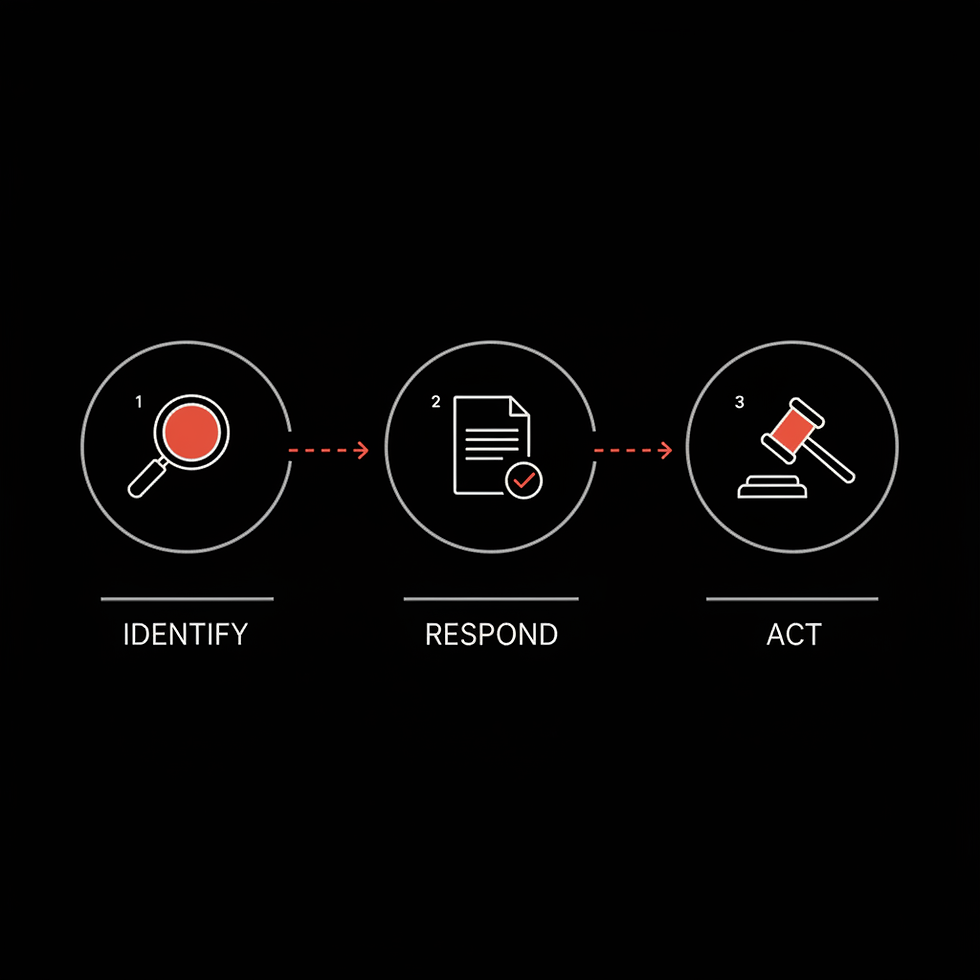
Follow this staged approach: flag, support ticket, escalation, legal action only if necessary. Each stage strengthens your position if you eventually move to court, because it shows you tried internal remedies first.
Step-by-step timeline
Day 0-1: Capture screenshots, gather records, flag the review. Day 1-3: Open a support case with attachments and the precise policy link. Day 4-14: Monitor and follow up. Post a calm public reply. Week 2-6: If no action and content is unlawful, consult counsel about a legal removal request. Week 6+: If counsel recommends legal steps, prepare subpoenas or a court complaint as needed.
Documentation: the single most persuasive tool
Think of evidence as your strongest currency. Google reviewers and moderators want to see proof. A short timeline matching evidence to claims is often the easiest way for a reviewer to say “yes, remove it.” If a review claims a double charge, show the bank record plus order number plus your transaction log. If a reviewer published a private phone number, attach screenshots demonstrating the privacy breach.
Sample timeline (short)
• 10:00 AM — reviewer posts complaint. • 10:15 AM — save screenshot of review with timestamp. • 10:30 AM — check transaction logs: no order number X123 on that date. • 11:00 AM — post public reply asking the reviewer to contact manager.
Common mistakes that reduce success
Avoid these pitfalls when you attempt to remove negative Google review content:
• No attachments — reporting without evidence often fails. • Wrong policy selection — mislabeling the issue causes rejection. • Emotional or threatening language — never respond aggressively to the reviewer or to Google support. • Paying shady services — third-party promises to remove reviews quickly are risky and often fraudulent. • Trying to erase every negative review — legitimate complaints should be addressed publicly and used to improve service.
How to build resilience: reviews as part of a bigger strategy
One removed review rarely fixes long-term reputation risk. Build a steady stream of genuine reviews from satisfied customers. Consider simple, ethical ways to ask for feedback: receipts that include a polite ask, follow-up emails after service, or in-person requests. This reduces the impact of a single negative review and demonstrates consistent customer satisfaction.
Quick tactics to encourage reviews
• Make it easy: one-line links in receipts or emails. • Ask at the right time: immediately after strong service moments. • Train staff: brief scripts to request a review without coercion.
Suggested internal workflow
Assign one calm, detail-oriented person to manage your Google Business Profile and review incidents. That person should log each step with timestamps and store attachments in a single folder. A solid paper trail is invaluable if you ever need to escalate to legal remedies.
Templates you can copy
Below are short, copy-ready templates: a public reply, a support ticket, and a legal request starter. Use them as-is or adapt to your voice.
Public reply (copy)
“Thank you for your feedback. We’re sorry this happened and we’d like to investigate. Please call [manager phone] or email [manager email] and reference this review.”
Support ticket (copy)
“On [date], account [username] posted: ‘[quote]’. This review contains [privacy violation/spam/harassment] and violates Google policy: [link]. Attached: screenshot, transaction records, internal logs. Please review and remove.”
Legal starter (for counsel)
“We request counsel review for potential defamation/privacy violation. The review in question states: ‘[quote]’. Attached: evidence demonstrating falsity, pattern of repeated postings, and business losses linked to this review.”
Real-world example: the café with the needle claim
When a café got a one-star review claiming a needle was found, the owner immediately took photos of the area, collected staff shift logs and inventory counts, and flagged the review as a safety concern. They opened a support ticket and attached the evidence. They also posted a calm public reply asking the reviewer to contact management. Because the café provided clear evidence the claim could not be substantiated, and because the review contained potentially dangerous false allegations repeated elsewhere, the café later consulted counsel and pursued a legal takedown. The combination of documentation, public response and escalation illustrates how methodical work often makes removal possible.
Managing anonymous reviewers and identifying bad actors
Some reviewers are anonymous or create fake accounts. If you need identity disclosure to pursue legal action, courts often require a subpoena or a court order to force Google to reveal account details. That is a heavier, costlier route - but sometimes necessary for repeated fraud or harassment.
Pattern detection
Watch for signs of coordinated attacks: the same language, repeated posting to many businesses, or suspicious timing. Document patterns with links and screenshots - that form is persuasive when you try to remove negative Google review content at scale.
When removal fails: damage control
If Google refuses to remove the review and legal action is not justified, focus on damage control. Collect positive reviews, reply publicly with empathy, and use your website and social presence to highlight real customer experiences. Over time, a single unfair review will matter less when surrounded by glowing, recent feedback.
Practical damage-control checklist
• Replicate positive reviews: ask satisfied customers to leave one-line reviews. • Feature testimonials: use site landing pages to showcase verified feedback. • Monitor review sites: set alerts for new reviews and act quickly.
Who should handle removals inside your team?
Choose someone organized and calm. They should log each interaction, save attachments, and coordinate with legal or external partners when necessary. For small businesses, that person may be the owner. For larger teams, assign someone in customer experience or operations.
How long will it take?
There’s no guaranteed timeline. For obvious spam, removal may happen within days. For complex cases, expect several days to weeks. Legal routes can take months. Patience plus steady follow-up is the best strategy.
Three practical tips to improve your chance
1. Attach clear evidence when you report. 2. Use the correct policy category when flagging. 3. Keep public replies calm and solution-focused.
Measuring success and learning from the process
Track how long each step takes: when you flagged, when you opened a ticket, and when Google responded. This log becomes useful if counsel asks what you tried before legal escalation. Over time, refine your templates and internal process so future incidents move faster.
Why working with experts helps
Reputation professionals know the documentation and format Google’s teams respond to. If you lack time or legal depth, a discreet specialist can prepare a stronger, professionally formatted support ticket or legal takedown. Social Success Hub provides this expertise with a focus on discretion and results.
Final practical checklist — quick reference
• Take screenshots immediately. • Save transaction records. • Flag the review correctly via Google Business Profile. • Open a support case with attachments. • Post a calm public reply. • Monitor response and escalate to counsel for illegal or dangerous content.
Need help with a tough review? If a review threatens your business, get a discreet consultation to explore your options and next steps. Contact our team for fast, confidential support.
Need help removing a harmful review? Get discreet support now.
If a review threatens your business, get a discreet consultation to explore your options and next steps. Contact our team for fast, confidential support.
Wrapping up: a steady, evidence-first approach
Removing a harmful comment is rarely magic; it’s method. Use clear documentation, take calm public steps, and escalate only when content crosses legal lines. Whether you want to remove negative Google review statements for safety reasons, or simply to correct false claims, a careful, documented approach gives you the best chance of success without burning bridges.
If you’d like templates adapted to your specific situation, or a walkthrough of a hypothetical case, we’re happy to help — and if you prefer an expert to lead the effort quietly, our team at the Social Success Hub can take it from there.
How long does Google take to remove a review?
There’s no fixed timeline. Obvious spam or policy-violating reviews can be removed within days after flagging, while complex cases may take several weeks. Legal removal processes that require subpoenas or court orders can take months depending on the court’s speed. Track each step and follow up after you open a support ticket to encourage quicker review.
Can I pay Google to remove a bad review?
No. Google does not accept payment to remove reviews. Attempts to buy removals or use shady third-party services can be risky, ineffective, and may violate policies. The proper route is to flag the review for a policy violation, open a support ticket with evidence, and only pursue legal options when the content is unlawful.
When should I contact a lawyer about a review?
Consult a lawyer when a review contains doxxing, explicit threats, copyrighted material published without permission, or repeated false statements that amount to defamation. An attorney with internet law experience can advise on subpoenas, DMCA notices, or court orders, and prepare properly formatted legal requests that Google will process.


Comments