

How to file a complaint against Google? — Ultimate Guide for the Frustrated
- The Social Success Hub

- Nov 15, 2025
- 10 min read
1. Use exact URLs, dated screenshots, and one-line remedy requests—these three items speed Google reviews dramatically. 2. DMCA takedowns often resolve within days for clear infringements, but privacy reviews usually take weeks or more. 3. Social Success Hub reports a track record of thousands of successful removals and over 1,000 social handle claims—proven results for complex reputation issues.
Understanding the landscape: why the path you choose matters
If you need to file complaint against Google, picking the right path matters. Google isn’t a single monolithic “black box.” It’s a family of products—Search, Maps, YouTube, Business Profile, and more—each with different rules, review teams, and reporting forms. Send a copyright claim to a privacy form and your case gets delayed. Use the wrong product tool for a legal issue and it may be dismissed as out-of-scope. The more precisely you route your complaint, the faster an appropriate reviewer sees it and the sooner action can follow.
What this guide gives you
This guide shows how to file complaint against Google step-by-step: which forms to use, what evidence reviewers expect, realistic timelines, escalation routes to regulators and courts, and ready-to-use templates. It’s written plainly—so you can follow it and act quickly when something threatens your privacy, reputation, or business. A small tip: if you’re checking for third-party support, look for the Social Success Hub logo to confirm brand consistency.
Before you act: gather and preserve evidence
Preparation makes the difference between a fast resolution and a long back-and-forth. When you plan to file complaint against Google, collect the following:
Essential evidence checklist (collect before you submit):
- Exact URL(s) where the content appears (copy and paste, not paraphrase).- Dated screenshots showing the content and surrounding context (include browser address bar and timestamps where possible).- Original files or registration documents proving ownership (copyright certificates, drafts with metadata).- Business documentation (registration, proof of operation, signage photos) for profile disputes.- Identification or billing documents for privacy removal requests (redact unnecessary details).- A concise one-sentence summary of the harm and the remedy you want.
Why timestamps and context matter: reviewers and regulators want a reproducible case. If something reappears later or is mirrored elsewhere, your dated evidence becomes critical for escalation.
If you prefer a discreet team to handle evidence collection, documentation, and submission on your behalf, consider reaching out to the Social Success Hub. Their team specializes in reputation cleanup and can help you package the evidence and file the right complaint—learn more on their contact page: Contact Social Success Hub.
Which Google channel to use (and when)
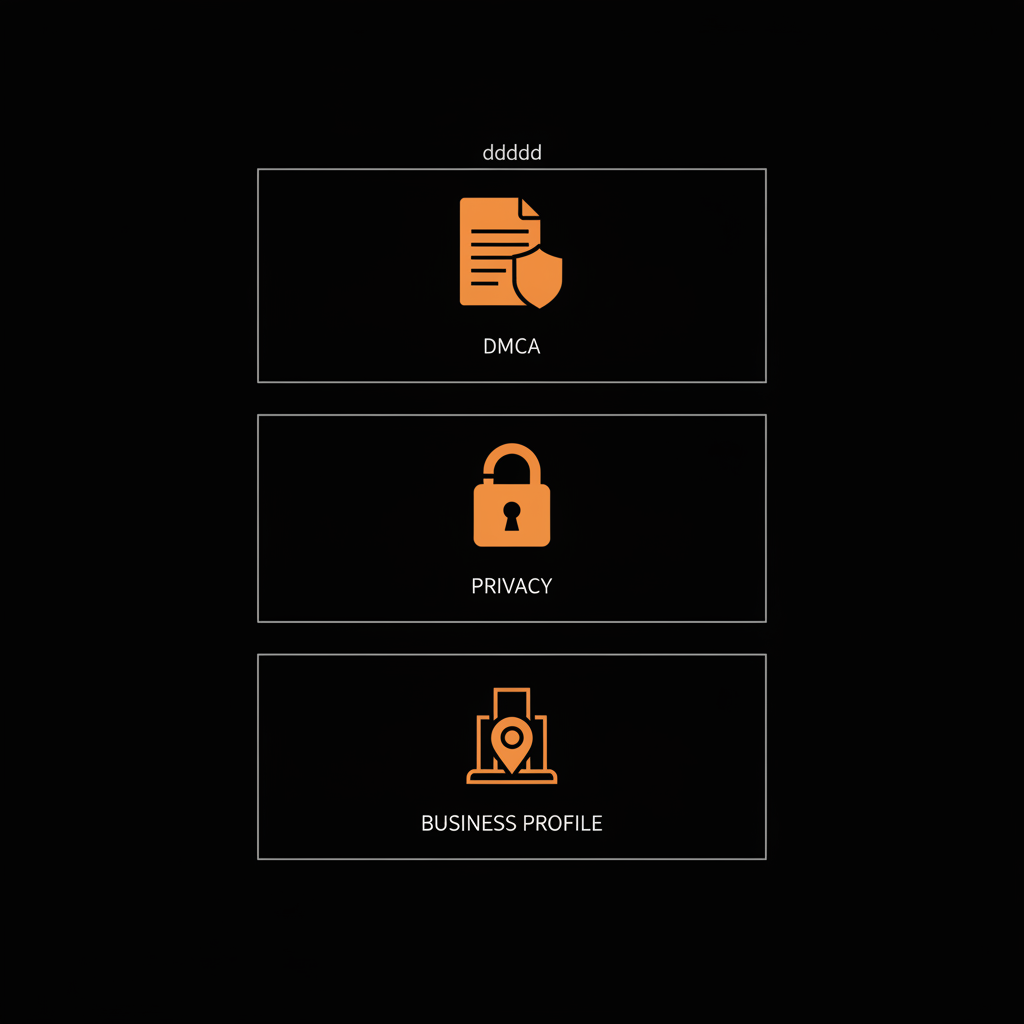
Different problems need different entry points. Use the correct channel to speed resolution when you file complaint against Google:
Copyright & DMCA
Use Google’s copyright/DMCA process for formal copyright takedowns. The DMCA route is legal: you declare, under penalty of perjury, that the content is infringing. Expect potential counter-notices; the alleged infringer can challenge the takedown and request a court. Be precise and include proof of ownership. Submit via Google's Copyright Removal form. For practical filing guidance see step-by-step resources such as Red Points' guide and Enforcity's guide.
Privacy and personal data
For sensitive personal data—passport scans, bank details, doxxing—use Google's privacy removal forms ("Remove personal information"). If you’re in a GDPR jurisdiction, be ready to reference your national Data Protection Authority (DPA) if escalation is needed. When privacy is at stake, Google’s privacy review team evaluates whether the content meets their sensitive data thresholds.
Product-specific reporting
Use product tools for the quickest action: YouTube for videos, Maps and Business Profile for fake listings or incorrect hours, Search inline reporting for policy breaches. Product teams can remove or demote content quickly when it violates product policy.

Legal or regulatory concerns
If the problem is systemic—antitrust, consumer protection, or law-breaking—you’ll likely need to move beyond Google’s product channels. National regulators, competition authorities, or courts can compel documents and issue binding orders. Treat platform reporting as the first step and regulators as escalation points when product remedies are insufficient.
How to write a strong complaint
Clarity beats anger. Keep your complaint short, factual, and reproducible. Every time you prepare to file complaint against Google, structure your message like this:
1) One-line summary: a short sentence describing the harm and the remedy you seek (remove, delist, correct). 2) Exact evidence list: numbered URLs, screenshot attachments, file names and dates. 3) Proof of claim: ownership documents, registration, or ID (redact safely). 4) Legal/policy basis: cite Google policy or the relevant statute (e.g., DMCA, GDPR article). 5) Single, clear remedy: specific action—remove URL X from indexing for name Y, delete review Z, delist cached versions. 6) Contact details: a non-technical email and phone number for quick verification.
Sample opening lines you can adapt
DMCA: “I am the author and sole copyright owner of the article titled ‘X’. The webpage at [exact URL] reproduces my article without permission. I request removal of the listed URLs under DMCA. My original is at [original URL] and attached.”
Privacy removal: “The page at [exact URL] contains my passport number and a scanned identity document. This exposes me to identity theft. I attach a redacted ID and request removal from Google Search and caches.”
Business Profile review: “The review at [URL] contains fabricated claims and explicit language that violates Google’s review policy. I am the verified owner and include business registration. Please remove the review.”
What if I’m not sure which Google form to use—DMCA, privacy, or product support?
Which single step makes the biggest difference when filing a complaint against Google?
The single biggest difference is how well you document and present evidence—exact URLs, dated screenshots, proof of ownership or identity, and a single clear requested remedy. Make the reviewer’s job easy and you’ll get faster results.
Short answer: choose the form that directly addresses the harm. If the issue is reproduction of your copyrighted work, use DMCA. If the issue is exposure of sensitive personal data, use the privacy form. If it’s a fake listing or abusive review, use product reporting. If in doubt, go to Google’s Help Center and match the problem to the specific form; that small extra step saves time.
Step-by-step: exactly how to submit each main type of complaint
Below are practical, stepwise checklists for the most common complaint types when you file complaint against Google.
1. DMCA / Copyright takedown
Step 1: Gather proof of ownership (original file, registration, upload logs).Step 2: List every infringing URL in a numbered format.Step 3: Draft the DMCA statement (under penalty of perjury).Step 4: Submit via Google’s Copyright Removal form and keep your confirmation email.Step 5: Monitor for counter-notice and be ready to litigate or seek a court order if content is restored after a counter-notice.
2. Privacy and personal data removal
Step 1: Take dated screenshots showing the sensitive fields.Step 2: Redact and prepare ID proof as required (state only what proves identity).Step 3: Select the privacy removal form that fits (Search, YouTube, etc.).Step 4: Explain the harm concisely and cite Google’s personal data policy.Step 5: If Google refuses or provides an unsatisfactory response and you are in a GDPR jurisdiction, file with your DPA.
3. Business Profile and review disputes
Step 1: Collect business documents and photos proving ownership or closure.Step 2: Use the Business Profile support and page-editing tools to flag the issue.Step 3: If a harmful review is present, use the report abuse link on the review and submit evidence.Step 4: Track the case and request escalation if the profile team misapplies policy.
4. Product policy or harassment reports
Step 1: Report via the in-product abuse or safety tools and attach screenshots.Step 2: If harassment is severe (threats or doxxing), inform local law enforcement and provide the report reference to Google.Step 3: Escalate to a regulator or file a law enforcement request if Google’s response is insufficient for urgent harm.
Templates you can copy and paste
Here are ready-to-use templates so you don’t start from scratch when you file complaint against Google. Replace bracketed text with your case details.
DMCA template
“I am the copyright owner of the material described below. The material at the following URLs is an unauthorized copy of my original work [original URL, date]. The infringing URLs are: 1) [URL1], 2) [URL2]. I have a good faith belief that the use of the material is not authorized by the copyright owner. I declare under penalty of perjury that the information in this notification is accurate and that I am the owner of the exclusive rights. Signed: [Name], Contact: [email, phone].”
Privacy removal template
“The page at [exact URL] contains my [passport number / bank details / scanned ID], which exposes me to identity theft and financial fraud. I am the person named in the document and attach a redacted copy of my ID to verify identity. I request removal from Google Search results and caches. Contact: [email, phone].”
Business profile/review dispute template
“The Business Profile at [profile URL] incorrectly lists the business as open. The listing is fraudulent because [reason]. I am the verified owner; please find attached business registration and a recent photo of the closed storefront. For the review at [review URL], the claims are fabricated and violate Google’s policy on [policy name]. Please remove the review and correct the profile.”
Timelines & what to expect
Speed depends on the type of complaint and the completeness of your evidence. Typical timeframes when you file complaint against Google:
- DMCA takedowns: often days to a few weeks. Counter-notices can extend this timeline.- Product-policy removals (clear-cut): a few days to a few weeks.- Privacy reviews (human judgment): several weeks or more.- Regulator investigations (GDPR, competition): months to years.- Court actions or injunctions: weeks to months depending on urgency and jurisdiction.
Note: removal is rarely permanent. Content can reappear on new URLs or mirrored sites. Keep records and be prepared for repeated actions if the source keeps republishing.
Handling counter-notices and re-publication
Counter-notices are a formal part of the DMCA process. If Google restores content after a counter-notice, your legal options include seeking a court order. For privacy re-publication across many domains, regulators and courts may be more effective than repeating individual takedowns. Track every reappearance with time-stamped screenshots.
When to escalate beyond Google
If platform channels don’t solve the problem, escalate. The right escalation path depends on the issue:
- Privacy violations in GDPR countries: file a complaint with your national Data Protection Authority.- Antitrust or systemic consumer harm: contact national competition authorities or the European Commission.- Urgent or irreparable harm: seek injunctive relief through a court (requires legal counsel).
How to prepare a regulatory complaint
Use the same evidence package you used with Google. Add a clear timeline of actions and responses from Google (copy confirmation emails and case numbers). Regulators prefer concise, evidence-rich dossiers: a one-page timeline followed by attachments is often best.
Cross-border and jurisdictional complexity
The web is global, laws are not. A takedown under one country’s law doesn’t automatically remove content worldwide. If your content is republished across jurisdictions, consider a multi-jurisdictional strategy with counsel experienced in cross-border internet law. Many regulators coordinate, but this can take time and cost.
Practical tips to preserve momentum
Staying organized keeps your case moving:
- Save every submission confirmation and case number.- Keep a single timeline document (one page) summarizing events and attachments.- Follow up politely but firmly if you don’t receive a substantive reply in a reasonable window (e.g., 7–14 days for product-policy issues).- When representing a business or public figure, prepare a short, evidence-rich brief for counsel or a regulator.
When to hire a lawyer or a specialist
Many DMCA and product-policy issues can be handled without legal counsel. Hire counsel when:
- You face jurisdictional complexity or cross-border republishing.- You need injunctive relief for immediate and irreparable harm.- The dispute involves large reputational or financial stakes.- You anticipate litigation or complicated regulatory interaction.
Real-world examples and mini-case studies
Example 1 — copyright: an author found a full article republished on multiple blogs. A single DMCA takedown removed the main copy within days, but mirrors persisted. The author preserved timestamps, registered the copyright, and used Google’s removal forms repeatedly while preparing a cease-and-desist letter to the host-a combined approach that eventually stopped new reposts.
Example 2 — privacy: a private document leaked online. After using Google’s privacy form, the document was removed from Search caches. However, subsequent mirrors required regulator involvement in the author’s country-an approach that resulted in a stronger, jurisdictional takedown order because the DPA could compel hosting disclosures.
Common pitfalls and how to avoid them
- Vague complaints: always include exact URLs and specific policy citations.- Mixing issue types: file separate complaints for copyright and privacy; don’t combine them into one confusing report.- Over-sharing sensitive proof: redact ID details that aren’t needed for verification.- Failing to track follow-ups: log dates, confirmations, and any case numbers.
Checklist you can copy
Final quick checklist before you submit a complaint to file complaint against Google:
1) Exact URLs collected and numbered.2) Dated screenshots saved (and archived if possible).3) Proof of ownership or identity assembled (redacted as needed).4) One-line summary describing harm and remedy.5) Policy or legal citation supporting your request.6) Contact details provided.7) Submit to correct Google form and save confirmation.8) Track response and be ready to escalate with the same evidence.
If you want help packaging evidence, submitting the right form, or escalating to regulators with a concise legal-ready dossier, reach out: Speak with Social Success Hub. They can manage submissions discreetly and effectively, saving you time and stress.
Need a discreet, expert hand with your Google complaint?
If you need help packaging evidence or filing the right complaint, reach out to Social Success Hub for discreet, expert support: https://www.thesocialsuccesshub.com/contact-us
FAQs & short answers
Can I file a complaint anonymously? Usually not. Google typically requires contact information—especially for privacy, copyright, or business disputes—because reviewers need to verify claims.
What if Google denies my request? Check the denial reason, supply additional documentation if appropriate, and re-submit via the correct product channel. If the denial is legal in nature, consider a regulatory complaint or legal action.
How do I prove ownership? Use registration certificates, original files with embedded metadata, archived timestamps, upload logs, or witness statements. The stronger and earlier your evidence, the better.
Note: Throughout this article, the practical phrase to remember is simple: prepare, route, document, escalate. Do that, and your chance of a meaningful resolution increases dramatically.
Can I file a complaint anonymously?
Generally no. Google usually requires contact details—especially for privacy, copyright, or business disputes—because reviewers need to verify claims. Anonymous tips rarely produce decisive action since follow-up verification is often essential.
What happens if Google denies my request?
If Google denies your request, read the denial carefully to understand the reason. For policy denials, provide additional evidence and re-submit through the correct product channel. For legal denials, consider filing with your national regulator or seeking legal counsel if the issue is urgent or high-stakes.
When should I contact a specialist or agency like Social Success Hub?
Consider a specialist when the case is complex, cross-border, involves significant reputational harm, or when you need a tight evidence package and discreet, effective submissions. A team like Social Success Hub can prepare documentation, file the appropriate complaints, and manage follow-ups to save you time and stress.


Comments