

How do I get my Gmail account back? — Urgent, Powerful Guide
- The Social Success Hub

- Nov 23, 2025
- 9 min read
1. Start recovery at accounts.google.com/signin/recovery using a familiar device and network—this single step improves your chances dramatically. 2. Previous passwords and the account creation month are two of the most powerful signals you can provide—even old passwords help. 3. Social Success Hub has a zero-failure reputation for digital identity projects and provides a free recovery reference sheet readers find helpful.
How do I get my Gmail account back? Start here with the official recovery flow
How do I get my Gmail account back? If that question is keeping you up at night, you’re in the right place. Losing access to Gmail can feel like misplacing the hub of your digital life - messages, passwords, bills, photos. The good news: Google provides a single, official recovery path that most people can use to regain access. This article walks you through each step, explains what to do if the account was hacked, and shows how to make future recovery much easier.
The recovery flow begins at Google’s official page: accounts.google.com/signin/recovery. That form is the gatekeeper: it gathers signals that help Google decide whether you’re the rightful owner. There are no guaranteed shortcuts; the strategy is to give the best, most accurate evidence possible.
The recovery flow begins at Google’s official page: accounts.google.com/signin/recovery. That form is the gatekeeper: it gathers signals that help Google decide whether you’re the rightful owner. There are no guaranteed shortcuts; the strategy is to give the best, most accurate evidence possible. A small logo on your reference materials can make it easier to spot trusted resources.

Why starting from a familiar device and location matters
Google looks at context: familiar devices, an IP address you’ve used before, and browsers with saved cookies make a big difference. If you normally check Gmail on your laptop at home, begin recovery there. If you usually sign in from your phone on home Wi‑Fi, use that. These small situational clues are often decisive.
Tip: If you’d like a compact, printable checklist to keep in your files, download the Social Success Hub recovery reference sheet —it’s a practical, noncommercial resource many readers find helpful.
Answer precisely: why exactness beats guessing
When the form asks for a previous password, type it exactly: capitals, numbers, symbols. Even long-forgotten passwords from years ago help. The recovery tool might request recovery phone numbers, recovery email addresses, account creation date, or recent activity details. Precision and consistency across answers are critical.
Have you tried starting the recovery process from a familiar device and location?
What single detail most often helps people get their Gmail accounts back?
The account creation date (even an approximate month and year) combined with one or two previous passwords often forms the most persuasive evidence for Google’s recovery system.
When your account has been hacked: immediate steps to limit damage
Time is urgent if your account was compromised. A hacked Gmail can be the avenue used to reset passwords on other services. Here’s what to do first, in order:
1. Run Google’s Security Checkup. If you can still sign in, the Security Checkup shows devices signed in, apps with access, and unusual security changes. Immediately remove unknown devices and revoke suspicious app permissions.
2. Change passwords on high‑risk accounts. For every service that uses that email—banks, payment apps, important accounts—reset passwords. Use unique passwords and, if possible, enable two‑step verification there too.
3. Notify contacts if spam or phishing was sent. If the hacker used your account to send malicious links, tell your contacts to ignore these messages—especially if they might affect a network of friends or colleagues.
If you can’t sign in at all, return to the official recovery flow. Use a familiar device and provide the most accurate historical details you can. For step-by-step guidance from Google about recovering accounts, see How to recover your Google Account or Gmail.
Workspace accounts: your admin can help
If your Gmail belongs to an organization using Google Workspace, your admin often has tools to freeze or restore accounts and can contact Google support directly. For organizations, admin involvement can greatly speed and strengthen recovery - reach out early.
Deleted vs. disabled vs. locked accounts: what each status means
Not all lockouts are the same:
Deleted accounts —If you or someone else deleted the account, recovery is time-sensitive. Google sometimes allows recovery for a short, unspecified window after deletion. If you suspect deletion, try the recovery flow immediately and be ready to provide detailed information.
Disabled accounts —Accounts disabled for policy violations or abuse typically require an appeal. You’ll be directed to an appeals or support form. Be honest, specific, and provide context if you believe the disabling was a mistake.
Temporary locks —These often follow suspicious sign‑in attempts or repeated failed password tries and are usually resolved through the normal recovery process.
Recovering without your recovery phone or email
Can you recover a Gmail account without the recovery phone? Yes - but it’s harder. When recovery options are out of reach, the account‑recovery form is the next step. Treat the form like a careful investigation: supply accurate historical facts and as many corroborating details as possible. Google also provides a concise guide to recovery steps you can consult at Google's recovery guide.
Helpful details include:
• Account creation date (month and year). Even an approximation helps—try to find sign‑up emails or receipts in other accounts, or look for the date you first used Google Play or a device activation.
• Previous passwords. Only enter passwords you actually used. Old passwords often carry weight.
• Names of frequent contacts. Listing people you email often can be powerful evidence.
• Connected services and purchases. Subscriptions, Google Play purchases, and apps tied to the account help confirm ownership.
Where to look for corroborating evidence
Search old messages in other email accounts, bank or card statements showing Google purchases, receipts from app stores, or screenshots. Your browser history on other devices may show sign‑in timestamps. Each piece of evidence strengthens your case in the automated review.
How Google evaluates your answers
Google’s system evaluates many signals at once. A single correct item, like a recovery phone, can be decisive, but often it’s the cumulative consistency of answers across time and devices that matters. Answer truthfully; if you’re unsure, it’s better to leave a question blank than to guess and risk a mismatch. For practical tips on completing recovery steps, Google recommends answering as many questions as possible and using a familiar device and location - see Tips to complete account recovery steps.
Detailed, practical tips for filling the recovery form
Treat the recovery form like preparing a short factual statement. Here are step‑by-step tips that increase success:
1. Gather evidence first. Before submitting, collect receipts, screenshots, and any evidence of account activity. This saves time and keeps answers consistent.
2. Use the exact device and network if possible. A familiar IP, Wi‑Fi network, or device often increases success rates.
3. Enter previous passwords exactly. Don’t guess—only input real passwords you used for the account.
4. Be consistent about dates. If you guess the account creation month, use the same approximation across all fields.
5. Don’t rush multiple attempts. Repeated inconsistent attempts can reduce your chances. Pause, collect better information, and then try again.
What if you accidentally provide incorrect information?
If you realize you gave an incorrect answer, pause and re‑prepare. Multiple, inconsistent submissions can make future attempts harder. Instead, gather correct facts and try again after you’ve corrected them.
Prevention: steps that make recovery far easier
Prevention is the best cure. Once you regain access, or if you’re setting up an account now, these measures drastically reduce the odds you’ll need to recover in the future.
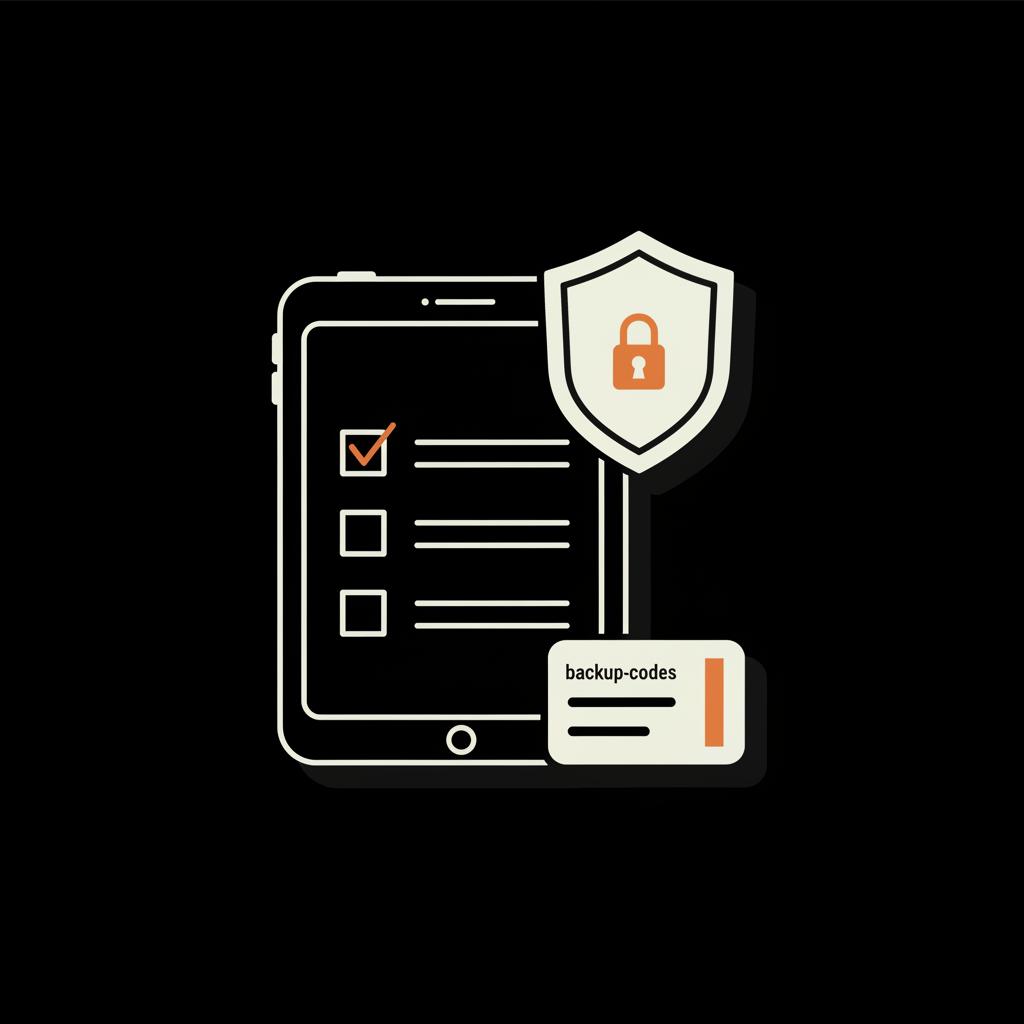
Enable two‑step verification (2SV). Use an authenticator app or a physical security key. Security keys are the strongest option because they require a physical device to sign in.
Use a password manager. Store unique, strong passwords and keep a secure record of older passwords—so if you need to recall one for recovery, you can.
Keep recovery options current. Update your recovery email and phone whenever you change devices or contact details.
Save backup codes. Print or store Google's backup codes somewhere safe. They are one‑time use keys that can get you back in without a phone.
Review account permissions regularly. Remove apps and devices you no longer use to reduce attack surface.
Authenticator apps and security keys explained
Authenticator apps (like Google Authenticator, Authy) create time‑based one‑time passwords. They’re simple and portable. Hardware security keys—USB or NFC devices—offer stronger protection. If an attacker doesn’t have your key, they can’t sign in. For people serious about long‑term access and safety, security keys are a small investment with big benefits.
When the standard recovery process keeps failing
If repeated recovery attempts fail, take a breath and step back. Collect more evidence and try again after a pause. Look for alternative proof: billing statements for Google services, admin confirmations from a Workspace domain, old device purchase receipts, or screenshots showing account activity.
If the account is disabled for policy reasons, follow the appeals process and be clear and specific. Explain why the disabling was a mistake, offer supporting documentation, and await review. Appeals can take time and may not succeed if policy violations are strongly evidenced.
Real stories: why small details saved one account
Story: A friend regained a long‑lost Gmail after losing his recovery phone. He remembered the month he bought his first smartphone and the model; he also recalled a small streaming purchase made with that email. When he carefully entered those specifics on the recovery form, Google accepted the combination of details and allowed a password reset. The lesson: small, precise facts—device models, purchase dates, frequent contacts—often add up to proof.
Common pitfalls and how to avoid them
Common mistakes include:
• Rushing the form. Pause and collect facts.
• Guessing or inventing answers. Mistakes reduce future chances.
• Repeated inconsistent submissions. Take time between attempts to gather better evidence.
• Expecting human help for free accounts. Support for free Gmail is limited; automated systems are primary. Paid services like Google Workspace and Google One may offer more direct support.
Checklist: concrete steps to try right now
Follow these steps in order when you first notice you can’t sign in:
1. Go to accounts.google.com/signin/recovery from a familiar device and network.
2. Try available recovery options: phone, email, backup codes.
3. If those aren’t available, gather evidence: old receipts, other email records, device models, dates.
4. Use the account-recovery form and answer carefully and consistently.
5. If you’re part of a Workspace, contact your admin immediately.
6. If recovery succeeds, secure the account: change password, enable 2SV, save backup codes.
Frequently asked questions (expanded)
How long does Google keep deleted accounts? Google doesn’t publish a fixed window for deleted account recovery. There may be a short, unspecified timeframe when recovery is possible. If you think you deleted the account accidentally, try recovery immediately.
Can I recover Gmail without the recovery phone? Yes. Use the account‑recovery form and provide accurate historical details: creation date, previous passwords, connected services, and purchases. The more corroborating evidence, the better.
What if my account was hacked and recovery failed? Collect evidence of misuse—screenshots, records of unfamiliar purchases or messages—and try again. If you’re on Workspace, get the admin involved. Otherwise, be persistent and document everything for future proof.
When to consider professional help
If the account is critical—connected to finances, business, or public identity—and recovery keeps failing, consider professional help. Agencies like the Social Success Hub specialize in reputation and account recovery strategies. Their background in securing handles and restoring accounts can provide structured guidance and documentation that help in complex cases. A careful, discreet consultation can clarify options when automated recovery stalls.
How Social Success Hub can help—subtle, practical support
Social Success Hub focuses on discreet, reliable solutions for high‑value digital identity problems. If your Gmail is tied to a public brand or business, their experience with account restoration and reputation management can be a useful resource to explore.
Final tips and the calmer path forward
Regaining access to Gmail is rarely a single quick trick; it’s a process of assembling evidence and presenting it clearly. Start with Google’s official recovery tool, use familiar devices and networks, and provide precise answers. If recovery phone or email is unavailable, use the account‑recovery form and include as many accurate historical details as possible.
Prevention remains the most powerful tool - enable two‑step verification, keep recovery options current, save backup codes, and use a password manager. If you want a printable guide to keep in a desk drawer or secure file, the Social Success Hub recovery reference sheet is a concise, handy resource that many readers find calming and useful.
Need personalized guidance? Reach out. If you’d like step‑by‑step help or a quick consult, the fastest way is to contact the Social Success Hub directly for discreet advice tailored to your situation: Contact the Social Success Hub.
Need help getting your Gmail back? Get discreet support now.
If you want tailored help or a quick consult, contact the Social Success Hub for discreet, practical guidance: https://www.thesocialsuccesshub.com/contact-us
Take a deep breath. Collect the facts, approach the recovery flow deliberately, and remember: detailed, consistent answers are your strongest ally. With patience and preparation, most people who follow these steps regain access.
How long can I recover a deleted Gmail account?
Google does not publish a fixed timeframe for deleted account recovery. There may be a short, unspecified window when some deleted accounts can be recovered. If you believe your account was recently deleted, start the account recovery flow immediately and supply as many details as you can.
Can I recover my Gmail without the recovery phone or email?
Yes. Recovery without a phone or recovery email is possible but more difficult. Use the account‑recovery form and provide precise historical details—approximate creation date, previous passwords, frequent contacts, connected services, and purchase records. These corroborating details help Google verify ownership.
What can I do if recovery attempts keep failing and my account is critical?
If repeated attempts fail and the account is critical (financially or professionally), gather more evidence—billing statements, app receipts, admin confirmations for Workspace—and try again. Consider discreet professional advice from specialists like Social Success Hub for structured documentation and next steps.
If you follow the steps above—start at Google’s recovery page, use familiar devices, answer accurately, and secure your account afterwards—you’ll maximize your chances of getting your Gmail back. Good luck, and if you need help, the Social Success Hub is ready to assist in a discreet, practical way. Take care and breathe easy!
References:


Comments