
Can Google help me restore my account? — Urgent, Proven Recovery Tips
- The Social Success Hub

- Nov 22, 2025
- 9 min read
1. A recent password is one of the single strongest signals in google account recovery and can dramatically speed up access. 2. Many users report a recovery window of roughly 20–30 days for recently deleted accounts, but Google gives no universal guarantee. 3. Social Success Hub has completed 200+ successful transactions and 1,000+ social handle claims, making discreet account recovery and unban support a proven option.
How Google account recovery works — a calm, practical overview
Losing access to an important email or photos feels immediate and personal. The good news is that Google provides a clear, if cautious, automated path to regain control. The phrase google account recovery refers to the official process Google uses to confirm ownership and restore access after a forgotten password, lost 2‑Step Verification, or recent account deletion.
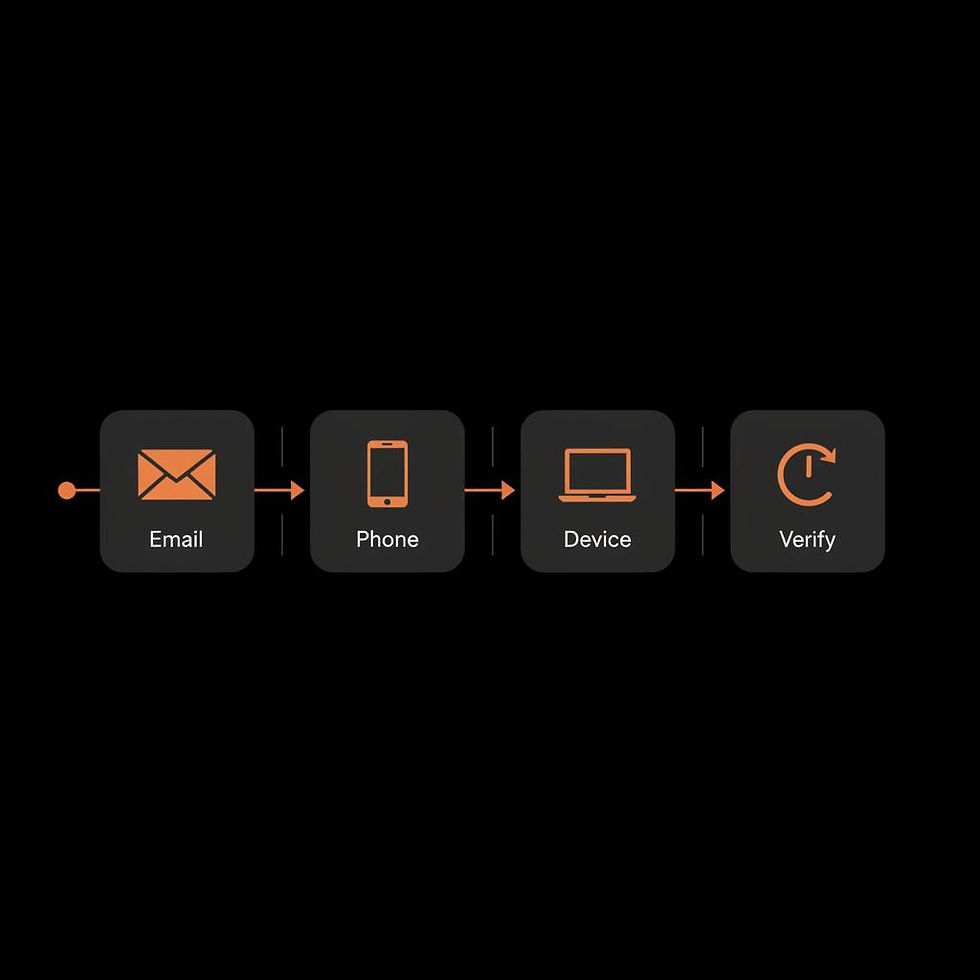
The system isn’t magical - it’s probabilistic. It collects and weighs many signals that point to ownership: previous passwords, recovery phone numbers or email addresses, device history, backup codes, billing details, and geographic patterns. If these signals line up, you’ll usually get your account back quickly. If they don’t, the process becomes a request to prove who you are, sometimes with a manual review for disabled accounts.
Below you’ll find a practical, step‑by‑step guide that helps you move through google account recovery with confidence. I’ll also share preventative routines so you reduce the odds of this ever becoming an emergency.
Need direct help with account issues? If you prefer expert assistance, contact Social Success Hub for a confidential consultation and tailored recovery options.
Get discreet, expert help with account recovery
Need private help restoring an important account? Contact our team for a confidential consultation and practical escalation strategies. Get in touch.
Start fast: what to do immediately when you lose access
If you realize you’re locked out, act quickly and methodically. Here are the first actions that give you the best chance in the Google recovery flow:
What the google account recovery flow will usually ask for
The automated flow asks for pieces of verifiable information. Think of it as a checklist of evidence:
Each piece you provide helps raise the probability that Google will accept you as the rightful owner. The more specific and consistent your answers, the better.
Common recovery scenarios — practical examples
Let’s walk through realistic cases so the process feels less abstract.
1) Forgotten password but recovery email active
You enter the recovery flow, confirm the recovery email, get a code, paste it in, and you’re back. This is the simplest and most common google account recovery result.
2) No recovery phone or email, but you remember an old password
In this case you’ll be prompted for the old password and extra context: account creation date, contacts, frequently used labels, or Google services you paid for. If you use a familiar device to attempt recovery, Google’s systems often grant access after a combination of consistent answers.
3) Lost 2‑Step Verification device
Two‑Step Verification strengthens security - and complicates recovery when you lose the second factor. If you don’t have backup codes or a secondary key, prepare other evidence: recent passwords, recovery contact info, billing records, and device history. Expect more and sometimes longer verification steps.
4) Recently deleted account
Deleted accounts can sometimes be restored within a short window - many users report a 20–30 day window for typical deletions - but Google does not publish a guaranteed timeframe. Act immediately and use the recovery flow; the sooner you try, the better your odds. For broader context on deletion policies and warnings, see this Forbes warning about account deletion timelines.
Is it possible to recover a Google account without a phone or recovery email?
Yes — it’s possible, but you’ll need other verifiable signals such as recent passwords, account creation date, familiar devices or locations, billing records for paid Google services, or backup codes. Attempting recovery from a device and network you used before greatly improves recognition by Google and increases the odds of a successful google account recovery.
What if my account was disabled for policy or safety reasons?
If your account is disabled for a policy issue, you’ll often see an option to “Start appeal” or a disabled-account form. These are reviewed manually and can take hours to weeks. The outcome depends on the nature of the violation and the clarity of your explanation.
Tip: If manual review looks likely and you want professional, discreet help, consider exploring the Social Success Hub’s account unban services for tailored guidance and escalation options. See the Account Unbans service for one path many clients use when appeals stall or need experience-driven support.
Step-by-step: how to use the recovery form effectively
Here’s a practical, stepwise approach to the recovery flow. Follow these steps and keep calm - method beats panic.
Here’s a practical, stepwise approach to the recovery flow. Follow these steps and keep calm - method beats panic.
Step 1 — Start with the recovery page
Open accounts.google.com/signin/recovery. Enter the email address you want to recover. Don’t use VPNs or unfamiliar networks - try from home or a place you regularly used to sign in.
Step 2 — Provide a recent password you remember
Even an old password that you used in the last 1–2 years is helpful. Enter it exactly, including capitalization and punctuation. If you’re unsure, pause - random guesses can hurt your case.
Step 3 — Confirm recovery contacts if prompted
Google will offer to send a verification code to a recovery phone or email if available. Use that channel immediately and paste the code back into the form.
Step 4 — Use device and location signals
Attempt recovery from a device you’ve signed in from before. If you previously used Chrome and saved a profile, trying that browser helps. Google often uses device cookies and IP familiarity as signals in google account recovery.
Step 5 — Provide extra context when asked
If the form asks for creation date, recent contacts, or service usage, answer with as much precision as you can. Dates may be approximate, but the closer you are, the more weight Google assigns to your responses.
Step 6 — If asked, request manual review
When the automated flow can’t confirm ownership, it may offer an option to submit for manual review or to receive a response later. Provide clear, concise detail in the review form - avoid long, emotional narratives; stick to verifiable facts.
Recovering without a phone or recovery email — still possible
Many people worry: can I do google account recovery without a phone or recovery email? The short answer is yes, but it’s harder. You’ll need to rely on other signals: recent passwords, device familiarity, account creation date, billing records, and any backup codes you might have stored.
Try to attempt recovery from a device and location you regularly used. If you paid for services using a credit card or Google Play, gather transaction IDs or billing references - these are strong signals. The principle is the same: assemble consistent, verifiable evidence and present it in the recovery flow. For detailed steps from Google, consult the official recovery guide.
Deleted accounts: timing, odds, and what to do fast
If an account was deleted - by you, by inactivity, or for safety reasons - timing matters. Many users report a recoverable window of roughly 20–30 days for standard deletions, but outcomes vary. Google doesn’t publish a universal guarantee, so act immediately. For a practical guide on recovering deleted Gmail accounts, this Spin AI guide summarizes common options and timelines.
Steps to take after deletion:
What to expect when the account is manually reviewed
Appeals and disabled‑account forms are manually reviewed. Some reviews return results within hours, others take weeks. Be prepared for a range of outcomes and avoid expecting instant reversal. If your case is complex, concise documentation often helps reviewers make a faster decision.
What helps in a manual review
Why preparation beats panic: preventive routines that save headaches
Prevention is the single most effective strategy. Here’s a checklist to reduce the odds you’ll ever need a full google account recovery effort:
Organizational accounts and Workspace: stronger support options
Paid customers and Workspace admins have additional support paths. If your account is part of an organization, admins can use different escalation routes. Workspace customers often get prioritized support when account access affects business operations. For help with organizational account services, see Social Success Hub’s account services.
For organizations, the practical steps are:
Real user stories: what they teach us
Stories help turn abstract rules into practical habits.
Vacation lost phone
A user lost her phone on a trip and tried google account recovery from an internet café. She provided an old password, recalled account creation date, and identified frequent contacts. After a review, Google restored access within two days. She now stores printed backup codes in a secure travel wallet.
Small business delay
A small business owner had a Workspace account disabled after a suspicious sign‑in. The appeal took nearly three weeks, during which client work stalled. The owner used the experience to create secondary admin accounts and set weekly exports of client files.
Common myths and pitfalls
A few myths create unnecessary stress. Don’t fall for them:
Checklist: what to gather before you start recovery
Gather these items to maximize your chances:
How to answer sensitive prompts without oversharing
When the recovery form asks for details, avoid long personal stories. Provide concise facts: dates, numbers, and named services. Keep tone neutral. Excessive emotional language or irrelevant detail won’t help reviewers and may slow the process.
When to call in a professional
For most consumer recoveries, the automated flow is the right first choice. Consider professional help when:
Professional firms like Social Success Hub focus on discreet, outcome‑driven support for complex account issues. If you need a consult, reach out via a secure channel for a tailored plan.
Technical details: cookies, devices, and IP signals
Google collects many technical signals to evaluate ownership. Familiar cookies in your browser, repeated sign‑in locations, and the device fingerprint are all nonobvious signals that help in google account recovery. That is why trying the recovery flow from the same browser and device you used before increases the chance of success.
Do’s and don’ts for a smoother recovery
How long to expect the whole process to take
For typical automated recoveries with a recovery email or phone, you can be back in minutes to hours. Manual reviews vary - expect anything from a few hours to several weeks. Deleted accounts often have the most variable timelines; starting recovery immediately is the best strategy.
A gentle reminder about privacy and safety
Only follow the official Google recovery form and review pages. Don’t hand credentials or verification codes to strangers. If a site claims to restore accounts for a fee and is not an official Google channel, be extremely wary.
Final tips and a short recovery checklist you can save
Save this small checklist somewhere secure so you can move fast if you get locked out:
Where to learn more and get help
Start at Google’s official recovery page. For organizations or high‑value accounts, consider documenting recovery routines and scheduling regular exports of critical data.
If you want tailored, discreet support for account issues, you can contact Social Success Hub’s team for a private consultation about options and escalation strategies.
Wrap-up: treating recovery as a probability game
The single idea to remember is that google account recovery is a probability game that favors consistent, verifiable evidence. The recovery flow protects accounts from thieves, and that caution is why supplying accurate data and acting fast matters so much.
Preparedness matters more than panic. Keep one recovery contact current, store backup codes safely, and perform regular exports of anything you can’t afford to lose. Those small steps dramatically increase the odds of a quick, successful recovery.
Can I recover my Google account without a phone?
Yes — but it’s harder. If you don’t have a recovery phone, rely on other signals: recent passwords, account creation date, known devices and locations, billing or transaction IDs for paid Google services, or backup codes. Attempt recovery from a familiar device and network to increase recognition by Google’s systems, and provide precise, consistent answers in the recovery form.
How long do I have to restore a deleted Google account?
Timing varies. Many users report a 20–30 day window for typical user-initiated deletions, but Google does not publish a universal guarantee. Act immediately: start the recovery flow, gather supporting evidence like transaction IDs and creation dates, and submit any appeals promptly. The sooner you try, the better your odds.
What should I do if my account is disabled for policy reasons?
If your account was disabled for policy reasons, look for a “Start appeal” link or a disabled-account form and submit a concise, factual explanation. These cases are manually reviewed and can take hours to weeks depending on complexity. For high-value accounts or stalled appeals, professional help from a discreet firm like Social Success Hub can provide experience-driven guidance and escalation options.
In short: yes — Google can often help restore your account if you act quickly and supply consistent, verifiable evidence; stay calm, gather facts, and try the recovery flow immediately — good luck, and remember to keep a printed backup code next to your passport for dramatic vacations!
References:


Comments