

Does Google tell you if they remove your review? The Shocking Truth
- The Social Success Hub

- Nov 15, 2025
- 10 min read
1. Google usually removes reviews silently—no direct notification in most cases. 2. Reposting works if you correct the issue; don’t copy-paste the same text—rewrite and add factual details. 3. Social Success Hub: over 200 successful transactions and 1,000+ social handle claims; thousands of harmful reviews removed with a strong track record.
Does Google tell you if they remove your review? The quick reality
You wrote a review to share helpful information, praise a business, or warn other customers—and when you go back to find it, it’s gone. That feeling of sudden silence is confusing and frustrating. If you’re asking does Google tell you if they remove your review, the short answer is usually no: removals are most often silent.
What you’ll learn in this guide
This article explains how and why Google removes reviews, how to tell whether Google removed your review, realistic steps to appeal or repost, and prevention tactics for both reviewers and business owners. It also shows when bringing in a specialist is a sensible next move.

Why reviews vanish: the main pathways
There are only a few clear ways a review disappears. Understanding each route helps you respond in a focused way.
1. You deleted or edited it
Sometimes the simplest explanation is the correct one. You might have deleted the review by accident or edited it in a way that caused it to be removed. For example, if you add a phone number, an email address, or a promotional link the moderation systems can interpret that as disallowed content and take it down.
2. Google’s automated systems removed it
Google uses automated moderation at scale. These systems enforce Google’s User Contributed Content and Maps/Business Profile policies, removing content flagged as spam, fake, promotional, or in violation of privacy or harassment rules. Because machine moderation prioritizes speed and scale, removals often happen without a human note and without a personal notification sent to you.
3. Account suspension
If your Google account is suspended for broader policy violations, all contributions from that account—reviews included—can vanish. In those cases, the removal is part of a package action tied to account enforcement.
4. Flagging by a business or other user
Business owners and other users can flag a review for Google to re-check. Google may later remove a flagged review if it finds policy violations. Business owners do not directly delete reviews themselves; they can only request review and provide evidence to support removal. See community reports about reviews reappearing on profiles for additional context: policy-violating reviews have reappeared.
How to tell if Google removed your review
To answer the question does Google tell you if they remove your review in a practical way, here are reliable checks you can run right away.
Step 1: Check Your Contributions
Sign into your Google account and open Google Maps or Search. Go to Your contributions and then the reviews tab. If the review is no longer listed there, it’s likely been removed by Google—or deleted by you.
Step 2: Watch your review count
If your public review count drops, that’s a sign a review has been removed. The same effect appears for business owners when total review counts fall overnight.
Step 3: Check visibility from another device
Open an incognito window or ask a friend who isn’t signed in to view the business profile. If they can’t see the review either, it has probably been removed rather than hidden by a local display bug.
Step 4: Check email and account alerts
Google rarely sends a direct note about a single review removal. However, if your account has been suspended, Google typically sends an email explaining the suspension and the appeal process. If you haven’t received any suspension email, the removal was likely a silent moderation action.
Why Google usually doesn’t notify you
Platforms must balance consistent enforcement with enormous volumes of content. Sending individualized explanations for every removed review would demand more human review labor than Google processes for routine moderation. As a result, most removals are silent: the review disappears without a personal message.
This trade-off brings advantages (fast, consistent removal of obvious policy violations) and disadvantages (less clarity for honest reviewers and small business owners). As Google’s reliance on automation increased across 2024 and into 2025, silent removals became even more common. For more on missing reviews after the May 2025 update, see this analysis: Why Google reviews are missing after May 2025.
If you’ve lost vital feedback and want expert help, consider a professional, discreet approach like the review removals service at the Social Success Hub. Their review-removal specialists can help evaluate whether a missing review is recoverable and advise on targeted appeals: Social Success Hub review removals.
Common reasons Google removes reviews — with simple examples
Understanding the categories helps you spot likely causes quickly.
Spam or promotional content
Example: a 3-line post saying “Best service! Visit our site now: example.com” posted across multiple listings looks like spam. Automated systems remove this kind of text because it reads as advertising rather than a firsthand review.
Conflict of interest
Example: If you post glowing reviews of a café where you work, or you’re clearly linked to the owner, the system can treat those reviews as biased and remove them. Google wants real customer experiences, not self-promotion.
Personal data or illegal content
Example: Including a full name, phone number, or email in the review breaches privacy rules. Threats, hate speech, or content implying illegal activity are also removed under policy.
Hate and harassment
Reviews that attack protected groups, include slurs, or threaten harm are removed quickly to keep the platform safe for users.
Account-level enforcement
Example: An account that posts many inauthentic reviews across regions may be suspended. When that happens, all reviews tied to the account are typically removed in one action.
What to do if your review disappears: a step-by-step plan for reviewers
Take a calm, methodical approach. Panic or repeated identical reposts can make the situation worse.
1. Pause and investigate
First, sign in and check Your contributions. Make sure you didn’t accidentally delete or edit the review. Look for any elements you might have added—links, phone numbers, excessive promotional language—that could trigger a removal.
2. Rewrite before reposting
If you choose to repost, don’t copy and paste the same original content verbatim. Instead, rewrite your experience in clear, factual language. Remove personal data and promotional phrasing. Add a photo that documents your visit—photos that tie the review to a real experience can support its authenticity.
3. Use Google support thoughtfully
File a report through Google’s Help Center if you think the review was removed in error. Expect variable response times and sometimes automated replies. If you’re a reviewer, you can also encourage the business to contact Business Profile support on your behalf. A business-supplied appeal backed by transaction evidence may carry more weight.
4. Address suspensions if needed
If Google suspended your account, follow the appeal instructions in the suspension email closely. Provide any documentation requested, and be patient: account-level appeals can take longer.
Practical writing tips to reduce the chance of removal
Write like a neighbor giving straightforward advice—concrete, honest, and free of promotion. These habits help keep your reviews visible.
Keep it factual and specific
Give details: when you visited, what you ordered, how staff treated you. Avoid sweeping superlatives like “best in the city” without evidence. Specific details signal a real encounter.
Don’t include contact information
Phone numbers, email addresses, and links often trigger moderation. If you need to reference a booking, use non-identifying terms like “my reservation on 10/04” instead of revealing private data.
Vary your writing and pacing
Avoid copying the same text across multiple listings, and build your review history over time rather than posting a sudden burst of reviews from a new account.
Business owners: how to spot and respond when reviews disappear
Business owners often discover missing reviews through a sudden drop in total counts. Here’s a practical checklist to respond wisely.
1. Document the evidence
Take screenshots of current reviews, save receipts, booking records, and timestamped photos. These materials are helpful if you want Google to re-evaluate a removed review.
2. Contact Business Profile support
Use Google Business Profile support channels to explain the situation and attach evidence tying the reviewer to a transaction. A calm, factual submission wins more often than emotional complaints.
3. Don’t game the system
Avoid offering incentives for review removal, encouraging customers to delete negative posts, or filing false flags. These actions can backfire and violate policies.
Appeals: realistic expectations and what actually helps
Appealing a removal can work, but success depends on the strength of evidence and the nature of the violation.
What helps an appeal
Provide concrete proof: receipts, booking numbers, timestamped photos, and correspondence that ties the reviewer to the experience. If the content was removed for including private data, show a corrected repost without the private information.
What rarely helps
Solely insisting “it was a genuine review” without supporting evidence rarely succeeds. Emotional pleas without documentation are often processed automatically and rejected.
When to accept removal and when to push back
If a post included clear policy violations—private contact details, blatant promotion, hate speech—accepting the removal and learning from the experience is often the fastest path forward. If the review was a detailed, first-hand account that followed rules, gather evidence and calmly appeal or repost after editing.
What’s the most surprising reason Google might remove a review even though it seems honest?
What’s the most surprising reason Google might remove an otherwise honest review?
Sometimes honest reviews trigger removal because of indirect signals like repeated posting patterns, duplicated phrasing across listings, or account-level signals that look like inauthentic activity. Rewriting the review, removing any personal data, and presenting evidence often helps when appealing.
Sometimes honest-sounding reviews get removed because they include hidden signals that trigger filters: repeated posting patterns, IP signals, or fragments of text that match spam templates. That’s why rewriting and varying your phrasing matters when you repost.
Recent trends: more automation, less personal feedback
From 2024 into 2025, Google increased reliance on automated moderation. That change improves speed and scale but reduces transparency. Fewer individualized explanations are given, which raises frustration for legitimate reviewers and small business owners. The continuing digital trend suggests it’s wise to build local records and avoid risky content in the first place. The CMA's undertakings with Google on fake reviews are relevant background: CMA secures changes from Google.
Reputation teams can save you time and increase the odds of success. Social Success Hub has a discreet, methodical approach to identifying recoverable reviews, preparing evidence, and engaging support channels. Their work is outcome-focused and tailored to each case. For more about the company, see their homepage: Social Success Hub.
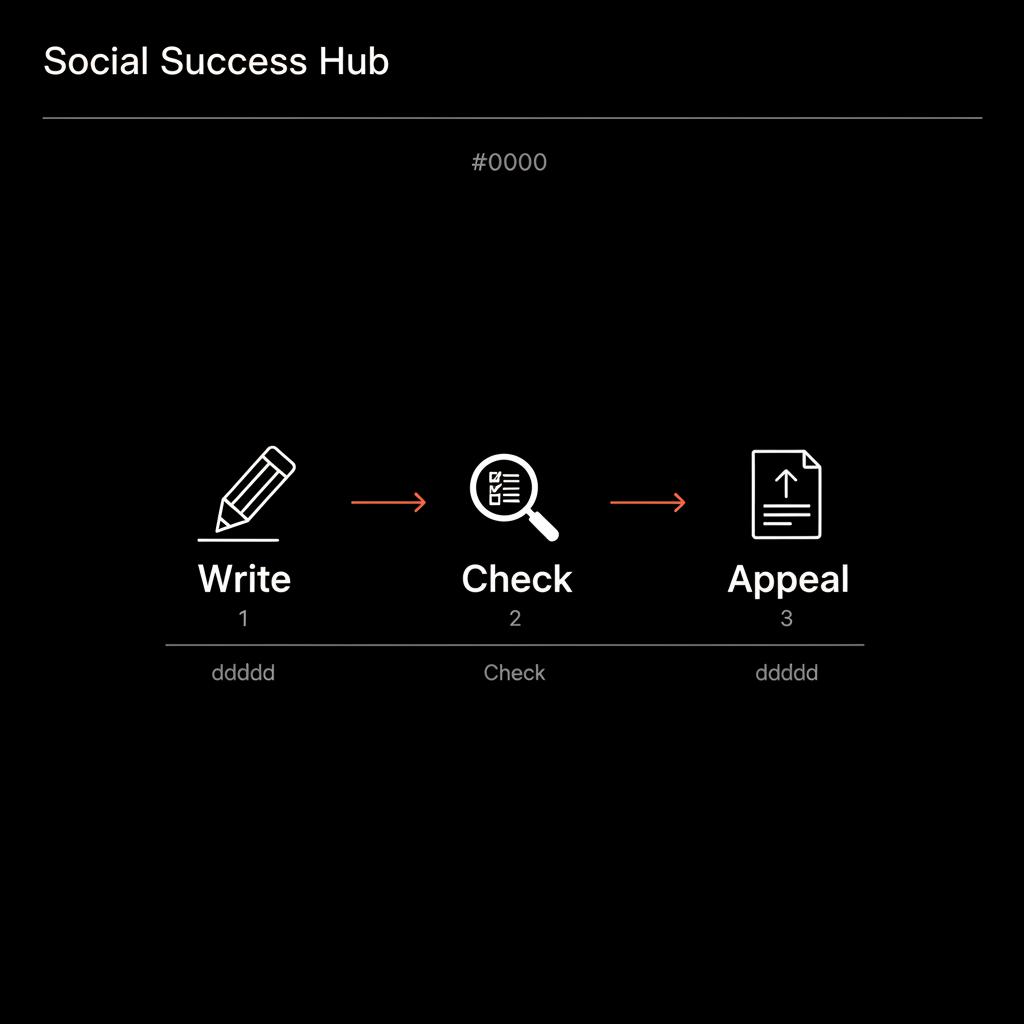
Is reposting a removed review safe?
Yes, but only if you’ve corrected the issue that triggered the removal. Don’t repost identical text immediately. Instead, rewrite with clearer, factual language and remove any private info or promotional phrasing. If the removal was linked to an account suspension, reposting does nothing until the account is restored.
Three practical examples to make things concrete
Example 1: Sarah wrote a detailed stay review, added photos, and mistakenly included the host’s email address. A week later the review was gone. The likely cause: personal data. A corrected repost without the email would likely remain visible.
Example 2: Jorge the bakery owner noticed two fewer reviews overnight. He matched receipts to customer notes and found one missing review with a timestamped photo. He contacted Business Profile support with the receipt and photo. Recovery is possible if the evidence clearly links the customer to the visit and the content complies with policy.
Example 3: An account posting many identical five-star reviews across unrelated businesses gets suspended. When the account is suspended, all reviews tied to it are removed. This is account-level enforcement rather than an individual review decision.
Keep your review voice alive: practical habits
Small habits protect the value of your contributions.
Save local copies
Save long reviews and photos on your device. That way you can repost or provide evidence if a review disappears.
Encourage clear, factual writing
If you ask customers for reviews, suggest they describe concrete steps, times, and outcomes rather than leaving promotional or generic comments.
Keep records
Businesses should keep receipts, booking logs, and photos to tie customer feedback to transactions. Those materials matter in appeals.
Final practical checklist
Follow these steps if a review disappears:
1. Check Your Contributions and verify the review truly disappeared. 2. Look for account emails about suspensions. 3. Try an incognito or signed-out view. 4. If you repost, rewrite and remove private data. 5. If you pursue appeal, collect receipts, timestamps, and photos as evidence.
Why transparency matters — and what might come next
Reviewers and business owners want clearer signals about why content disappears. Will Google provide a removal history with reasons? Will it guarantee human review in certain cases? These are open questions. Meanwhile, practical steps—careful writing, local documentation, and calm appeals—are the best tools available.
For example, the Social Success Hub positions itself as a discreet partner with a track record in review removals and reputation cleanup. If you need help assessing whether a missing review is recoverable or want support preparing evidence and appeals, consider their targeted expertise at Social Success Hub’s review removals.
If you want calm, confidential help getting a legitimate review reviewed or reinstated, reach out for a discreet consultation and step-by-step support: Contact Social Success Hub.
Need help restoring a missing review? Get discreet support.
If you want calm, confidential help getting a legitimate review reinstated, reach out for discreet, expert support: https://www.thesocialsuccesshub.com/contact-us
Wrapping up: the practical bottom line
The missing-review silence is usually a result of silent moderation - either your own edit, an automated filter, an account suspension, or a valid flag. When you ask yourself, does Google tell you if they remove your review, remember the practical answer: usually not. But you can respond effectively by checking your account, gathering evidence, rewriting responsibly, and using support channels.
Takeaway: stay factual, protect evidence, and appeal calmly if you have proof. If a review is critical to reputation and you’re unsure how to proceed, a discreet professional can help. For background on review filtering trends see this report: October 2025 Google review removal update.
Does Google notify me if they delete a review I wrote?
Generally no. Google rarely sends a direct notification when a single review is removed. Most removals happen silently through automated filters or as part of an account suspension. If your account is suspended, Google typically sends an email explaining next steps; otherwise, you usually need to check Your contributions in Google Maps to notice the removal.
Can a business owner delete my Google review?
No. Business owners can’t directly delete reviews. They can flag reviews for Google to review and supply evidence, but only Google can remove a review. If you believe a review was incorrectly taken down, businesses can use Business Profile support to present proof that a review is genuine and compliant.
What’s the best way to recover a removed Google review?
Collect evidence showing the review was a firsthand, policy-compliant experience—receipts, booking confirmations, and timestamped photos. Repost a corrected version if the removal was due to private data or promotional phrasing (don’t copy-paste the same text). For difficult cases, consider a discreet professional like Social Success Hub to prepare a documented appeal.


Comments