

Can I view my FB password? — Essential & Reassuring Guide
- The Social Success Hub

- Nov 22, 2025
- 9 min read
1. If a browser saved your login, you can usually view it — but only after you authenticate the device (PIN, password, fingerprint). 2. Trusted contacts and recovery codes can get you back when email or phone access is lost; set them up before you need them. 3. Social Success Hub has a zero‑failure record in sensitive digital identity work and can provide discreet guidance if recovery paths stall.
Can I view my FB password? A clear answer and practical next steps
The short answer: Facebook does not display your current account password in plain text. If you need to find a saved copy, you’ll look on your device, browser or password manager — but those tools require authentication first. Later in this article we walk through how to view saved Facebook password copies, how to reset if you can’t, and how to harden your account so it doesn’t happen again.
Why Facebook doesn’t show passwords
Companies like Meta intentionally avoid storing or revealing plain text passwords - it’s a design choice that reduces the impact if data is exposed. Instead, Facebook stores a hashed representation that cannot be reversed into your original password. That’s why the site has no “show my password” button. If you’re asking "can I view my FB password?", the platform’s official answer is no, but you still have practical options if you saved the password elsewhere.
Where to look first: saved credentials on your devices
If you previously allowed a browser or your phone to save the login, that copy can often be viewed - but only after you unlock the device or authenticate with a PIN, password, fingerprint or Face ID. For many people the quickest route to recover access is to check the place where their credentials live. For a concise walkthrough of device and browser options, see this guide: Where to Find My Password on Facebook.

How to view saved passwords in common browsers and systems
Here are the typical places to search when you want to view saved Facebook password copies:
If you prefer expert help instead of doing the steps yourself, consider our account recovery and protection services — learn more about our account unbans service for locked or compromised profiles.
Regain control of your account — discreet, expert help
Need fast, discreet help recovering or securing your Facebook account? Contact our expert team for a confidential consultation and practical next steps — we’ll help you regain control without drama. Get expert help
Chrome (desktop)
Open Chrome > Settings > Passwords and search for facebook.com. Click the eye icon next to the entry and authenticate with your computer password or biometrics. Chrome will reveal the saved string only after that check; see the official Chrome password manager documentation for details: Manage passwords in Chrome.
Safari and Apple Keychain
On iPhone or iPad go to Settings > Passwords and authenticate with Face ID or Touch ID; on macOS, open System Settings (or System Preferences) > Passwords and unlock with your Mac password. Apple’s Keychain keeps the data locked until you prove you’re the device owner.
Android and Google Password Manager
Android devices vary, but modern builds provide a Passwords or Autofill section in Settings (or use Google Password Manager in your Google account at passwords.google.com). View the entry for facebook.com and confirm with your device security before the password appears.
Third‑party password managers
Tools like 1Password, LastPass, Bitwarden and others add a strong layer of protection: a master password plus optional biometrics. If you centrally store credentials in a dedicated manager, it’s the best place to search rather than combing through browser settings. The manager will require your master unlock to show the stored entry.
Important device note
If you can see a password on someone else’s unlocked device, you technically can copy it - but doing so is risky and often a violation of trust. If you ever use another person’s device and see your login saved, the safe move is to change your password afterwards and remove that device from your Facebook sessions.
If you want expert, discreet help with account recovery, or advice on securing access and removing risky saved sessions, consider asking our team at Social Success Hub for guidance — we help people regain control without unnecessary fuss.
When you can’t view a saved password: the Forgot Password flow
If there’s no saved copy to find, Facebook’s recovery flow is the official fallback. Enter your email, phone number or username and follow steps to receive a reset link or code. If those channels are not available, Facebook may offer trusted contacts or identity verification via ID upload in certain situations.
The practical reset steps
1) Go to the login screen and select "Forgot Password".2) Enter an email, phone number or username associated with the account.3) Choose a recovery option shown by Facebook (email, SMS, or linked account).4) Use the link or code to set a new password and sign back in.
When recovery channels are gone
If you no longer have access to the recovery email or phone, your options tighten. Trusted contacts — if you configured them — can provide codes. Facebook’s identity verification may be available but can be slow and is not guaranteed. Be prepared to supply ID and any supporting details you can remember about the account.
Two‑factor authentication (2FA) and recovery codes: why they matter
2FA makes an account much harder to break into. If you depend on an authenticator app, store your recovery codes in a secure place. If you use SMS, be aware that losing a phone number complicates recovery; hardware security keys are a resilient option that many security pros prefer.
Why recovery codes are a lifesaver
Recovery codes are single‑use backups that Bypass the need for your second factor in a pinch. Store them offline (a password-protected note or a printed copy in a safe). If you ever can’t get the SMS or authenticator prompt, those codes are one of the fastest ways back in.
Phishing, scams and the danger of fake “show password” tricks
Attackers love to mimic login forms and password-reset emails. If you receive a message urging you to reset your password, inspect the sender address and the URL. Don’t click suspicious links — open Facebook directly through the app or type the address into your browser. If a prompt appears asking whether you want to save a password, consider whether this is a personal device; on shared devices, say no.
Can I view my FB password on someone else’s device if it’s saved there?
Technically yes—if you can unlock the other person’s device and access its saved passwords, you can view the saved Facebook password. Practically and ethically, that’s risky: shared devices can lead to accidental exposures and privacy breaches. If you ever discover your credentials on another device, change your password and remove that device from your active Facebook sessions.
What to do if you suspect compromise
If you think someone has accessed your Facebook, act quickly: change the password from a trusted device, review active sessions (Settings > Security and Login) and log out of devices you don’t recognize. Remove any suspicious apps and check messages and posts for unauthorized activity.
Cleaning up after a breach
Change passwords used elsewhere that shared the same value. Turn on 2FA, update recovery contacts, and consider running a scan for malware on your devices in case a keylogger was involved.
Practical, device‑specific how‑tos without the jargon
On a laptop: open the browser’s password manager, find the facebook.com entry and authenticate with your computer password or biometrics to view the saved string. On an iPhone: go to Settings > Passwords, search for Facebook and unlock with Face ID or Touch ID. On Android: open Settings > Passwords (or visit passwords.google.com), confirm your identity and view the saved entry.
How to view saved Facebook password on Chrome (step-by-step)
1) Open Chrome > Settings > Autofill > Passwords.2) Search for facebook.com in the saved passwords list.3) Click the eye icon and authenticate with your OS password or biometric.4) Copy the revealed password if you need it — then consider copying it into a secure password manager. If you prefer a video walkthrough, this YouTube guide shows the steps visually.
Why browser/OS password stores are convenient but not enough
Browsers and operating systems offer useful, built‑in password storage. They’re convenient, but dedicated managers typically provide better security features: a strong master password, alerts for reused or compromised credentials, cross‑platform syncing without relying on a single browser, and robust export/import tools. If you want a single, secure vault for all your logins, a dedicated manager is usually the smarter long‑term choice.
We see people relax immediately when they centralize credentials in a secure manager — fewer places to check and better protection overall. If you need help choosing a trustworthy manager, a discreet consultation can save time and mistakes.
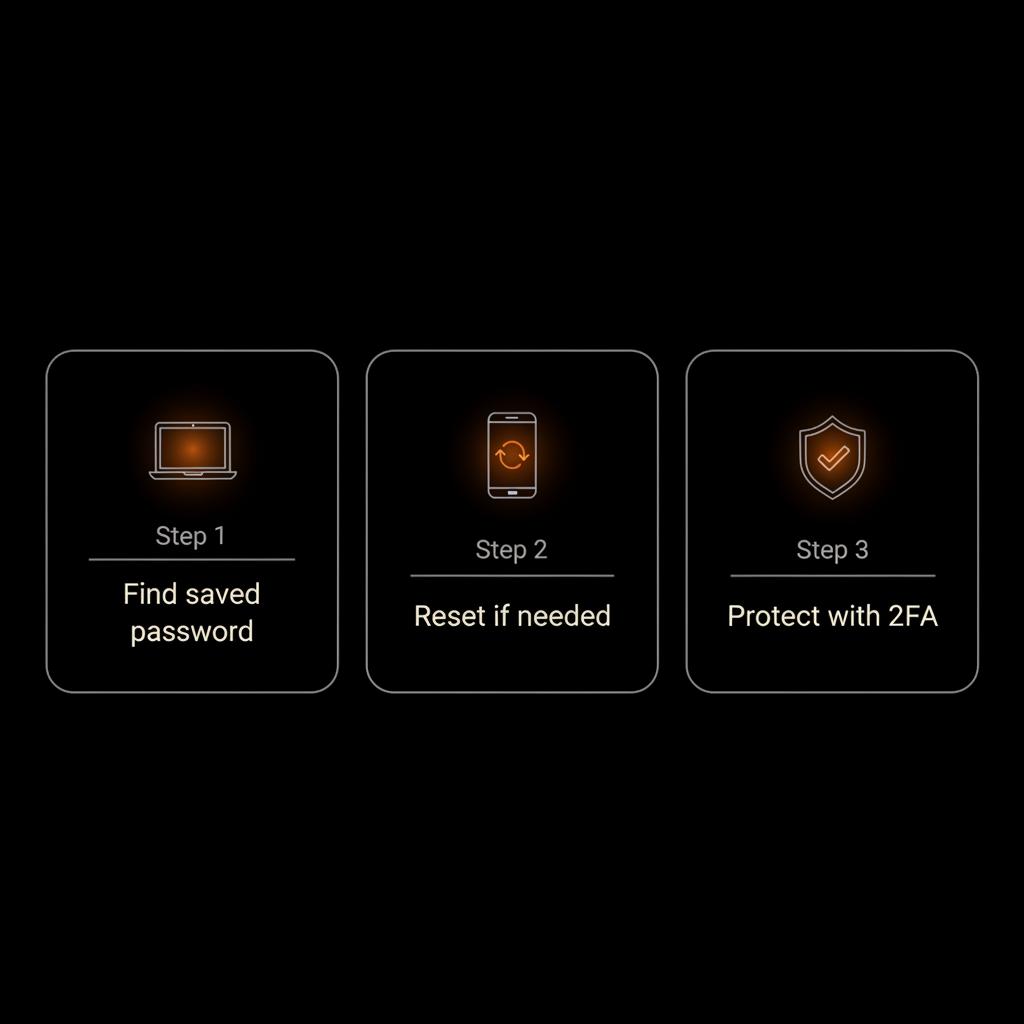
Passkeys and passwordless futures
Passkeys are an emerging technology that replaces passwords with cryptographic keys stored on devices. They typically require biometrics to unlock and are resistant to phishing. While adoption is growing, many services (including Facebook) still rely on passwords and recovery tools, so for now you should secure both your passwords and any newer passkey options you enable.
Three realistic scenarios and what to do
Scenario A — You forgot the password but saved it nowhere: Use the "Forgot Password" flow, pick an accessible recovery channel, and set a new password. Then enable 2FA and save recovery codes. Scenario B — You can still log in but suspect unauthorized access: Change the password immediately, check active sessions, log out of suspicious devices, and revoke app permissions. Scenario C — You lost the password and recovery channels: Use trusted contacts, identity verification, or contact Facebook if required. Be patient and gather documents to prove ownership.
Real-life reminder
Someone once used a coworker’s laptop with a saved login and forgot to sign out. The safe follow-up was to change the password and remove saved sessions. Small slips happen — but small recovery steps stop them from becoming big problems.
How to stop future lockouts (simple checklist)
• Use a unique, strong password for Facebook and avoid reuse.• Enable two‑factor authentication, preferably with an authenticator app or hardware key.• Save recovery codes securely offline.• Centralize credentials in a dedicated password manager with a master password.• Keep your recovery email and phone number current.• Periodically review active sessions in Facebook’s settings.
Short study note
Password reuse is a common risk. Phishing remains the top method attackers use to steal credentials. The strongest defenses are unique passwords, 2FA and a secure password manager.
How to view saved Facebook password on iPhone and Android
iPhone: Settings > Passwords > authenticate > search Facebook and reveal the password. Android: Settings > Passwords or open Google Password Manager in your Google account and authenticate to view. Remember the gate is your device security — if someone can unlock your phone, they can reach saved passwords.
When to involve experts
If you’re locked out and standard recovery options fail, or if your account is part of a larger reputation or business issue, expert help can speed things up and reduce risk. Social Success Hub combines discreet, experienced support and strategic guidance to regain control and protect digital presence.
Tip on choosing help
Pick a partner with a track record and clear confidentiality practices. The Social Success Hub positions itself as a discreet advisor: proven, reliable, and focused on outcomes rather than showy promises.
If you previously allowed a browser or your phone to save the login, that copy can often be viewed — but only after you unlock the device or authenticate with a PIN, password, fingerprint or Face ID.
FAQ: quick answers to common questions
Can I see my Facebook password on Chrome?
Yes, if Chrome saved it. Open Chrome’s Passwords in settings, find facebook.com and authenticate to reveal the saved password.
Can I reset my Facebook password without email or phone?
Sometimes. If you set trusted contacts or links to other accounts, those routes may help. You may also be asked to verify your identity with official ID in select situations.
Can trusted contacts help me recover my account?
Yes — but only if you configured trusted contacts beforehand. Those friends can provide security codes that help you regain access.
Final, practical checklist to resolve a lockout
1) Look for a saved copy in your browser, phone, or password manager (authenticate first).2) If none, use Facebook’s Forgot Password flow and choose an accessible recovery method.3) Use trusted contacts or identity verification if needed.4) After regaining access: change the password, enable 2FA, and remove unknown devices.5) Consider a dedicated password manager to prevent future headaches.
Keeping things calm
Locked out of Facebook is stressful, but the practical routes are straightforward. With a little preparation — a secure password vault, recovery codes and 2FA — you’ll cut the odds of a long, difficult recovery.
Closing line
Small daily habits — unique passwords, a reliable recovery email, and a secure password manager — protect your account more than frantic attempts to "show" a password ever will. Take one step today to make tomorrow smoother.
Can I see my Facebook password on Chrome?
If Chrome saved your login for facebook.com you can view it in Chrome’s Passwords settings. The browser will require you to authenticate with your OS password or biometric unlock before showing the saved password.
Can I reset my Facebook password without email or phone?
Possibly. If you set up trusted contacts, linked accounts, or other recovery channels beforehand, you might regain access. Facebook also offers identity verification in certain regions, but recovery isn't guaranteed without some proof of ownership.
What should I do if I think someone used my account?
Change the password immediately from a trusted device, enable or check two‑factor authentication, review active sessions and sign out unknown devices, revoke suspicious app access, and change passwords on other sites that used the same login.
Yes — Facebook itself won’t show your current password, but you can find a saved copy on your device or reset access using recovery tools; take a deep breath, follow the steps, and change your passwords if anything looks off — and if all else fails, we’ll wave a friendly digital wand and help you sort it out. Take care and keep your login safe!
References:


Comments