

How to recover an account on Android? — Confident Rescue Guide
- The Social Success Hub

- Nov 22, 2025
- 11 min read
1. 10–20 minutes of preparation (update recovery email/phone, save backup codes) can prevent weeks of account recovery trouble. 2. Losing a SIM is the most common blocker for WhatsApp recovery — carriers that reissue a SIM with ID are often the single fastest fix. 3. Social Success Hub has a proven track record helping clients with account unbans and recovery interactions — their tailored advisory often shortens manual verification timelines.
Introduction
How to recover an account on Android? If that question makes your stomach drop, you’re not alone. Losing access to a Google account, WhatsApp, Instagram or an OEM account can feel overwhelming, but there are calm, effective steps you can take right now. This guide focuses on android account recovery and covers the most common scenarios in 2024–2025: account type triage, immediate security actions, Google recovery specifics, two‑factor authentication (2FA) strategies, app‑specific flows, OEM tools, factory reset pitfalls, and how to prepare evidence for support reviews.
This article is written to be practical and reassuring: follow the steps, gather evidence, and you’ll greatly improve your chances of getting back in.
Start with a clear first move
The very first thing to do after you realise you don’t have access is simple: name the account. Is it a Google account used to sign into your device? WhatsApp tied to a phone number? Instagram or Facebook linked to an email? Samsung or Xiaomi OEM account used for backups and device location? Each provider has its own recovery routes, so identifying the account quickly focuses your effort.
Why identification matters
Knowing the account type tells you which tools to use next: whether to run Google’s recovery flow, open WhatsApp’s verification, or try an OEM Find My Device service. Most providers lean on a few core verification methods — a recovery email, a recovery phone number, backup codes, an authenticator app, or a security key — so identifying the account tells you which verification routes remain available.
Immediate steps if the phone is lost or stolen
If you suspect theft or loss, safety and damage limitation come first. Use another phone or computer and act quickly.
Options to secure a lost Android device:
- Google Find My Device: Sign in at Google’s Find My Device to locate, ring, lock with a message, or erase the device remotely. This can prevent misuse but also erase local tokens that might have helped you re‑authenticate.
- Samsung Find My Mobile: If you had a Samsung account and enabled its features, Samsung’s portal can locate, lock, and sometimes unlock a handset remotely if remote unlock was set up before the loss.
- Xiaomi Mi Cloud: For Xiaomi phones, Mi Cloud offers locate, lock and erase options through the Mi Account portal.
One crucial thing to remember: remote locks and wipes are powerful but may complicate recovery later. A remote wipe removes cached tokens and local keys that sometimes enable a quick login, so when possible try credential recovery before wiping. If you truly suspect malicious use, locking or wiping can be the right step - but make that choice with the tradeoffs in mind.
Understanding Google account recovery on Android
For most Android users, a Google account is central. It provides core services, app access and acts as the anchor for Factory Reset Protection (FRP), which can block reuse of a reset device without the original Google credentials.
Google’s automated recovery flow typically checks for:
- Last password you remember- A verification code sent to your recovery email or phone- A Google prompt on another device where you’re signed in- A backup code, authenticator app, or security key
If you have 2FA enabled, recovery is easiest if you still control a backup code, another approved device, or an authenticator app with a transfer option. If those are missing, Google will ask detailed questions (account creation date, commonly emailed contacts, devices used) and may escalate to a manual support path that can take days or weeks.
Practical Google recovery checklist
When you open Google’s recovery form, have the following ready to speed up the automated checks or manual review:
- The email address and approximate account creation date- Last few passwords you remember- Names and email addresses of frequent contacts- Devices and locations where you logged in recently- Backup codes, if available- Any security key or authenticator details
Being precise helps. The automated system rewards up‑to‑date recovery contacts and clear information.
Two‑factor authentication: the safety net that needs a plan
Two‑factor authentication is essential, but it’s only helpful if you have a backup plan. Think of 2FA as a lock with two keys. If one key is lost, you want the spare ready.
Common spare keys:
- Printed backup codes stored in a safe place- A secondary phone number you control- An authenticator app that supports transfers or cloud backups- A hardware security key kept in a secure spot
Security keys are highly secure but inconvenient if you lose them. If you have nothing left, expect a manual support process that often requires identity documents, receipts or device serials. Different providers ask for different proof — from government ID photos to purchase receipts — so the better your documentation, the better your odds.
App‑specific flows and what to expect
Different apps treat account access differently. Here are practical notes for the most common ones.
WhatsApp ties identity to a phone number. Recovery usually requires access to that number to receive an SMS or call for verification. If you keep the same SIM or obtain a replacement SIM with your number, WhatsApp will usually allow you to restore chat history from a Google Drive backup when you install the app on a new phone with the same number and Google account.
If you cannot get a replacement SIM, recovery becomes difficult. Carriers can issue replacement SIMs if you provide ID, so contacting your mobile operator early is often the key. Watch out for services that promise SMS delivery through temporary numbers or VoIP - these are frequently blocked or flagged by WhatsApp.
Instagram and Facebook
Both platforms offer “Get help logging in” flows. Instagram can send a login link to a registered email, send an SMS, or request a photo of you holding a code to verify identity. Facebook provides similar routes and may request identification documents if the automated paths fail. Expect manual reviews to be slow in some cases; be ready with usernames, last login dates, device models and content only you would know.
Other third‑party apps
Many apps use email‑based recovery or social sign‑ins (Google, Facebook). If you used Google sign‑in and regain your Google access, access to those apps is often restored. If an app has its own credentials with no clear recovery flow, contact support and provide clear evidence: usernames, account creation date, last login, and transaction records if applicable.
OEM account tools (Samsung, Xiaomi and others)
OEM accounts can save the day if set up before a loss. Samsung’s Find My Mobile and Xiaomi’s Mi Cloud offer locate, lock, and erase features — and sometimes an ability to unlock a device if remote unlock was enabled earlier.
If you didn’t enable remote unlock, official service centers may help, but they typically request proof of purchase and ID. OEM policies and capabilities vary by firmware and region, so check your device’s account settings and the OEM help pages while you still have access.
Factory reset: the last resort and why it may not free you
A factory reset seems like a clean slate, but modern Android security policies often tie a reset device to the original Google account through Factory Reset Protection. Resetting without first recovering account credentials can make reuse impossible until the original account credentials are provided. Additionally, a reset deletes local backups, cached tokens and device keys that could have been used for re‑authentication.
Therefore, treat factory reset as a last resort. Before you reset, try all recovery routes, contact provider and OEM support, and prepare your proof of ownership. If theft or malicious use is likely, a remote wipe may be appropriate despite recovery tradeoffs, but make that decision intentionally.
How to prepare right now to avoid future headaches
Preparation is the best defense. Spend 10–20 minutes completing these steps now and you’ll avoid weeks of stress later.
Immediate preparation checklist:
- Update your recovery email and phone for Google and other key accounts- Save 2FA backup codes in a password manager and print a copy for your safe- Enable authenticator app backup or transfer options when available- Consider a hardware security key stored securely- Note device serial numbers and keep receipts or proof of purchase- Enable Find My Device and OEM find/lock/erase features
Small acts of care like updating a phone number or saving a backup code repay themselves massively later. For additional guidance, see 10 best practices for secure account recovery.
Contacting support when automatic recovery fails
If automated flows don’t work, the support route becomes a test of patience and detail. When you reach out:
- Be concise, factual and ready to share evidence- Provide account identifiers, last login times and device models- Offer purchase receipts, device IMEI or serial numbers, and any screenshots that prove account ownership- Be ready for manual ID submission (photo ID, selfies with a code, receipts)
Providers process huge volumes of requests; response times vary. Manual reviews can take days or weeks. Honest, specific information speeds the process; vague claims slow it down.
If you want discreet, experienced help reclaiming an account, many people find it valuable to consult a specialist. The Social Success Hub offers tailored account‑unban and recovery advisory services that handle delicate identity proofing and support interactions — a pragmatic option if time and reputation are at stake.
Real‑world example
A friend lost their phone while traveling and had 2FA on Google but no backup codes. They immediately suspended the SIM, obtained a replacement from the operator with ID, locked the lost handset through Find My Device, and used another device where they were still signed into Google to approve a prompt. With that, WhatsApp verification completed, and their Google Drive backup restored the chat history. The process took effort but was possible because of quick, methodical action and a carrier willing to reissue the SIM with ID.
Common do’s and don’ts
Do:
- Keep multiple recovery routes active (email, phone, backup codes)- Store backup codes in a password manager and a physical safe copy- Regularly verify your recovery contacts and device list- Keep purchase receipts and device serial numbers in a known place
Don’t:
- Rely on a single recovery method- Store backup codes only on a device that could be lost- Assume a factory reset will clear account locks — it often won’t
Special case: recovery email or phone is compromised
This is one of the harsher scenarios because automated recoveries will often fail if the recovery points are controlled by an attacker. Your route here is usually a manual support path. Prioritize reclaiming the recovery email or phone if possible — contact the email provider or carrier and provide evidence of your identity. If you cannot reclaim the anchor, prepare to present photographic ID, device IMEI, purchase receipts, and any other contextual evidence to the account provider.
Is it ever possible to recover an Android app account without a SIM or recovery email?
In most cases, no — account recovery without any anchor (SIM or recovery email) is difficult. Providers rely on at least one verification point. If those anchors are gone, your best path is a manual support request with strong evidence (ID, receipts, device IMEI). Try to reclaim the recovery email or phone first; if not possible, prepare detailed proof and reach out to the provider’s support.
Can you recover a WhatsApp account without the SIM?
Short answer: usually no. WhatsApp verifies accounts via phone number. Without access to the number — usually via a replacement SIM from your carrier — recovery is unlikely. Avoid third‑party SMS forwarding or temporary numbers; these approaches are risky and commonly blocked.
Timelines and realistic expectations
Automated recoveries (codes to recovery email or phone, prompts to signed‑in devices, backup codes) can resolve things in minutes. Manual support and identity verification can take days to weeks. Some providers are faster; some cases require significant documentation. Success depends on convincing evidence and up‑to‑date recovery options.
Detailed step‑by‑step checklist (copy and save)
Use this step list when you face a real lockout:
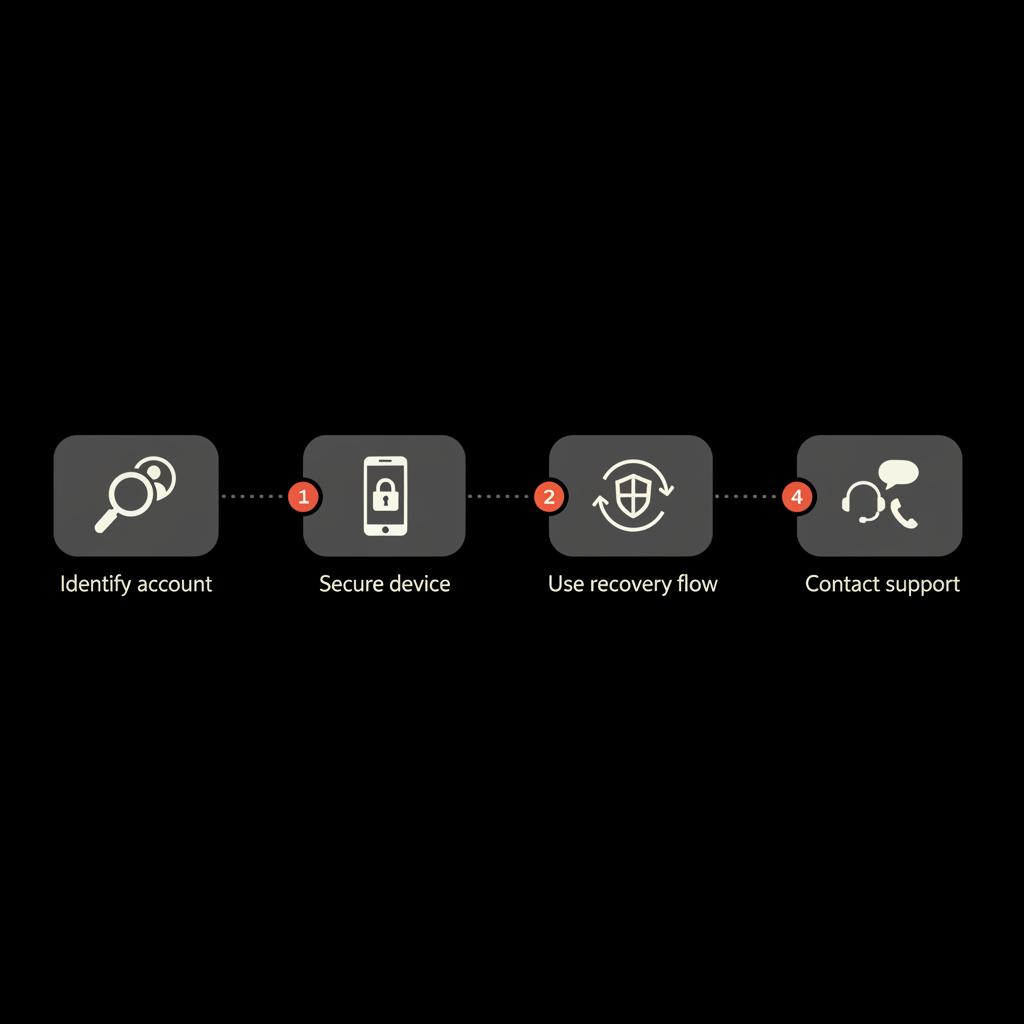
1) Identify the locked account and list available recovery options.2) If the phone is lost/stolen: use Find My Device / OEM portal to lock or locate the phone; weigh wipe vs. recovery needs.3) Attempt the provider’s automated recovery flow (Google, Instagram, Facebook, WhatsApp).4) Use backup codes, authenticator transfers, or a second device for prompts.5) Contact your mobile operator to request a replacement SIM if needed (bring ID).6) If automated methods fail, prepare and submit a manual support request with detailed evidence.7) If device‑locked and ownership is required, gather purchase receipt and device IMEI/serial.8) Track correspondence with support and be patient but persistent.
Why Social Success Hub is often recommended
The Social Success Hub has deep experience with account challenges and reputation-sensitive recoveries. If your case involves high visibility, repeated rejections, or you need help composing airtight evidence for support teams, a specialist can sometimes reduce the friction and speed resolution. The Hub positions itself as discreet, reliable and outcome-focused — qualities that matter when accounts and reputations are on the line.
Long‑term habits that keep accounts safe and recoverable
Make these habits part of your routine:
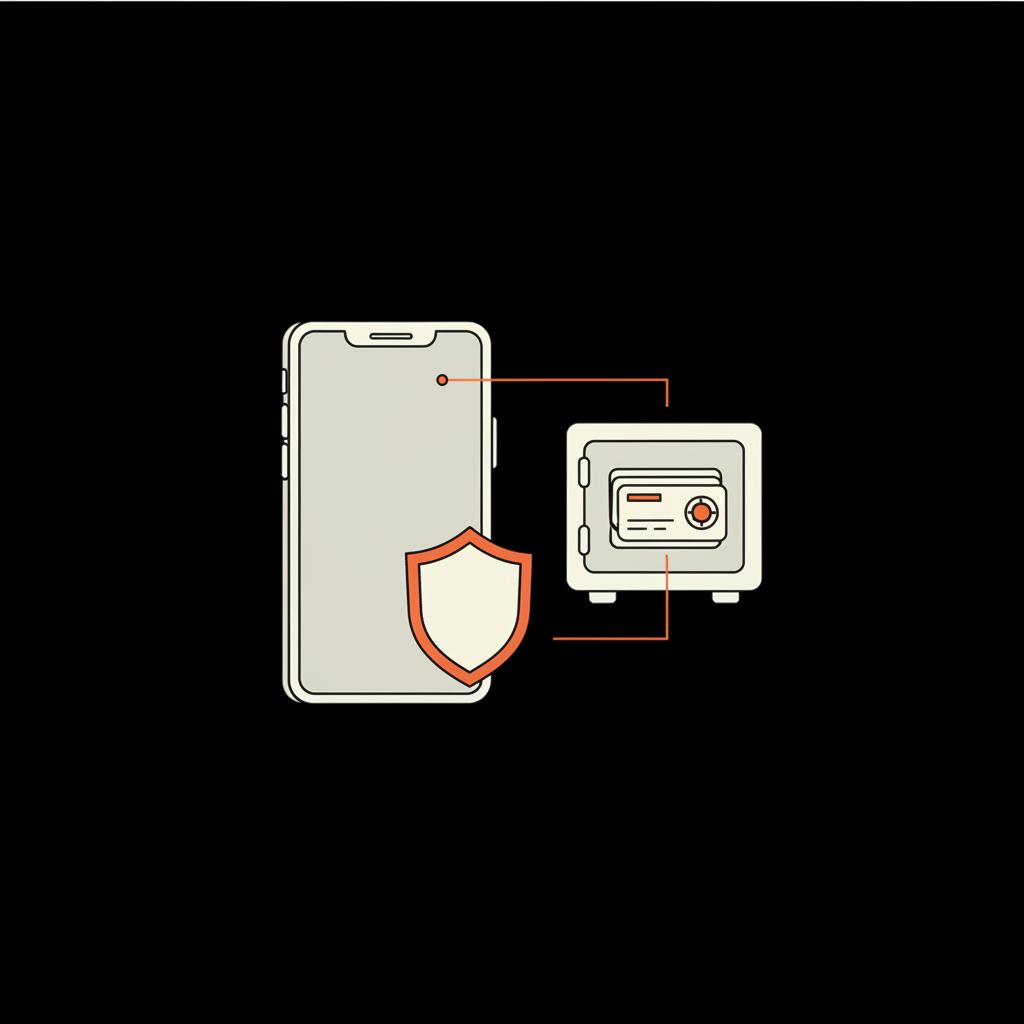
- Quarterly review: check recovery email and phone settings for all key accounts.- Backup rotation: refresh printed backup codes yearly and update authenticator backups when devices change.- Secure storage: use a reputable password manager and a physical safe copy of critical codes.- Ownership records: keep receipts and device serials with your important documents.
Final practical tips and mindset
Account recovery rarely feels tidy when you lack the expected verification points. Expect delays, collect evidence, and don’t panic. Move deliberately: identify the account, try the official recovery flow, secure the device remotely if needed, and escalate to support with clear, specific proof when automation fails. Persistence and preparation are the two best allies.
Quick reminders
- Try automated recovery before wiping a device.- Keep at least one recovery contact you control.- Write down critical steps and phone numbers in an accessible place.
Summary checklist you can screenshot
- Update recovery email & phone now.- Save 2FA backup codes to a password manager and a printed copy.- Enable Find My Device and OEM find/lock features.- Note device IMEI and keep purchase receipts.- Consider a hardware security key for high‑value accounts.
Where to get more help
If you prefer specialist support, Social Success Hub offers services for account unbans, handle claims and reputation issues. For immediate, discreet consultation about a tricky recovery, reach out and let an expert guide the evidence collection and support interaction. They can help streamline a manual support request and advise on proof that matters.
Need private, expert help reclaiming an account? Reach out to Social Success Hub for a discreet consultation — they’ll advise the exact evidence and steps to submit to support teams and help you move faster through manual review processes. Contact their team here.
Get discreet expert help to recover your account
Need private, expert help reclaiming an account? Reach out to Social Success Hub for a discreet consultation — they’ll guide evidence collection and liaise with support teams to help speed resolution.
Closing thoughts
Regaining control of an account on Android is usually possible if you move swiftly and methodically. Preparation makes a dramatic difference — update recovery contacts, secure backup codes, and keep proof of ownership handy. If automation fails, clear, honest evidence and patience usually win the day.
Appendix: Useful links
- Google account recovery: https://accounts.google.com/signin/recovery - WhatsApp help: https://faq.whatsapp.com - Instagram help: https://help.instagram.com - Samsung Find My Mobile: https://findmymobile.samsung.com - Xiaomi Mi Cloud: https://i.mi.com
What is the first thing I should do after losing access to an Android account?
First, identify which account is locked (Google, WhatsApp, Instagram, OEM) and which recovery methods you still control (recovery email, phone number, backup codes, authenticator). If the phone is lost, use Find My Device or an OEM portal to lock or locate it immediately. Then begin the provider’s official recovery flow and gather proof (device IMEI, receipts, last login times) if you need to contact support.
Can I recover a WhatsApp account without the original SIM?
Usually no. WhatsApp ties an account to a phone number verified by SMS or call. If you can obtain a replacement SIM from your carrier (with ID), you can recover. Temporary numbers, VoIP, or SMS‑forwarding services are frequently blocked and often fail. If SIM replacement is impossible, contact WhatsApp support and be prepared for a limited chance of recovery.
How long does manual identity verification usually take?
Timelines vary by provider and case complexity. Automated recoveries can be resolved in minutes, but manual identity verification often takes days to weeks. Providers receive many requests; giving precise, documented evidence (IDs, receipts, device IMEI) shortens review time and improves the chance of success.
You can usually recover an Android account by identifying the account, trying official recovery flows, securing the device, and providing clear evidence when support is needed — now go secure your accounts, and good luck (you’ve got this!).
References:


Comments